iPhone users are only just discovering what the orange and green dots on their screen actually mean
iPhone users are only just discovering what the orange and green dots on their screen actually mean
Publish Date: 2026-05-14 04:15:00
Source Domain: www.uniladtech.com
If you have ever noticed a tiny orange or green dot in the corner of your iPhone screen and wondered what it is then you aren’t alone.
There are many small Apple features that a lot of users are unaware of, with this mysterious display choice being one of them, despite it existing for several years.
However, since one user discovered the real reason behind the dots, the truth has been doing the rounds on social media.
Taking to the X, formerly Twitter, they wrote: “Does anyone know what the difference is between the green light and the orange light?”
This sparked others to notice it on their own devices, leading to many wondering what the reason is.
It turns out that the small dots were first introduced as part of Apple’s privacy features, designed to give users more transparency about when apps access sensitive parts of their device.
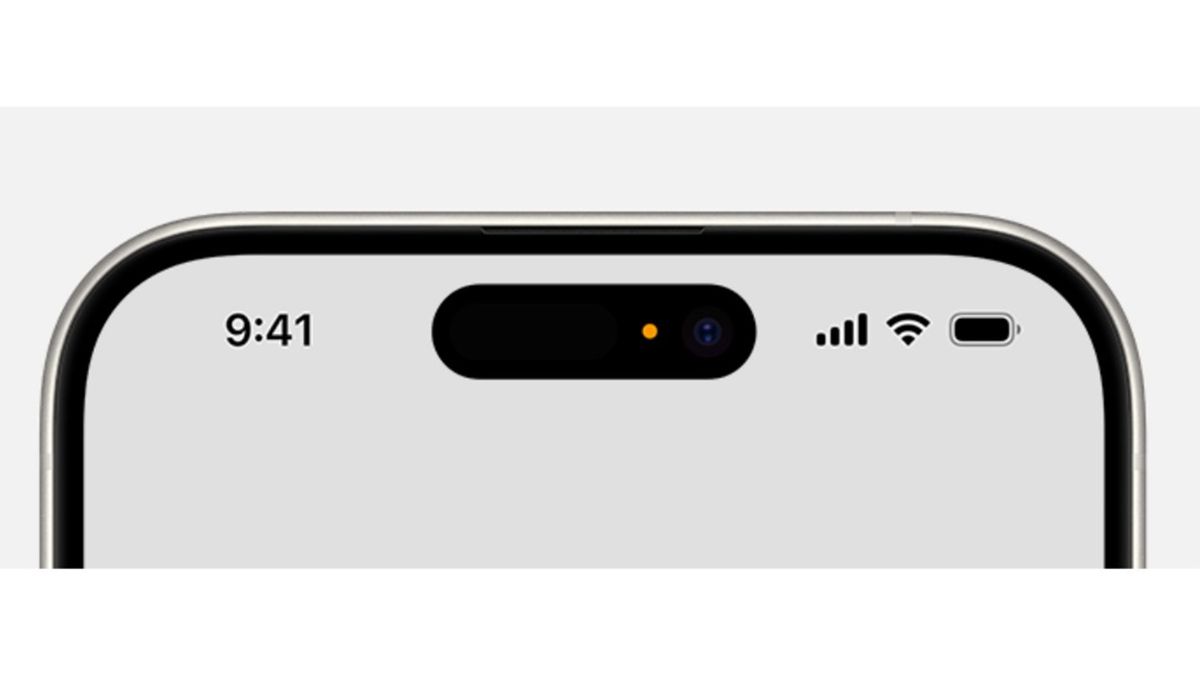
When the green dot appears, it means an app is actively using your camera, or both your camera and microphone together.
Meanwhile, the orange dot means an app is using your microphone. This can happen during phone calls, voice notes, or while using apps that require audio recording in the background.
The feature was initially added with iOS 14 back in 2020 as part of Apple’s wider push towards user privacy and app transparency.
The idea is to make it immediately obvious if an app is accessing your microphone or camera without you realizing as a way for Apple to quietly warn you about an app’s activity.
The orange or green dot in the corner of your iPhone screen has finally been explained (Apple)
Apple explained: “An orange indicator means the microphone is being used by an app on your iPhone. This indicator will appear as an orange square if the Differentiate Without Colour setting is turned on in Settings Accessibility Display & Text Size.
“A green indicator means either the camera only or the camera and microphone are being used by an app on your iPhone.”
Many users took to Reddit to share their reactions to the…