Minimalist MacBook Pro Setup: Essential Tools for Developers
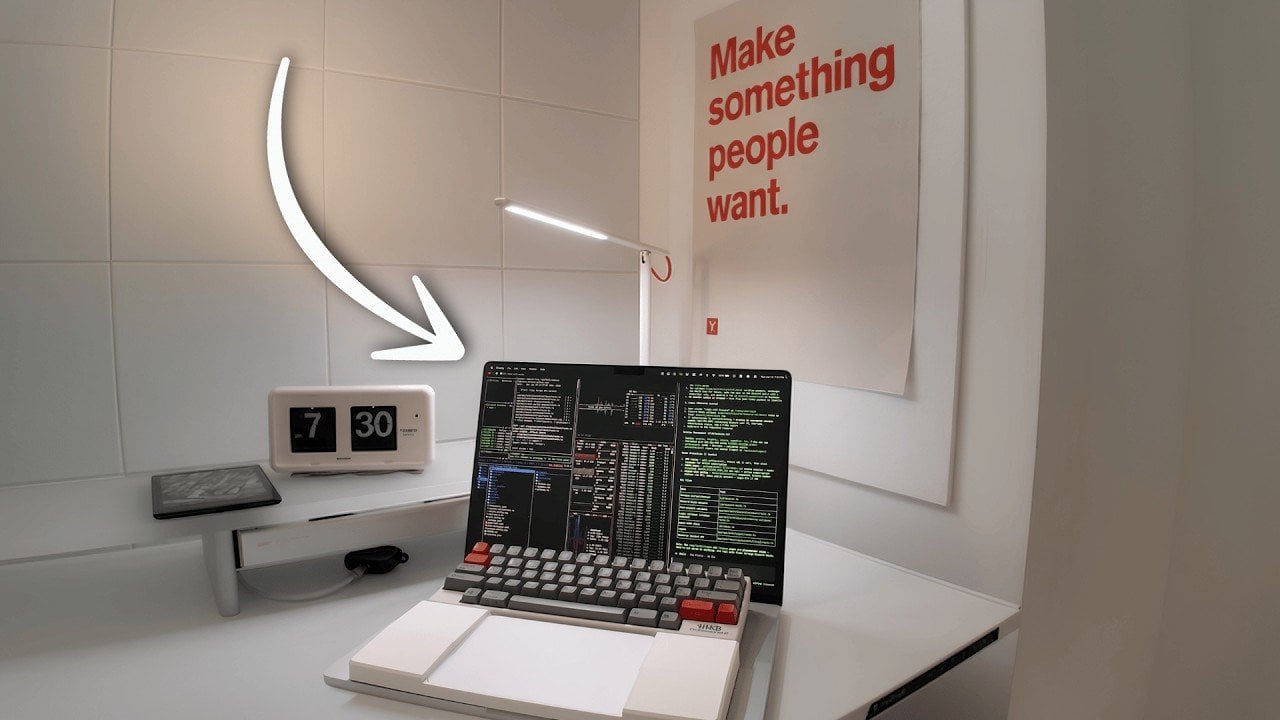
Minimalist MacBook Pro Setup: Essential Tools for Developers
https://www.geeky-gadgets.com/minimalist-macbook-setup-coding/
Publish Date: 2026-07-17 06:51:00
Source Domain: www.geeky-gadgets.com
Edmund Yong shares his minimalist MacBook setup, designed to create a focused and efficient coding environment. At the heart of this setup is the MacBook Pro 16-inch M3 Max, chosen for its balance of performance and display size, ideal for demanding tasks like compiling large codebases or managing virtual machines. To complement the hardware, Yong incorporates ergonomic elements such as a height-adjustable desk and the compact HHKB keyboard, which prioritize comfort and productivity during extended work sessions.
Explore how this setup integrates software like Raycast for streamlined navigation and Cursor IDE for debugging workflows. Learn about browser extensions such as Vimium for keyboard-based web navigation and macOS customizations like Yabai for advanced window management. Additionally, gain insight into how these components combine to support a workspace tailored for sustained focus and coding efficiency.
The Foundation of Productivity
TL;DR Key Takeaways :
- A minimalist MacBook setup, featuring the MacBook Pro 16-inch M3 Max, enhances productivity by combining powerful hardware, ergonomic accessories and efficient software tools.
- Key hardware components include the HHKB keyboard for ergonomic typing, a matte anti-glare screen protector to reduce eye strain and an adjustable desk setup for physical comfort.
- Essential software tools like Raycast, Superhuman and Better Display streamline workflows, improve visuals and minimize distractions for a more efficient work environment.
- Browser extensions such as Vimium, Unhook and Freedom help maintain focus by reducing online distractions and improving navigation efficiency.
- Customizations like Yabai & SKHD for window management and animation-disabling commands enhance macOS usability, while coding tools like Cursor IDE and Kitty Terminal optimize development workflows.
Hardware
The hardware you choose forms the backbone of your coding setup, directly influencing your efficiency and comfort. Each component in…


