This hidden Android feature stops people from snooping around your phone
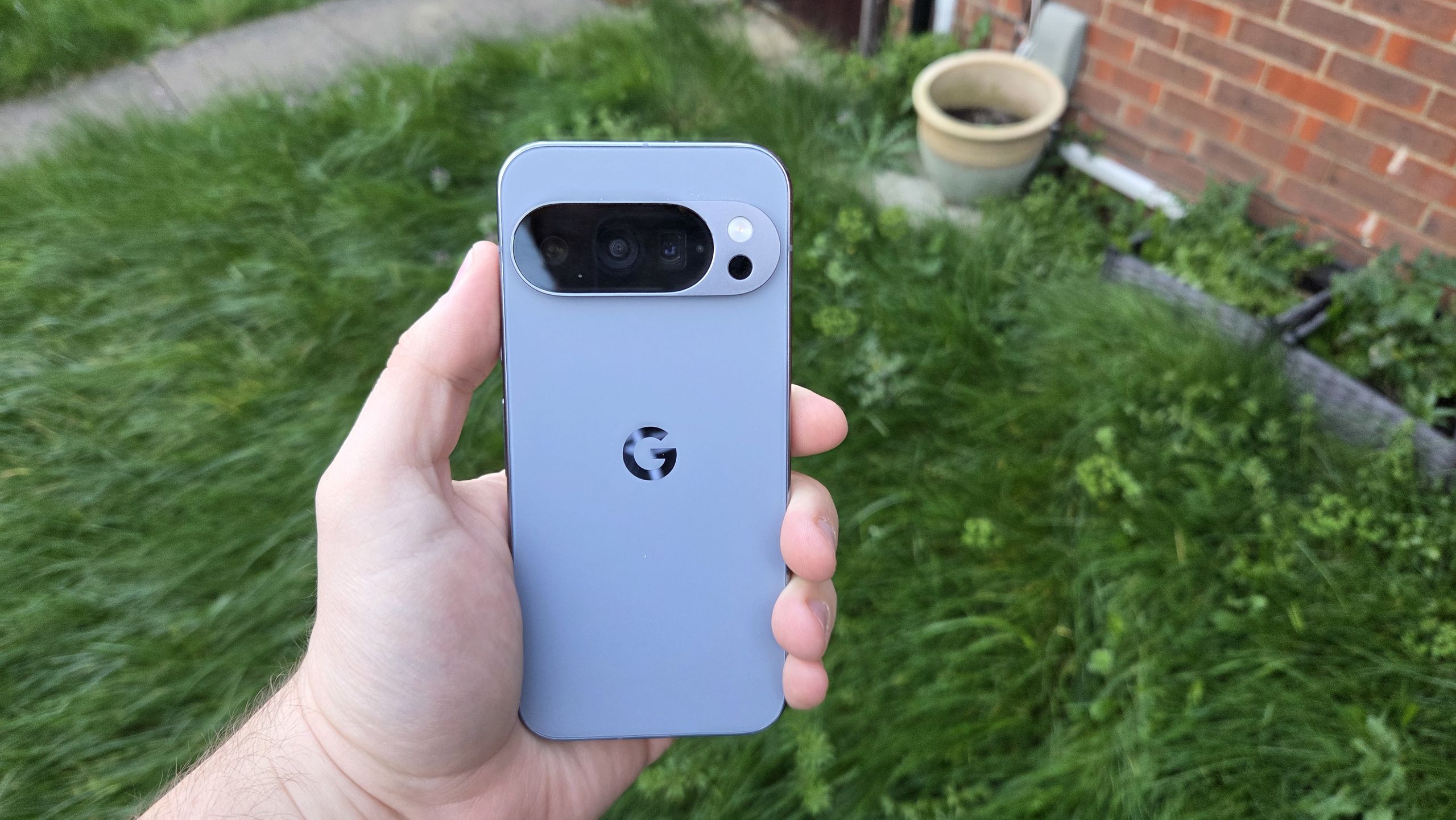
This hidden Android feature stops people from snooping around your phone
https://www.tomsguide.com/phones/android-phones/how-to-set-up-guest-mode-on-android
Publish Date: 2026-06-01 01:36:00
Source Domain: www.tomsguide.com
There’s a lot of sensitive information stored in your phone, but there may still be situations where you need to hand your device over to someone for whatever reason. Maybe a friend needs to make a call, and you don’t want to risk them snooping through your private messages or photos.
Luckily, most Android phones have a hidden feature that lets you avoid such situations. But not Samsung Galaxy phones, they don’t have this basic feature, for reasons that have never been made clear.
Guest Mode offers you the chance to set up a temporary guest profile that lets someone else do what they need to do without running the risk of them seeing something that they shouldn’t. Likewise, Android will delete all evidence of their activity once they’re done, ensuring total privacy and security for all.
Latest Videos From
You may like
Here’s how to set up Guest Mode on Android, and keep all your data nice and safe.
1. Open User profiles in System Settings
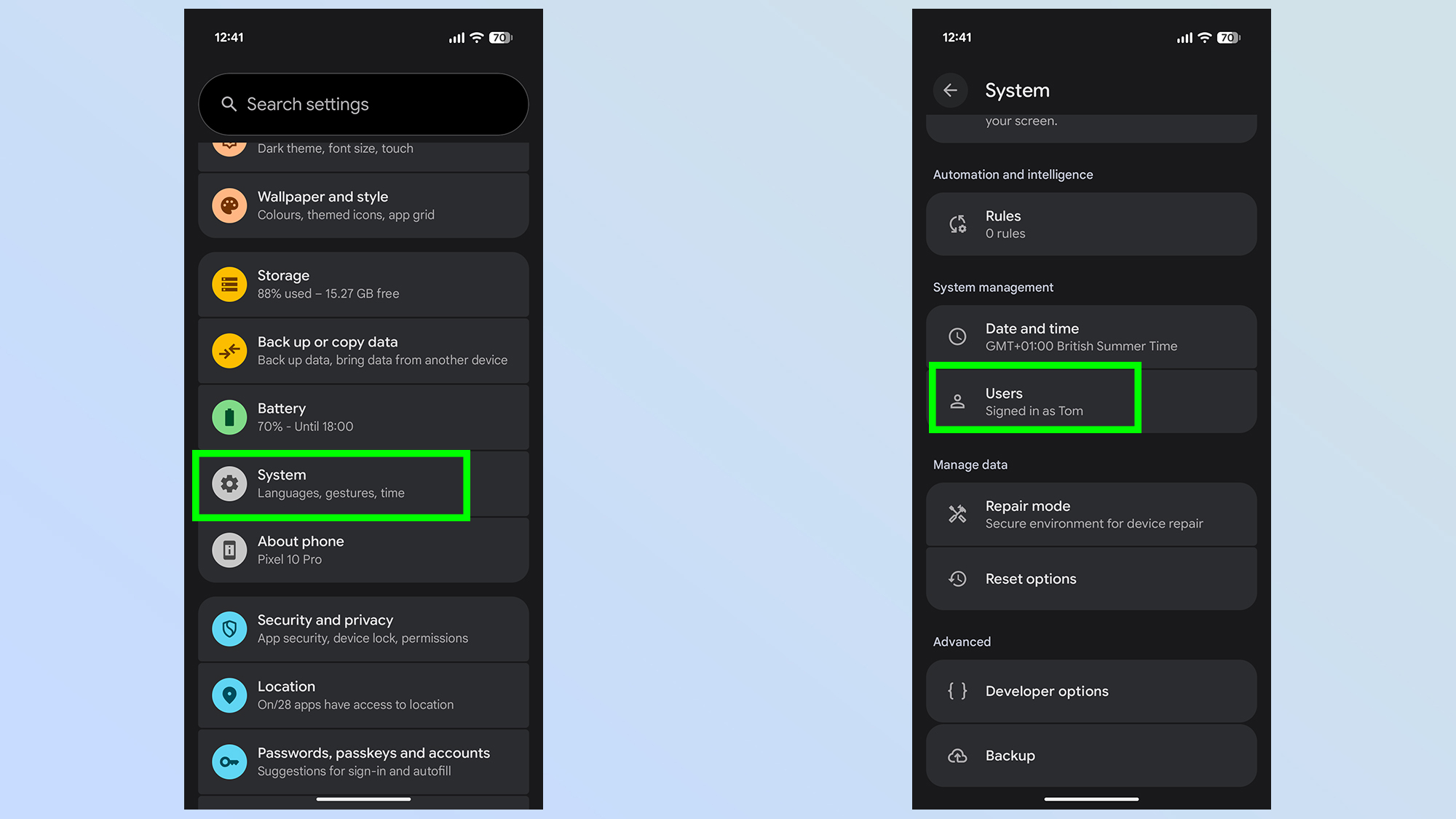
The first thing you need to do is open up the Settings menu, then scroll down until you see System. Tap this, then scroll down further until you see the Users option. Tap it.
2. Enable Guest Swapping and Add guest
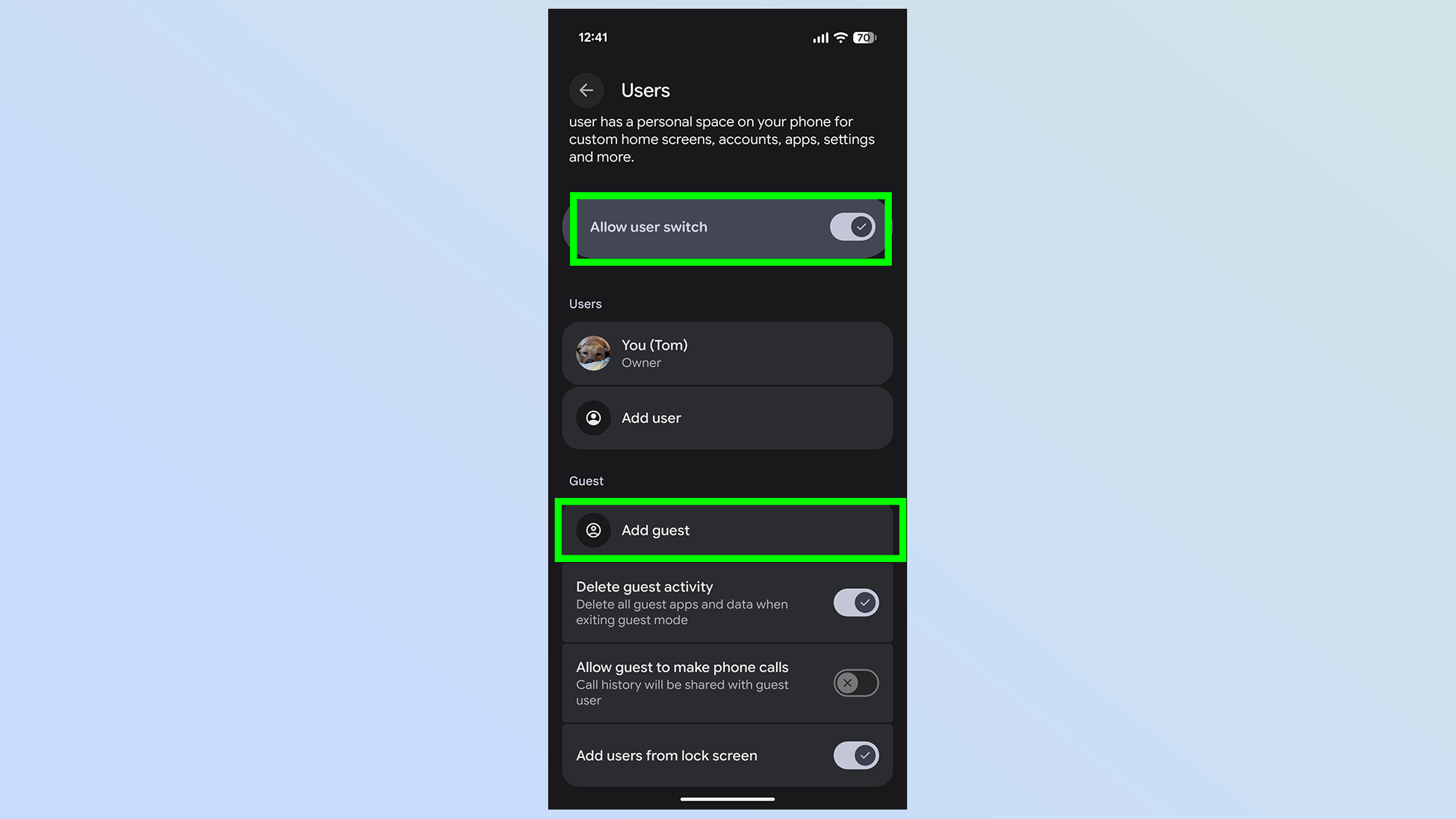
The next page lets you set up a guest account quickly. The first thing you need to do is ensure the Allow user switch is toggled on. Once it is, you simply need to tap Add guest to proceed. This will open up a Guest Mode profile for you, or someone you know, to use.
This page also lets you configure settings for guest accounts. This includes options for automatically deleting all guest activity, letting them make phone calls, and whether you should be able to add guest accounts from the lock screen
3. Open Guest accounts quickly
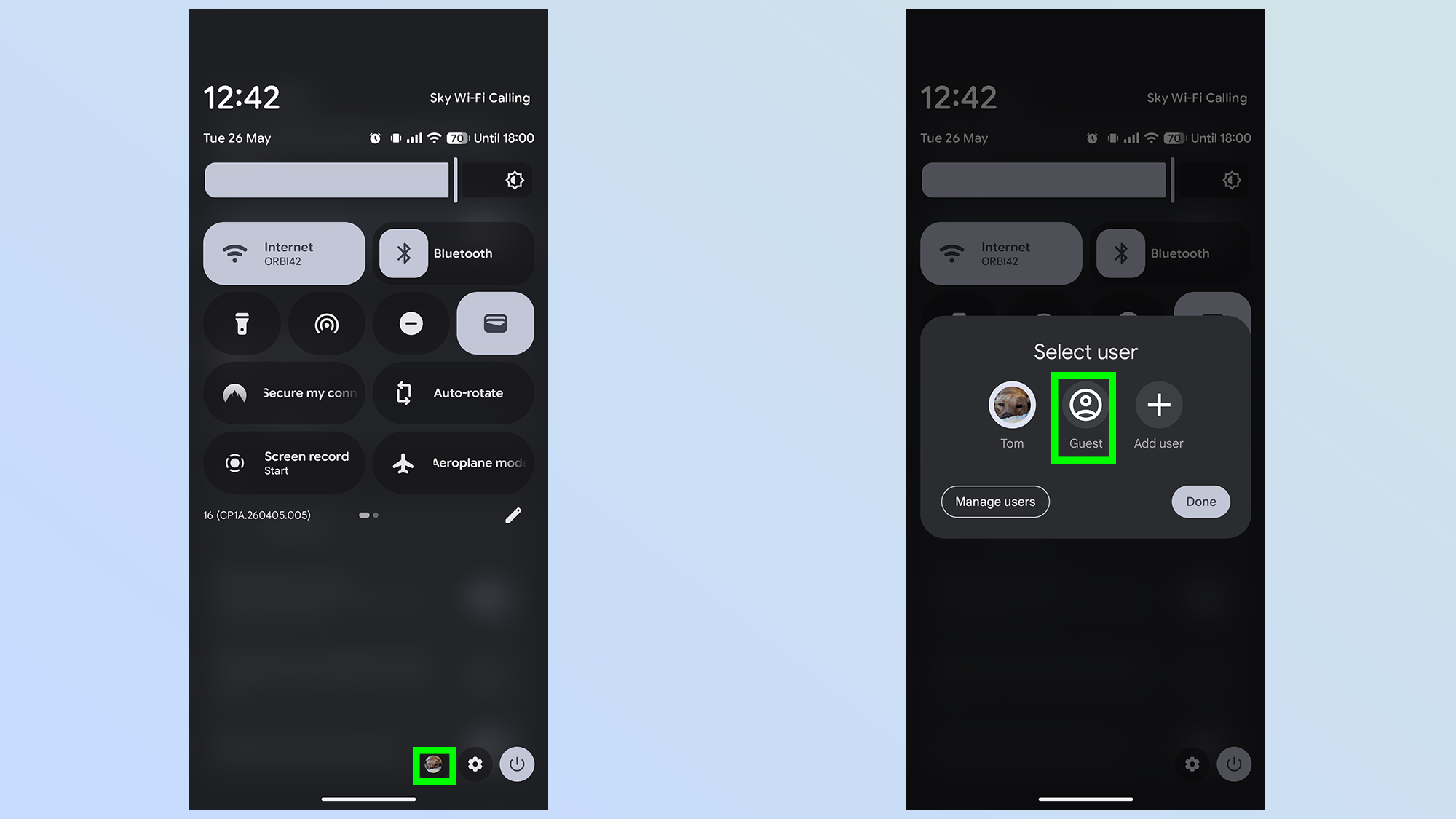
While going through the settings menu and tapping Add Guest will let you open up a guest profile, there is a faster way to do it once everything is set up.
Simply pull down the navigation bar with two fingers to extend it to the…