How to turn on Android’s anti-theft protection features and secure your phone
How to turn on Android’s anti-theft protection features and secure your phone
Publish Date: 2026-05-08 01:17:00
Source Domain: www.tomsguide.com
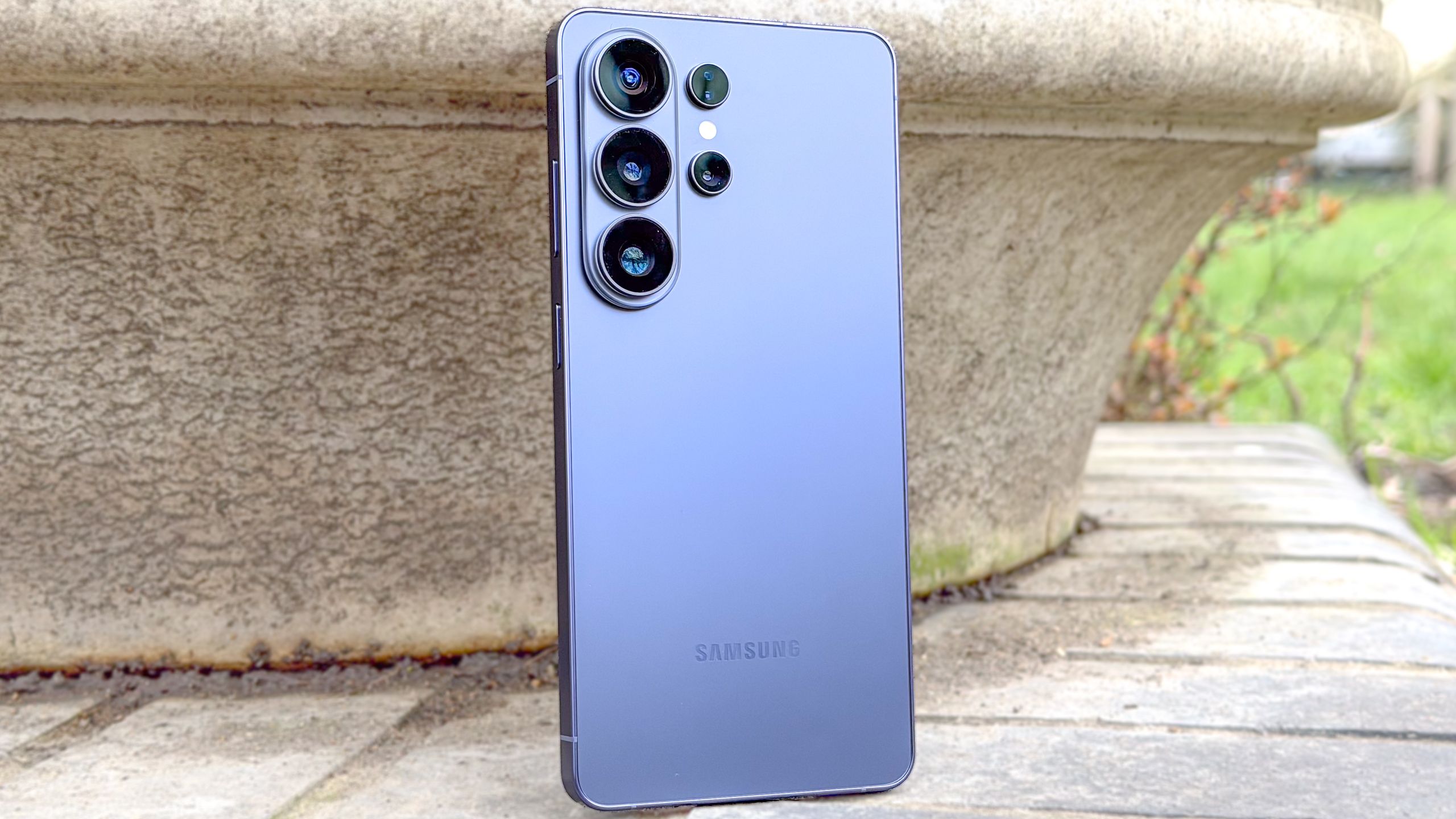
If you’ve recently bought one of the best Android phons, or want to check your current device is protected as best it can be, you need to have Android’s anti-theft features enabled.
Google recently introduced a trio of anti-theft upgrades to its mobile operating system for handsets running Android 16 and newer, allowing you to better secure your device and the information on it.
I’ve used the Google Pixel 10 Pro, OnePlus 15, Samsung Galaxy A37 and Oppo Find N6 to put this article together, and to ensure the features are available across different brands.
You may like
Latest Videos From
1. Set up a pin, pattern or password
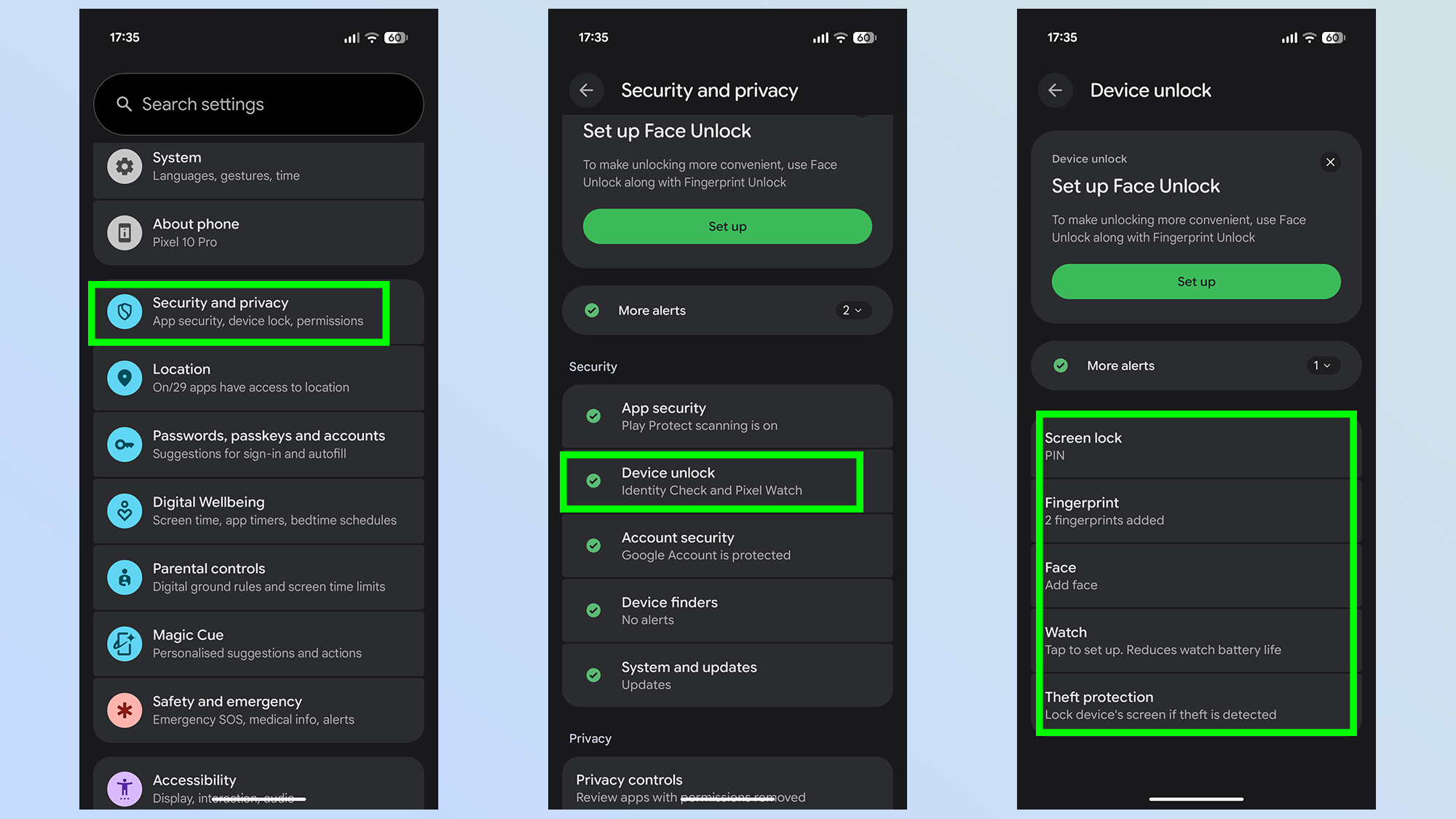
When you set up a new Android phone, you’ll be prompted to enter a lock screen pin, pattern, or password, and often there will be a biometric complement to go with it, either a fingerprint or face scan. This is your first line of defence for keeping thieves out.
Without that security, anyone can just pick up your phone and gain access. If someone steals your phone, they’ll be able to factory reset it, or worse, access all your sensitive apps, while you are powerless to stop them.
If you didn’t set up a pin, pattern or password during setup, you can do so by going to the Settings app and then Security and privacy Device unlock.
1a. Set up biometric security (Optional)
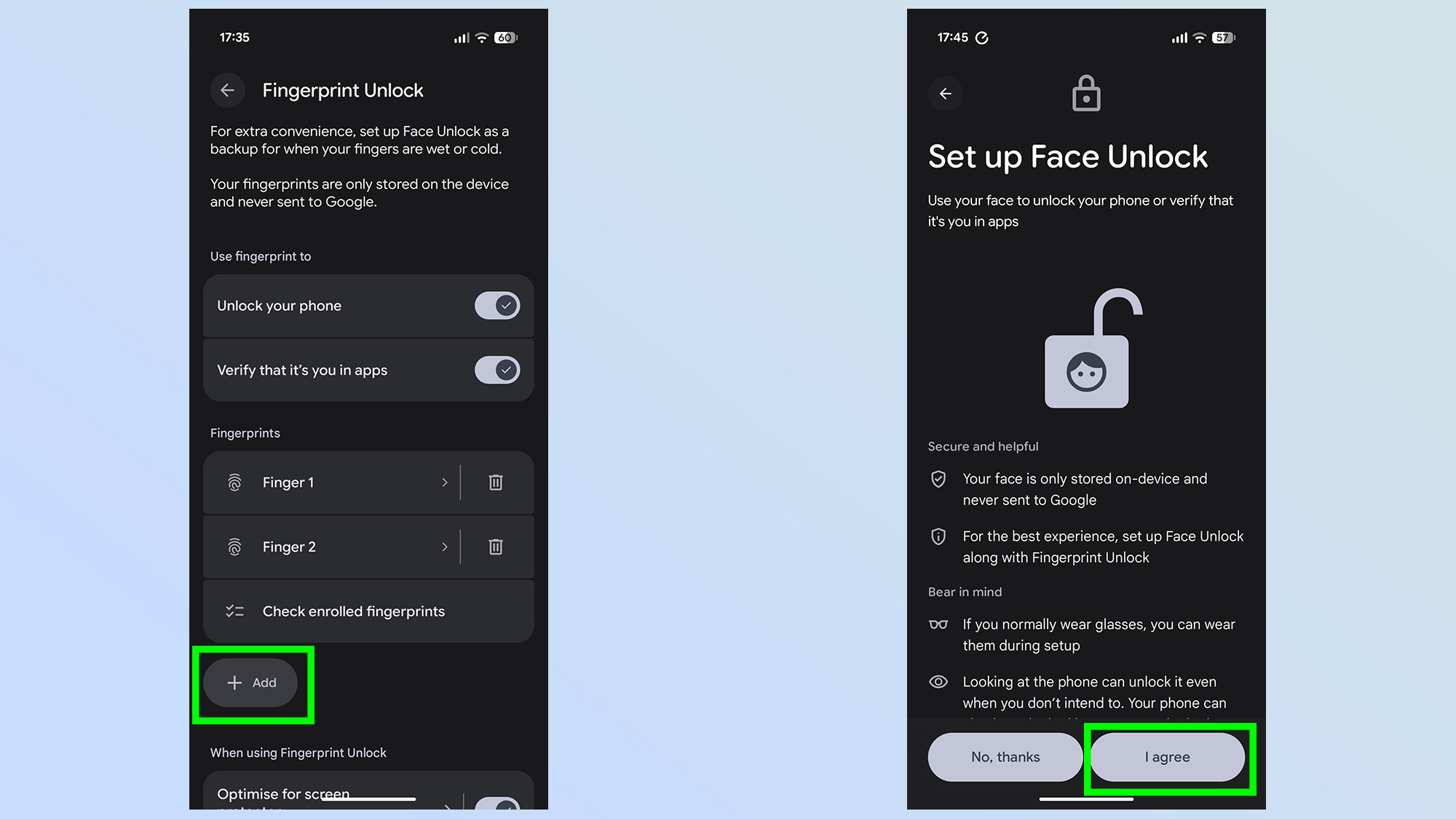
If your Android device also offers biometric security, there will be an option to set this up as well, but you’ll need to have a pin, pattern, or password already set up. Make sure it’s something you can remember, because if you forget it, you’ll be locked out of your phone. Just follow the on-screen prompts during the setup process.
When you restart your phone, or power it off, upon restart you’ll have to enter your pin, pattern or password — biometric unlock only becomes available after a restart once you’ve entered the former security requirement.
This is just the start, though, as Android has deeper…

![Gemini overlay rolls out Dynamic Color, integrates ‘Screen content’ [U]](https://i0.wp.com/9to5google.com/wp-content/uploads/sites/4/2026/05/gemini-overlay-3.jpg?resize=1200%2C628&quality=82&strip=all&ssl=1 "Gemini overlay rolls out Dynamic Color, integrates ‘Screen content’ [U]")