Windows 11 can now pick up your Spotify session from Android, similar to Apple Handoff for iOS
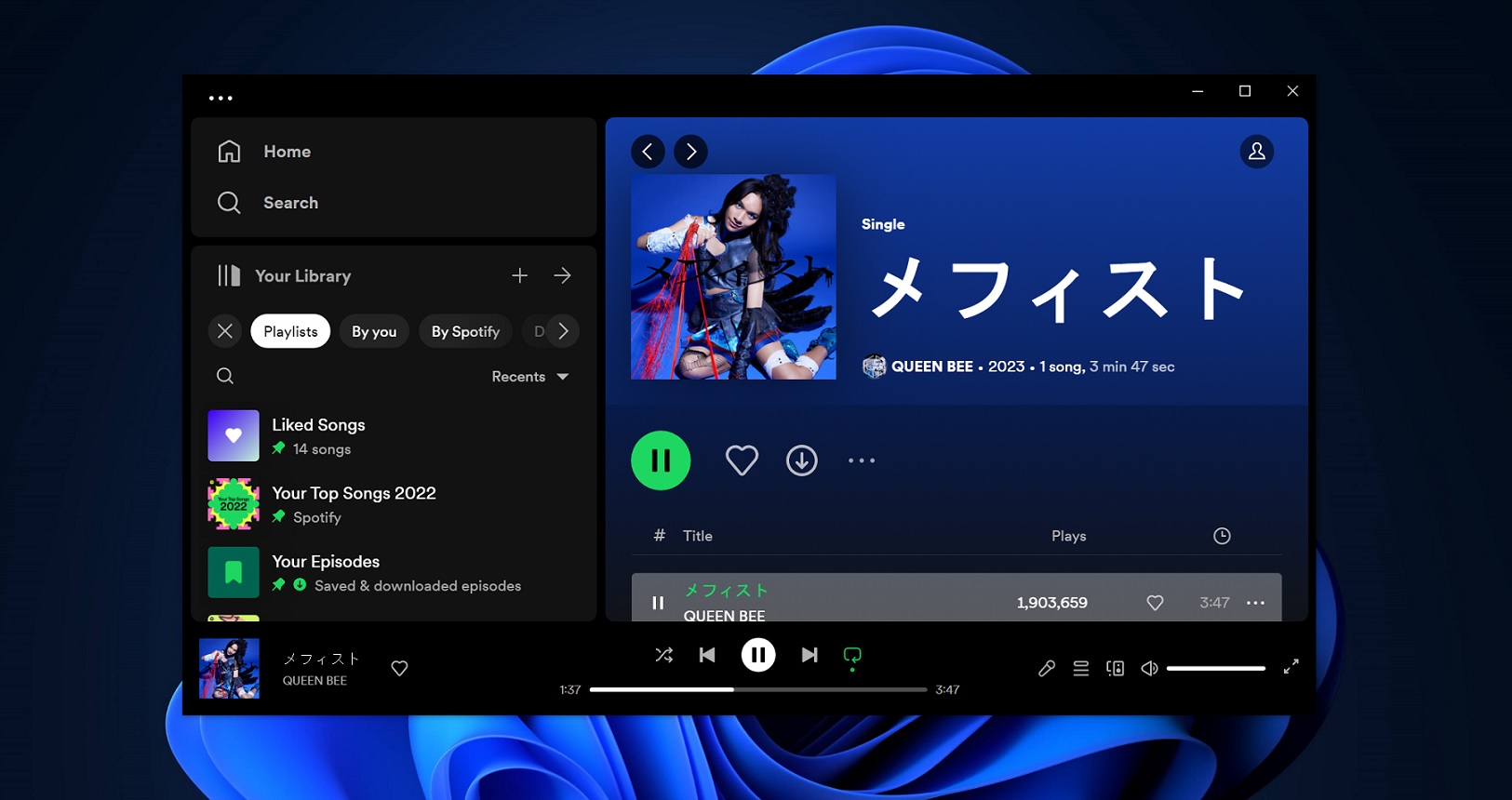
Windows 11 can now pick up your Spotify session from Android, similar to Apple Handoff for iOS
Publish Date: 2026-02-12 12:30:00
Source Domain: www.windowslatest.com
Windows 11 Resume feature is now integrating Spotify for cross-device playback functionality. Once enabled, you’ll be able to transfer the music playback session from your Android phone to your Windows 11 PC by just clicking the icon on the taskbar.
Resume is a slightly old feature that already supports OneDrive documents. This allows you to review and edit the same documents on your PC. Spotify Resume is part of Windows 11’s February 2026 Update (Build 26200.7840 or newer), and it’s now rolling out.
How to enable Spotify Resume on Windows 11
In Windows, cross-device features work via the managed devices interface. If you use features such as using the phone camera as a webcam on your PC, you might already have connected your phone to the PC via this tool. On the phone side, the Link to Windows app makes the connection and pairing possible.
If not, here’s how to do it:
Install the Link to Windows app on your Phone and then sign in with the same Microsoft account you use on your PC.
- Press the Win key, type mobile devices, and press Enter.
- Click on Add device button, and a window will pop up.
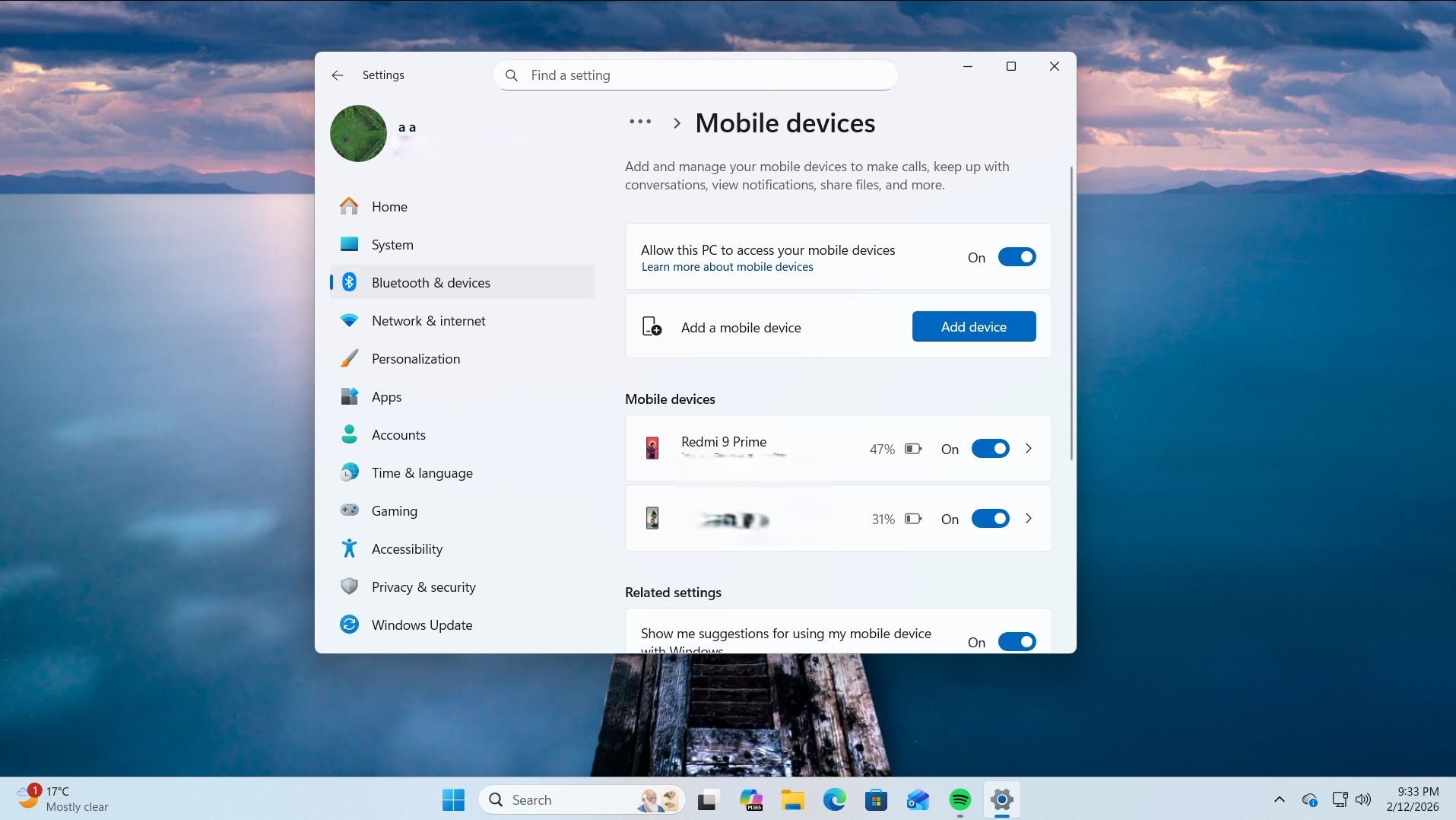
- Pick a Microsoft account and then scan the QR code on the phone to pair it.
- Enable the Resume feature in the list.
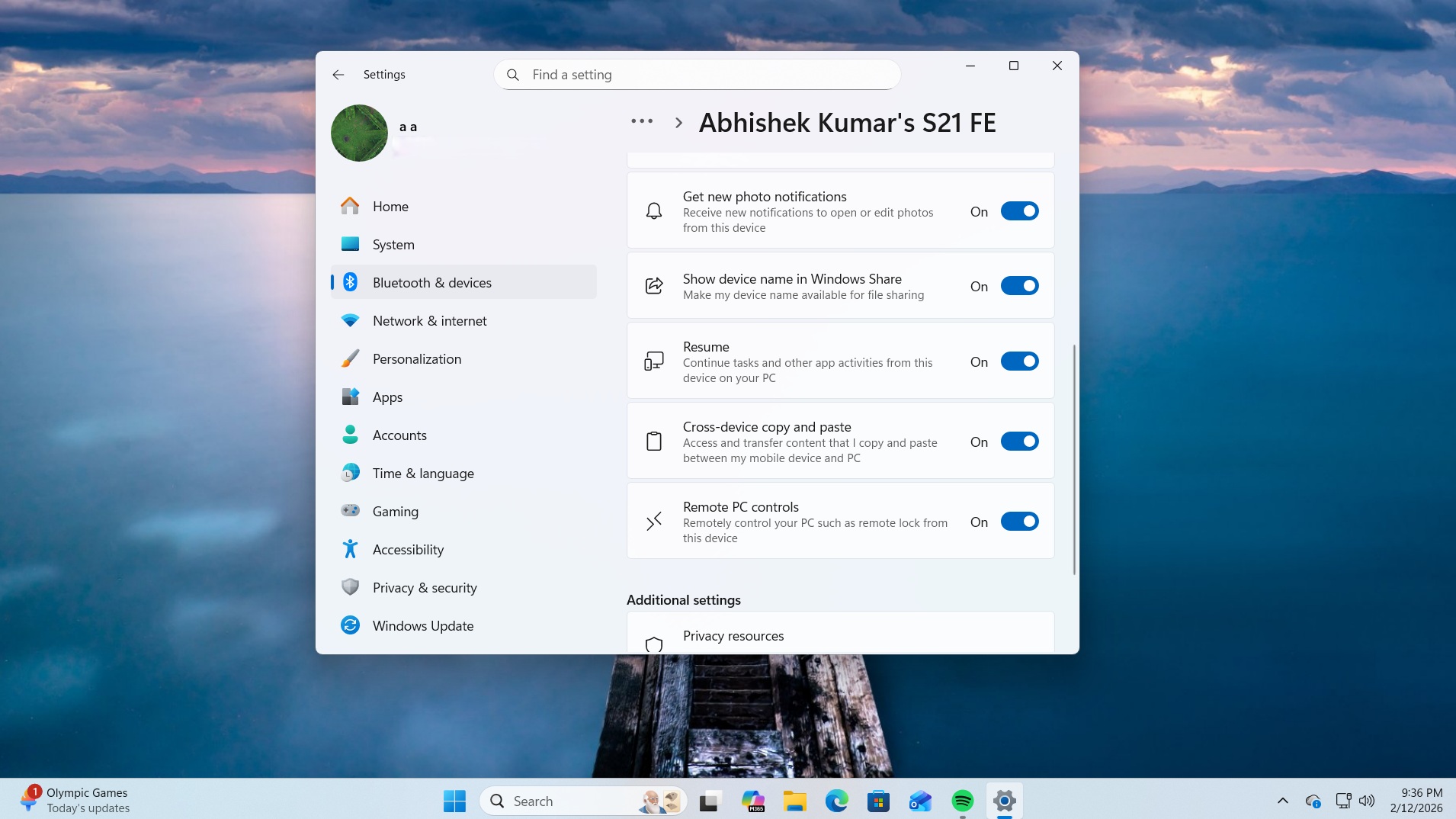
- After you do this, you don’t need to do anything else. Simply install Spotify on your phone and PC and sign in with the same account on both devices.
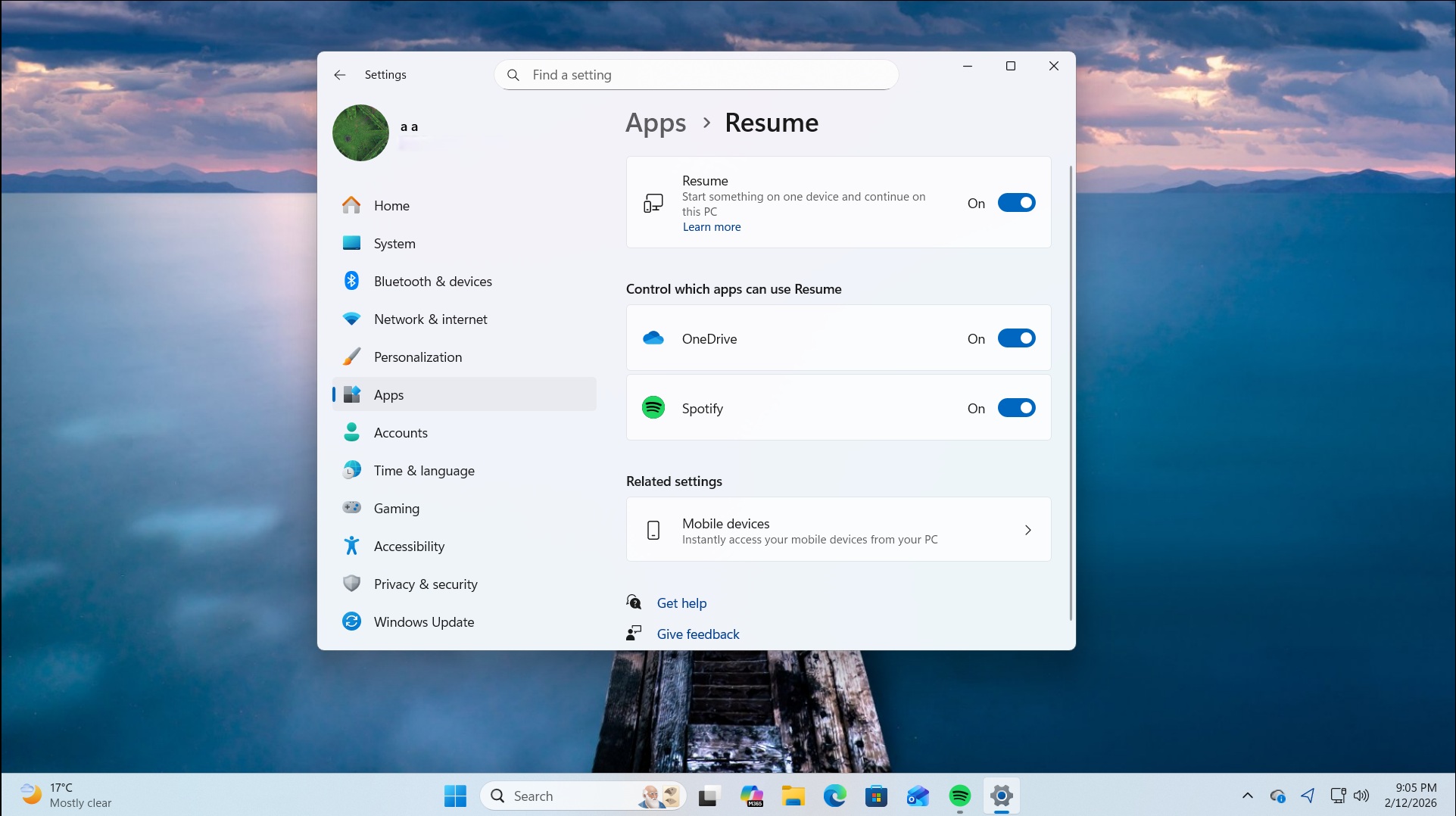
- You can confirm that the Spotify resume is active by going to the Apps Resume section in the Settings app.
Play a track on your phone and then boot your PC. You’ll see a Spotify widget on the lock screen. As soon as you log in, the Spotify icon will pop up on your taskbar with a phone signal indicating to switch the playback to the PC.
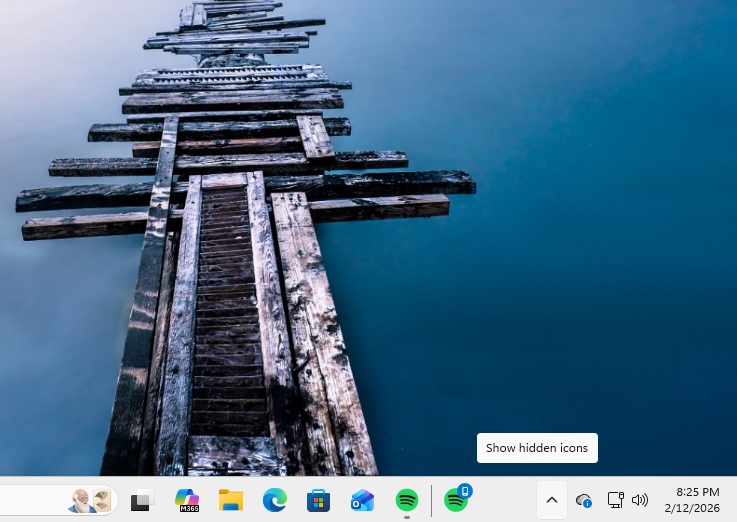
My Spotify resume experience
Resume should be instantaneous otherwise, it’s futile. In my testing, the feature worked promptly every time I played a track and then logged in to my PC. The Spotify icon greeted me after a few seconds, and…