The 4 Android Auto settings you need to change before your road trip
The 4 Android Auto settings you need to change before your road trip
https://www.howtogeek.com/the-android-auto-settings-you-need-to-change-before-your-road-trip/
Publish Date: 2026-06-21 13:45:00
Source Domain: www.howtogeek.com
Android Auto feels pretty great straight out of the box. I can’t lie that it impressed me the first time I tried it out in a new car. It instantly makes navigation and media feel a lot more intuitive and integrated than a standard phone mount or factory navigation system ever could.
But like with the rest of Android, part of Android Auto’s real strength comes from customization. The default layout and settings make sense, but they’re not optimal for every driver. Fortunately, there are a handful of options you can adjust ahead of a road trip to make your driving experience smoother, safer, and in line with how you wish to use your phone on the big car screen.
Make Android Auto connect automatically as you enter the car
Get in, start the car, and go
For many of us, Android Auto isn’t just a convenient feature that our cars’ infotainment systems have; it’s the default mode of operation. Whether it’s Google Maps, Spotify, podcasts, or weather, Android Auto has practically everything you need for your trip.
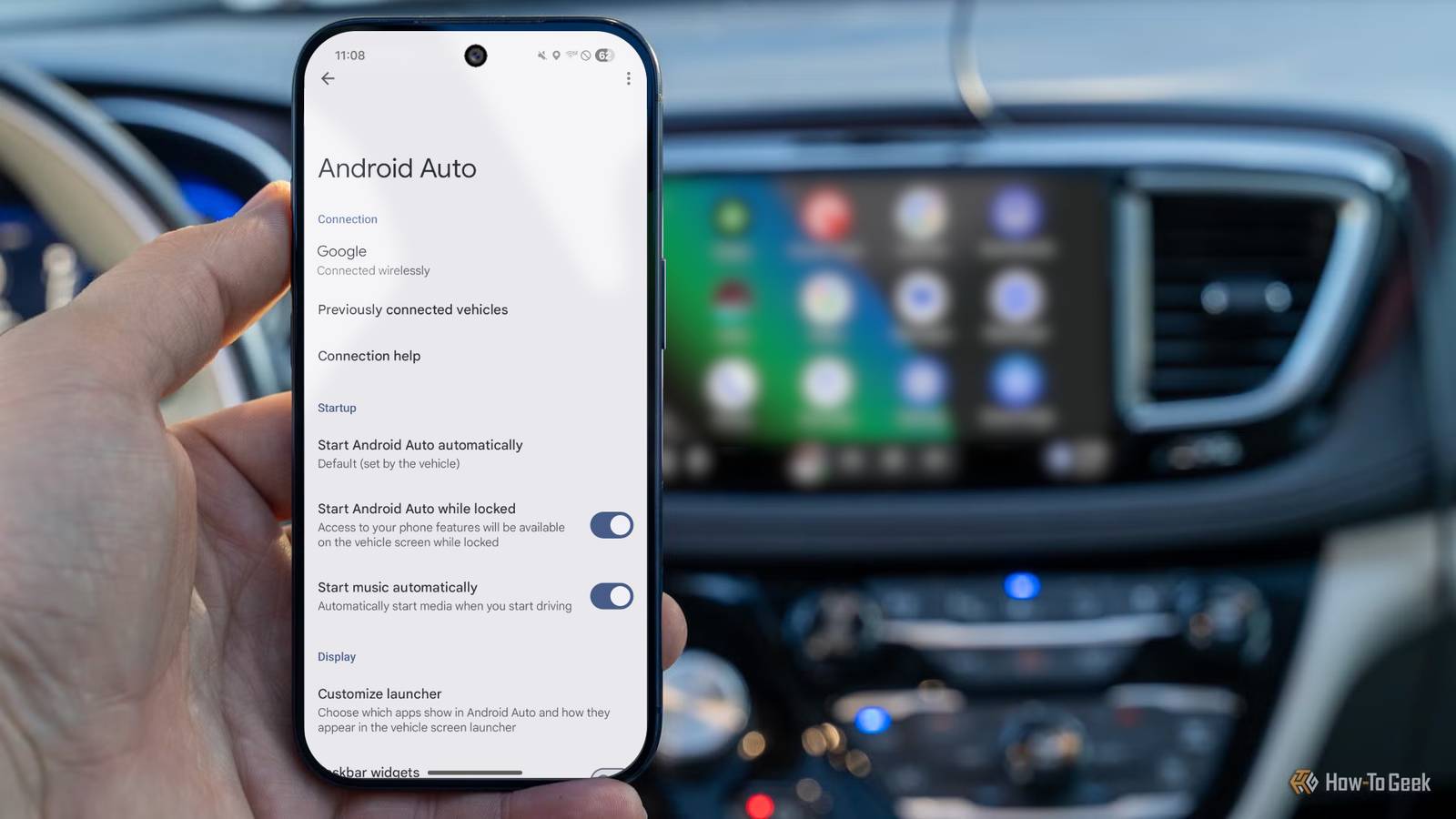
But if you’re still connecting your phone to your car’s head unit manually every time you get in, you’re missing out on one of its most useful features.
You can set Android Auto to take over automatically as soon as your phone connects to your car. It’s incredibly convenient, especially when you’re getting into a car after taking a break and forget to set things up before you drive off. Your navigation and entertainment are ready and waiting for you before you even take your phone out of your pocket.
…
Source