5 hidden features I didn’t know my Samsung phone had

5 hidden features I didn’t know my Samsung phone had
https://www.androidauthority.com/hidden-features-samsung-phone-3672514/
Publish Date: 2026-06-14 06:01:00
Source Domain: www.androidauthority.com
Joe Maring / Android Authority
One of my favorite things about owning a Samsung phone is just how much extra it offers on top of Android. And having used Galaxy phones for almost five years, I always thought I knew pretty much every trick and hidden feature One UI had to offer. Turns out, I was giving myself way too much credit.
Over the past few months, I’ve stumbled across several features I had no idea existed. What’s funny is that most of them weren’t buried deep inside menus or locked behind Good Lock modules. They were all sitting in plain sight the entire time. Now that I’ve found them, though, I feel somewhat obligated to share them so others don’t miss out on them the way I did.
What’s the most underrated part of One UI?
8 votes
Samsung’s apps
50%
Good Lock modules
25%
Customization features
25%
Samsung DeX
0%
A compass and a ruler
Pankil Shah / Android Authority
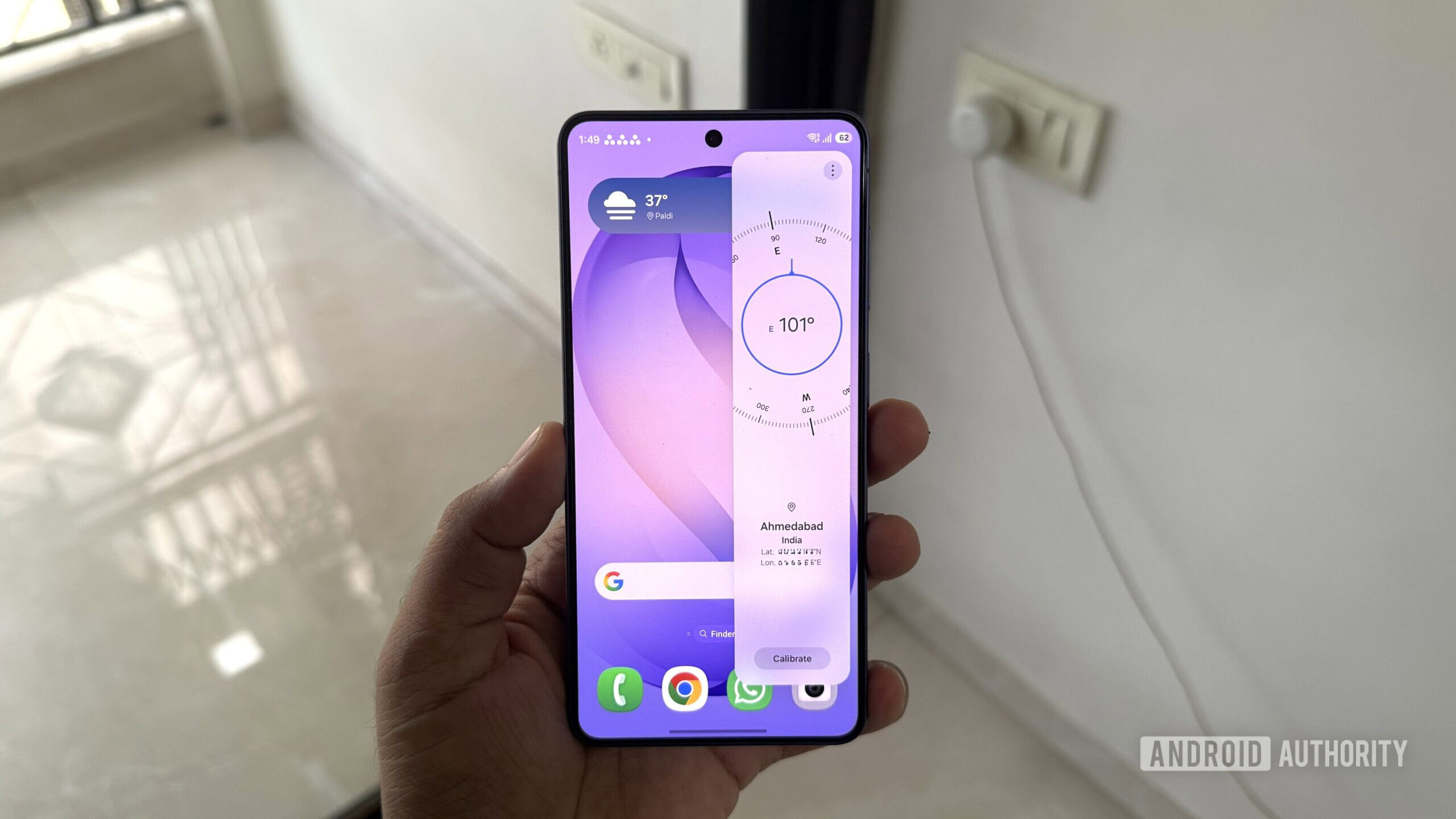
I’m one of those rare Galaxy users who keep the Edge Panel disabled. Not because I don’t find it useful, but because I somehow keep opening it accidentally while swiping left from the side of the screen. And that’s also why I never realized the Edge Panel had a compass inside it.
Once you enable the Tools panel by heading to Settings Display Edge panels Panels, you can pull up the built-in compass on almost any screen. It’s pretty accurate, and it even shows your current coordinates. Now, I don’t exactly need to navigate forests or hike trails on a daily basis, but it’s nice knowing I don’t need to install a separate app just to check my bearings.
Inside the same panel, tapping the three-dot menu and choosing Ruler literally turns the right edge of your phone into a ruler. You can change its unit from centimeters to inches depending on what you need, and there’s even an option to calibrate it for better results.
Document scanner
Pankil Shah / Android Authority
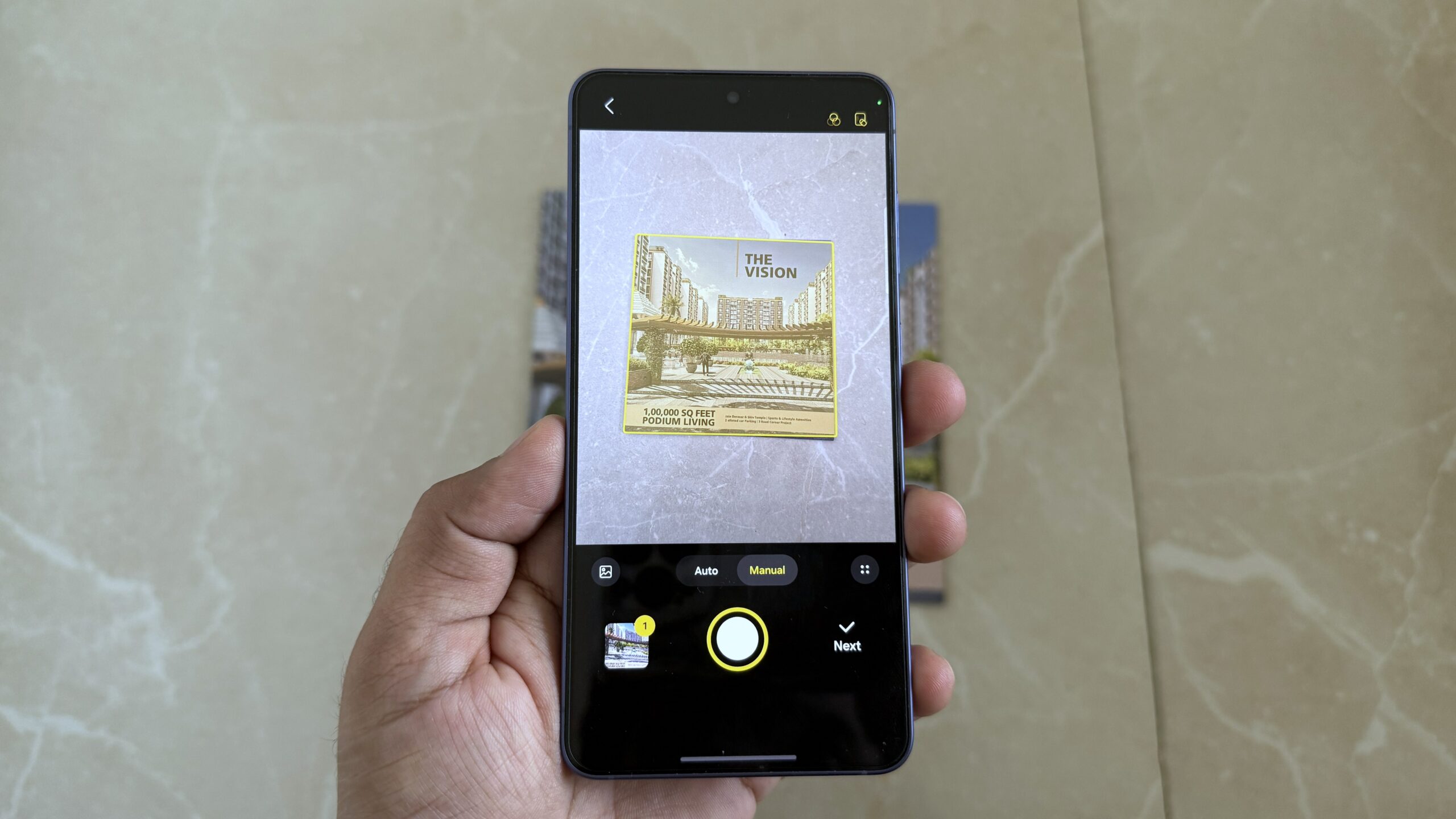
For the longest time, I used to rely on third-party apps whenever I needed to scan a document. You know the type. Scan a…