One UI 9 brings a much awaited status bar feature
One UI 9 brings a much awaited status bar feature
https://www.androidauthority.com/one-ui-9-network-speed-indicator-status-bar-3676743/
Publish Date: 2026-06-11 10:42:00
Source Domain: www.androidauthority.com
Paul Jones / Android Authority
TL;DR
- One UI 9 lets users enable a network speed indicator in the status bar using the updated QuickStar Good Lock module.
- The module also adds a new option to disable the Now Bar.
Samsung phones aren’t lacking in features by any means. However, there’s one that the company surprisingly hasn’t ever offered on its phones, while most other Android phones have it out of the box: network speed in the status bar. With One UI 9, the company is adding that to its phones as well.
Don’t want to miss the best from Android Authority?


Samsung has updated the QuickStar Good Lock module in One UI 9, and it adds a new option to enable the network speed indicator. Once enabled, your phone will display your internet speed right in the status bar, which can be very useful. The change was originally spotted by the folks over at SammyGuru.
We have also checked on our end, and we can confirm that the feature is available with QuickStar in One UI 9. There’s also a new “Ongoing Chip” option in the module that wasn’t available in previous versions. Take a look at the screenshots below:
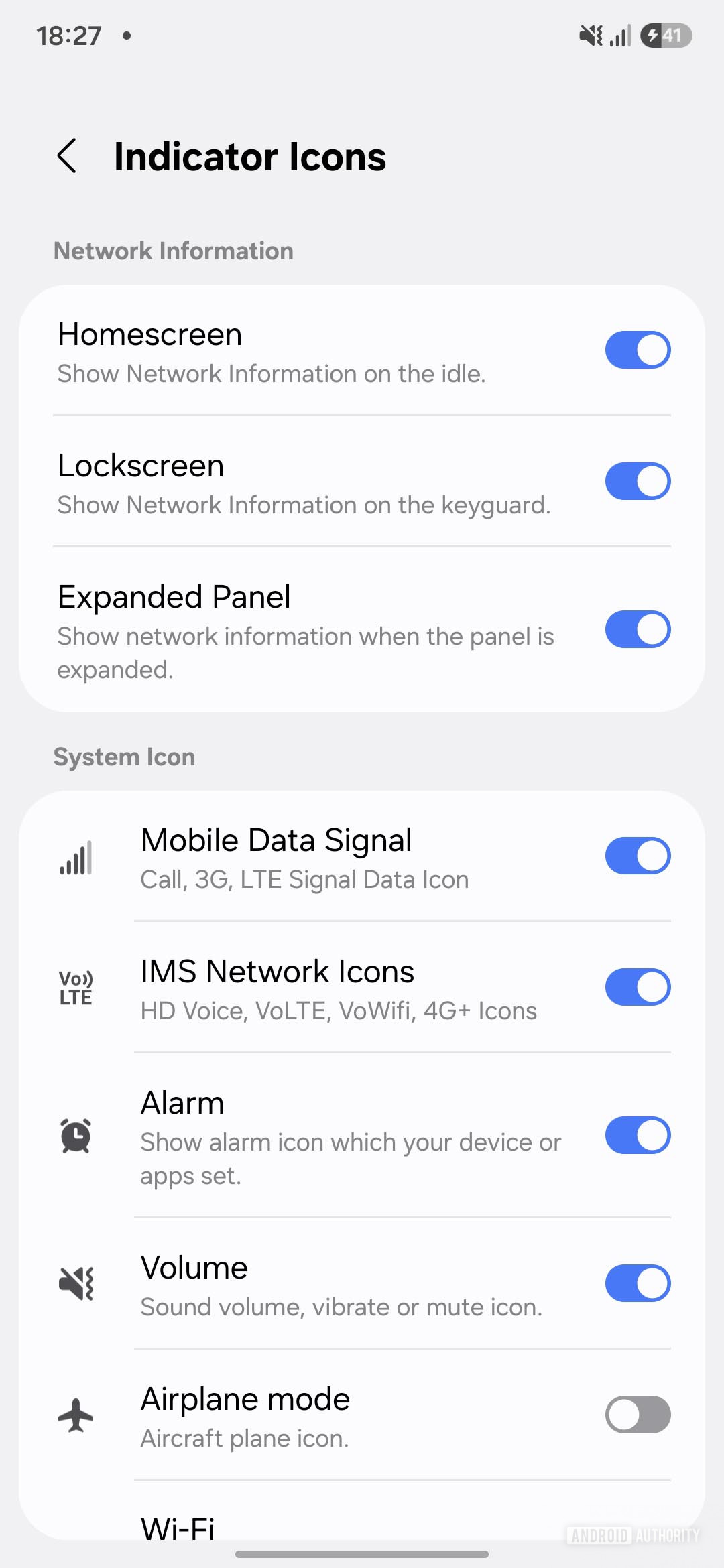
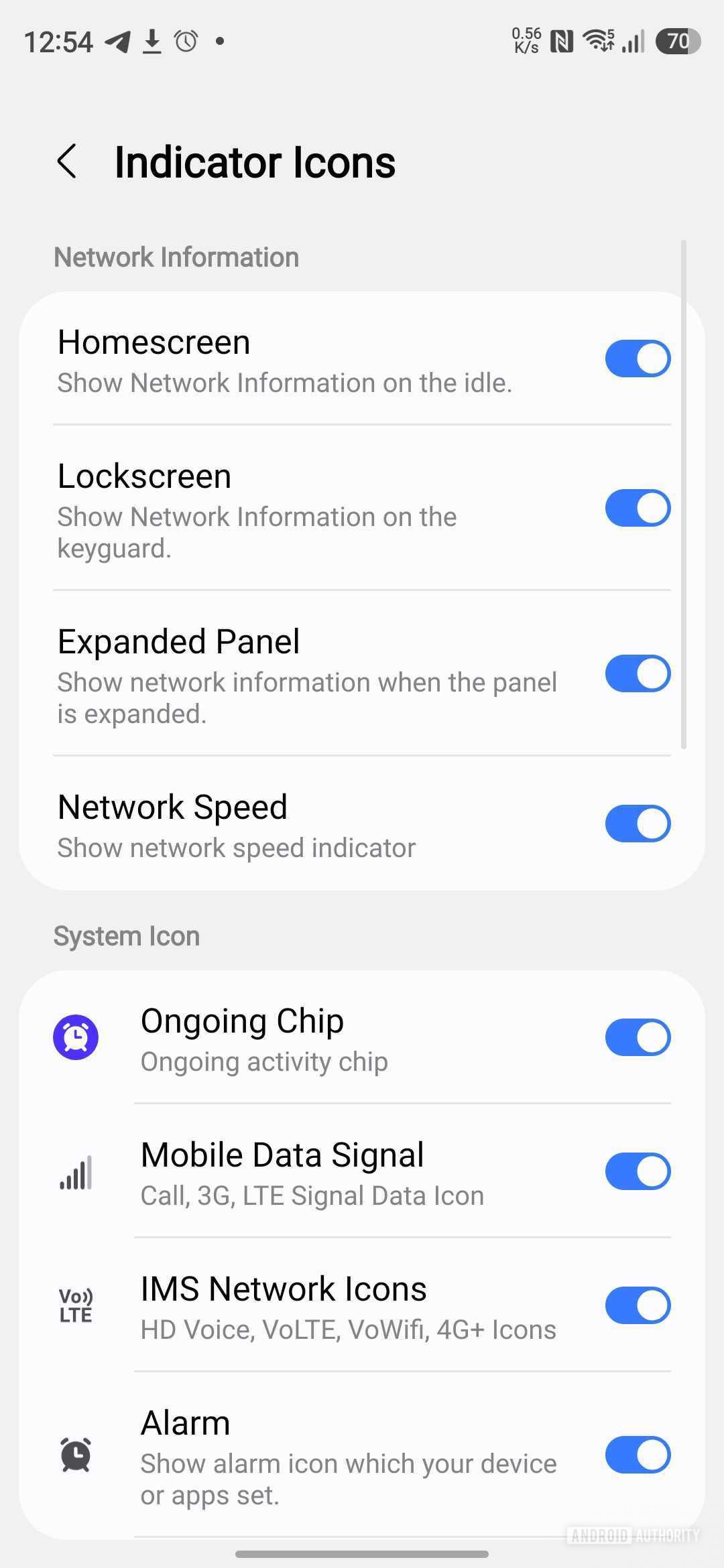
This toggle controls the Now Bar, which shows live activities for things like timers, incoming and ongoing calls, voice recordings, and more. Disabling it turns off these features.
Thank you for being part of our community. Read our Comment Policy before posting.