Google rolls out fake call detection on Android phones
Google rolls out fake call detection on Android phones
https://securitybrief.asia/story/google-rolls-out-fake-call-detection-on-android-phones
Publish Date: 2026-06-05 07:49:00
Source Domain: securitybrief.asia
SOFIAH NICHOLE SALIVIO
News Editor
Google has launched fake call detection in Phone by Google for Android devices. The feature is designed to identify suspected spoofed calls from known contacts.
The rollout begins globally on devices running Android 12 and later, starting with Pixel handsets. Samsung devices will receive the feature natively at a later stage.
The launch comes as phone scams continue to rise, with impersonation fraud becoming a major source of losses for consumers and businesses. Google cited INTERPOL’s Global Financial Fraud Threat Assessment, which described impersonation fraud as a leading contributor to more than USD $400 billion in global losses, as well as US Federal Trade Commission data showing USD $2.95 billion in losses from impersonation scams in 2024.
Caller ID has long served as a basic signal of trust, but spoofing tools have made it easier for scammers to make calls appear to come from a familiar number. The problem has become more acute as AI voice tools enable fraudsters to imitate family members, employers, or officials with increasing realism.
How it works
The new system is enabled by default and runs in the background. When a saved contact calls, the caller’s device sends a silent verification signal to the recipient’s phone to confirm that the call is genuinely coming from that contact’s device.
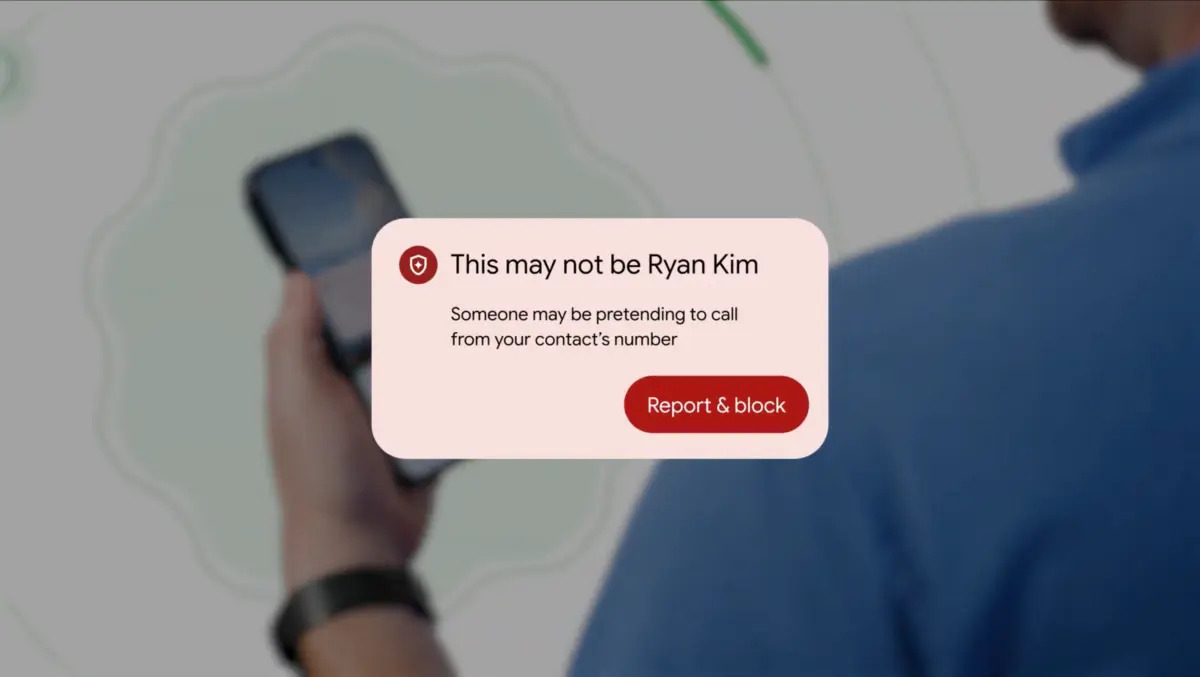
If that verification does not arrive or cannot be recognised, the call is flagged as a possible impersonation attempt. The recipient then sees an on-screen warning advising them to hang up.
The process is built on Rich Communication Services, or RCS, and uses end-to-end encryption. Verification happens directly between devices, and no third party, including Google, can view it.
Users can turn the feature off in the dialler settings if they do not want it enabled.
Open…