Android just got ‘fake call detection’ and lots of other upgrades — 7 new features coming to your phone
Publish Date: 2026-06-03 15:40:00
Source Domain: www.tomsguide.com
Google I/O 2026 may have only just happened, but that isn’t stopping Google from announcing a bunch of new features for Android, as part of the June Android drop. This update focuses on security and personalization, with a small improvement in your ability to share content with iPhones.
Face Call Detection
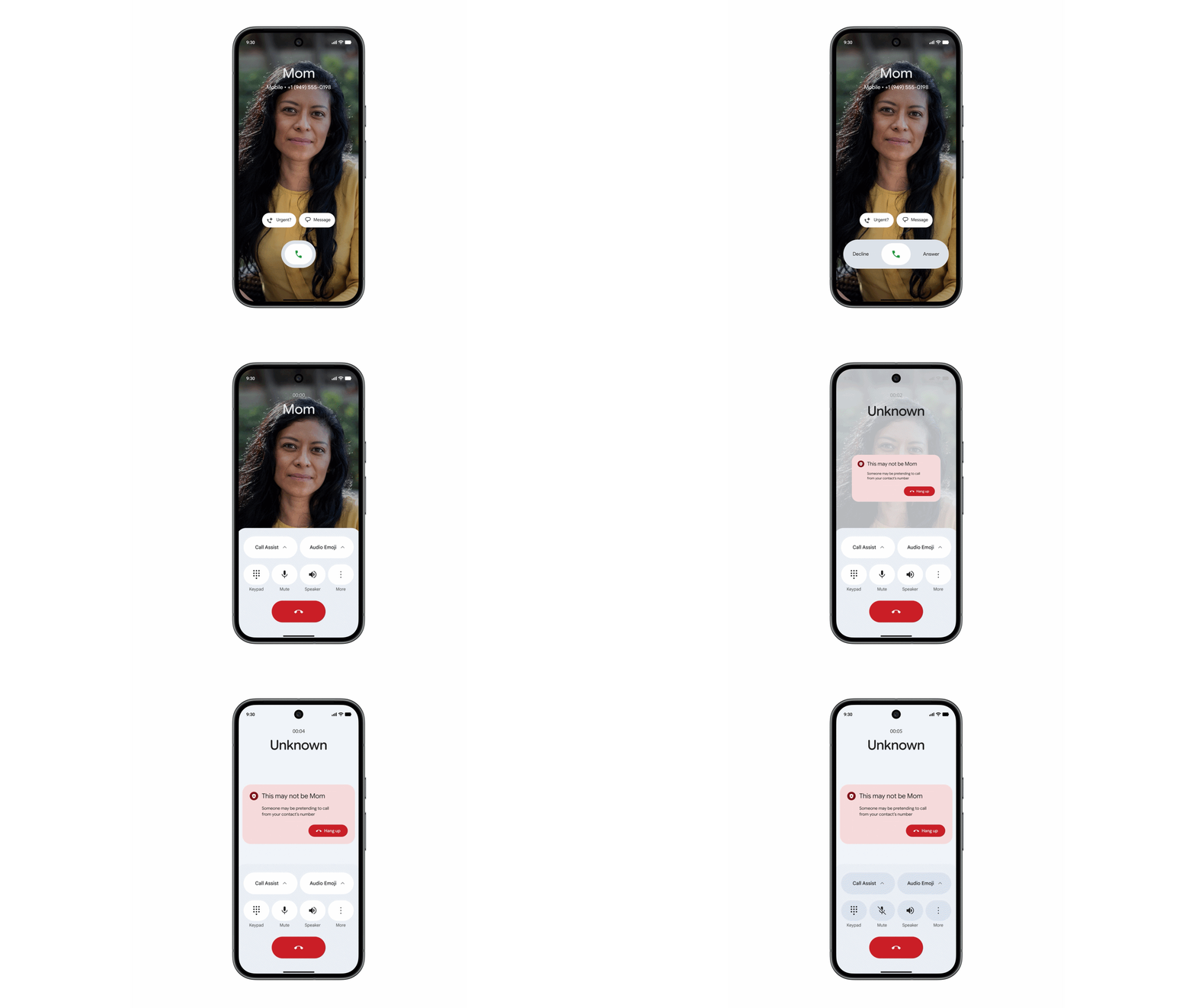
The first, and easily most important, part of this update is the new “fake call detection.” This feature has been built to spot when scammers are trying to impersonate your contacts. It can detect instances where a scammer has spoofed the number of one of your contacts, hoping you will drop your guard and be more susceptible to their schemes.
It may sound or even look like your mom, but in a world where AI technology is increasingly able to clone voices and appearances, that isn’t always reliable.
Latest Videos From
(Image credit: Google)
The caveat here is that the feature will only work if both you and your friends and relatives are using the “Phone by Google” app. The app on each device will send a silent confirmation signal, indicating that you really are on the phone with your wife, mom, kids, or whoever else might be calling. That signal uses encrypted RCS technology, which means it can’t be spoofed by others.
If that confirmation signal is missing, your phone will ping that other phone to check what the deal is. If that other device indicates it’s not calling you, then you’ll get a warning that this call might be bogus. You can then hang up, safe in the knowledge that the person asking for your bank account details or Target gift cards isn’t who they claim to be.
You may like
Fake call technology is rolling out globally to phones running Android 12 and above, and will be switched on by default in Google’s phone app. But Google hopes that by using RCS technology, which is an open standard, a similar compatible feature will be available in other phone apps at some point.
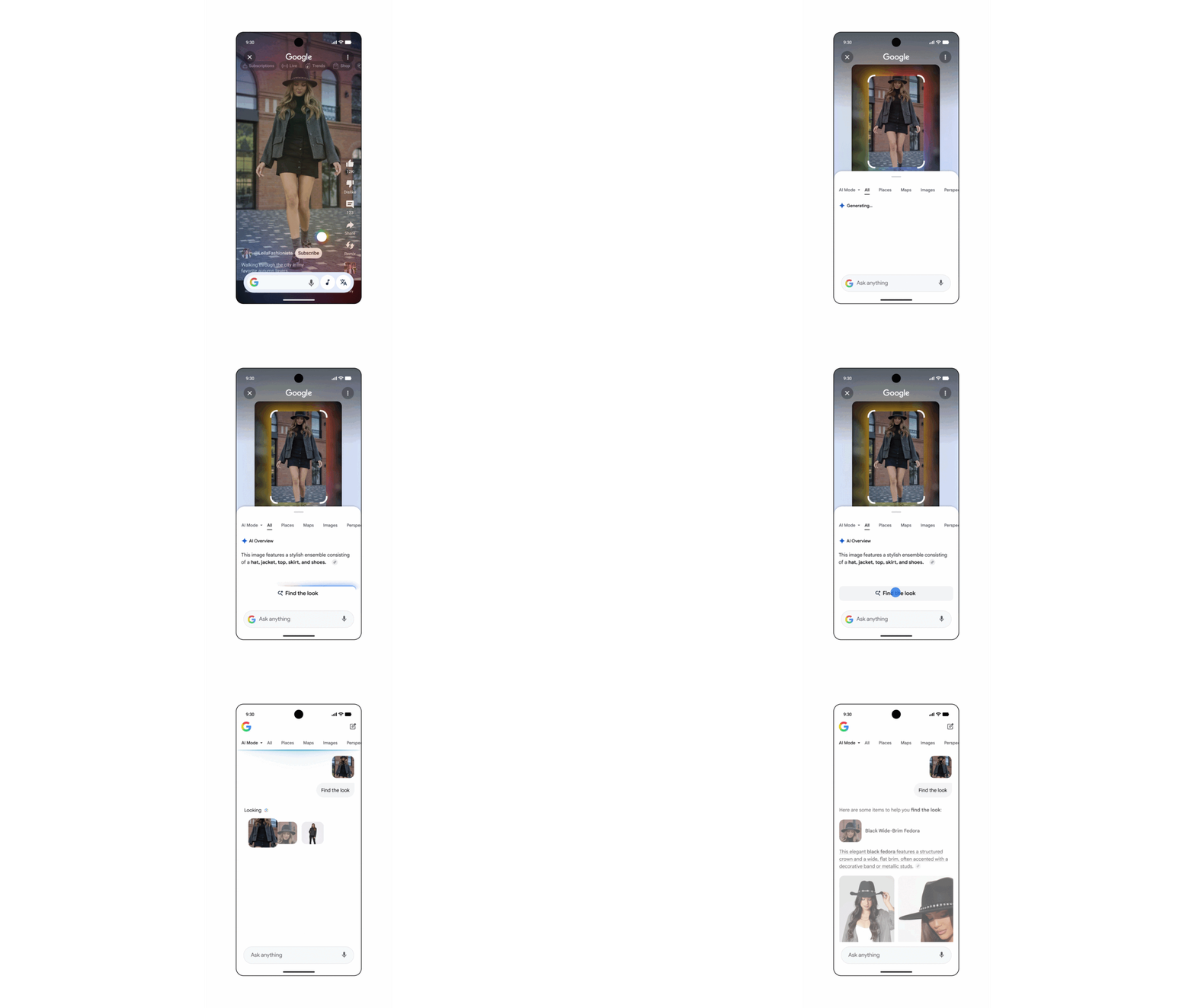
Find a Look
(Image credit: Google)
Next up, Google…