5 ways Gemini Live turned my phone into the assistant I’ve always wanted

5 ways Gemini Live turned my phone into the assistant I’ve always wanted
https://www.androidpolice.com/gemini-live-turned-phone-into-assistant/
Publish Date: 2026-04-24 08:30:00
Source Domain: www.androidpolice.com
For a while now, I’ve been using Gemini to look up things, draft ideas, and get quick answers. However, trying Gemini Live made me realize how much more it can do.
And it’s not just about talking instead of typing. You can speak, show your screen, or point your camera at something and continue the conversation.
Here are the ways it started to feel like a real assistant in day-to-day use.
Related
7 unexpected ways I use Gemini beyond chat
It became a crucial part of my Android workflow
How to access Gemini Live
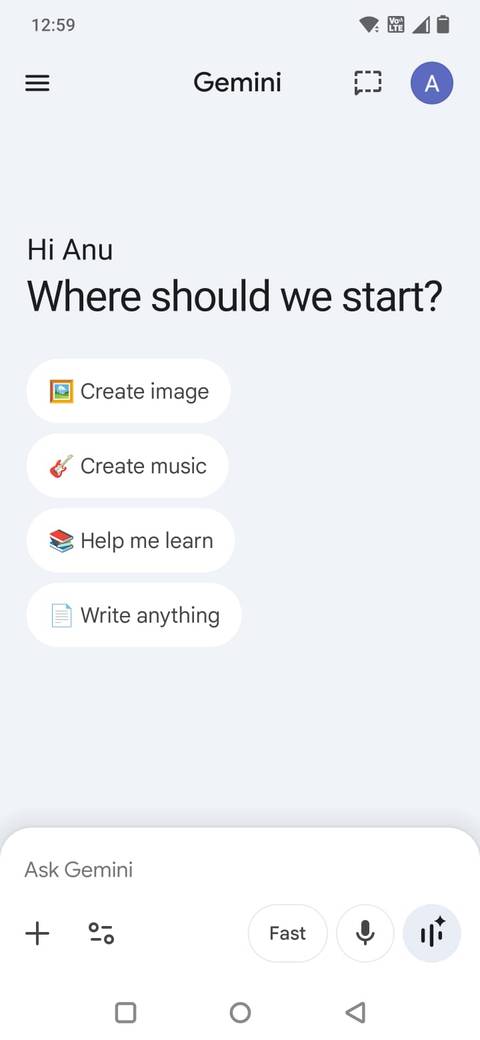
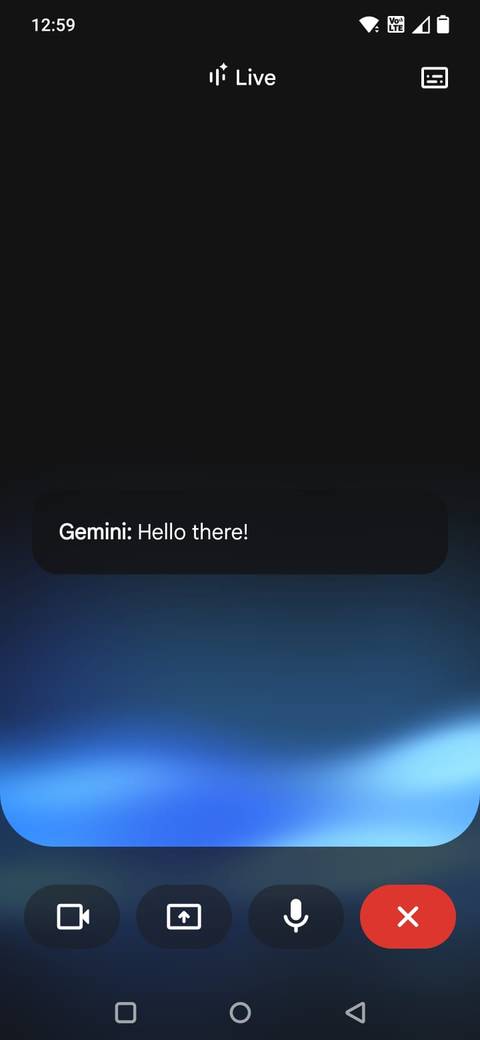
It took me a while to even notice this was there. If you already have Gemini on your phone, Gemini Live is built into it. However, you need to know where to look.
On your Android phone, open the Gemini app. In the lower-right corner, you’ll see a small Live icon that looks like a waveform or a set of vertical lines with a sparkle. Tap that, and you’ll enter Gemini Live mode.
The first time you try it, there may be a couple of on-screen prompts to…