I always add these 6 quick settings tiles to my stock Android phone when setting it up for the first time
https://www.androidcentral.com/apps-software/android-os/my-top-quick-settings-tiles
Publish Date: 2026-03-29 12:52:00
Source Domain: www.androidcentral.com
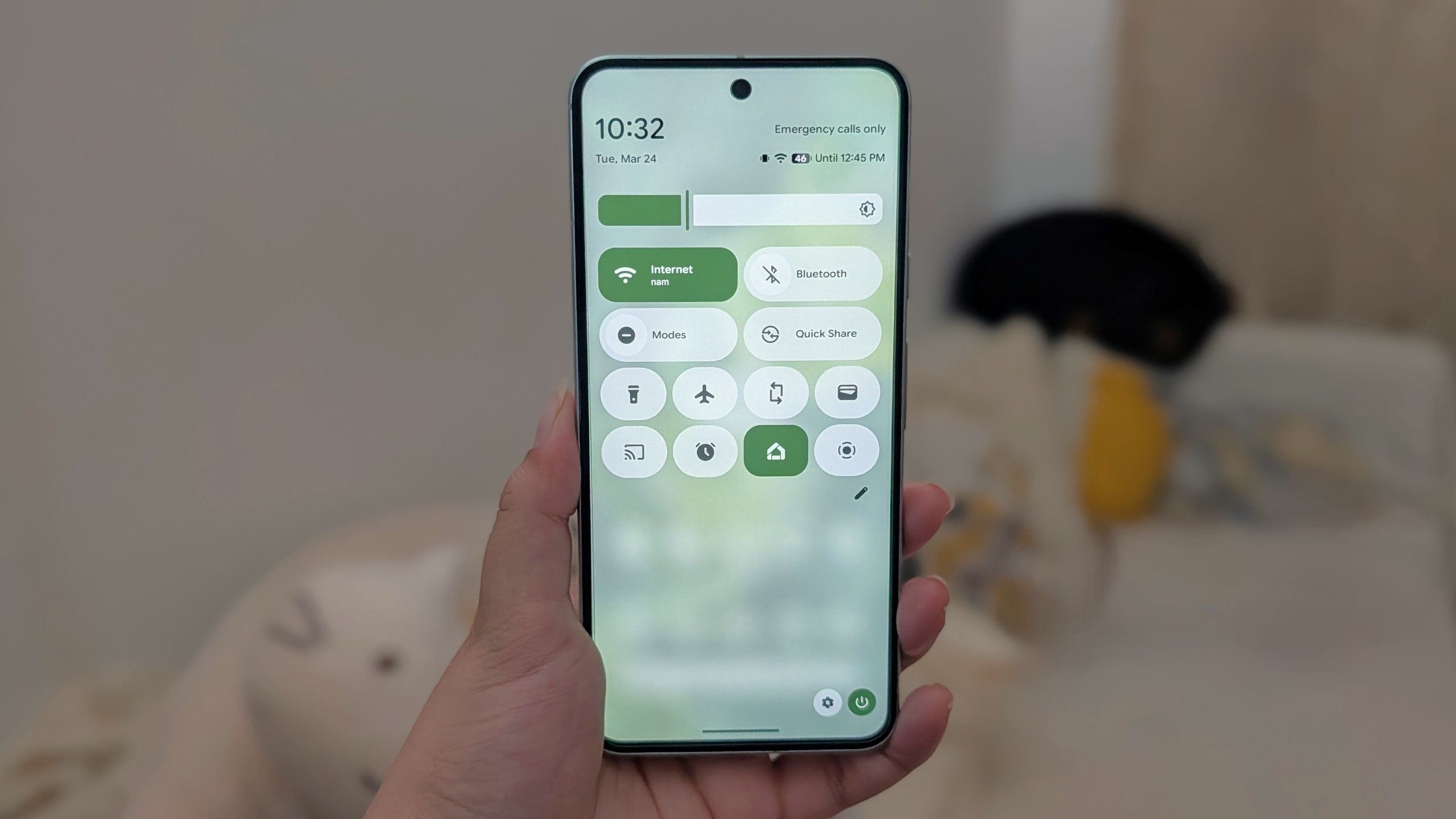
Quick settings look really neat and clean on Android 16, specifically on phones running stock Android, like the Pixel 10. You can add and remove tiles, reorganize them, add third-party tiles, and even change their sizes. The bare bones version comes with a few basic tiles out of the box. There are plenty of quick settings tiles we all need daily that are missing from the stock settings.
This is why I like to add at least six of the most important tiles to the quick settings as soon as I set up a phone for the first time. A few of them are quite surprising, because why would Google not add those tiles to the quick menu off the bat?
Article continues below
You may like
Location tile
(Image credit: Derrek Lee / Android Central)
As shocking as it may be, Google does not add the location tile to the quick settings menu by default. Considering this is perhaps the most used setting of them all, I find it perplexing that it is not automatically present on phones like the Pixel 10 right out of the box.
Leaving your GPS on can drain your battery a lot more, and you obviously also have to think about privacy concerns. This is why the location tile is the first one that you need to add to the first page of your quick settings.
Adding it is pretty simple. Take note that you’ll follow the same instructions for virtually every other tile addition.
Simply swipe downwards from the top of your screen twice. Once the full quick settings menu is drawn out, click the pencil icon to edit tiles. Tiles are sorted by categories, so you’ll need to scroll down to the privacy section to find and add the location tile.
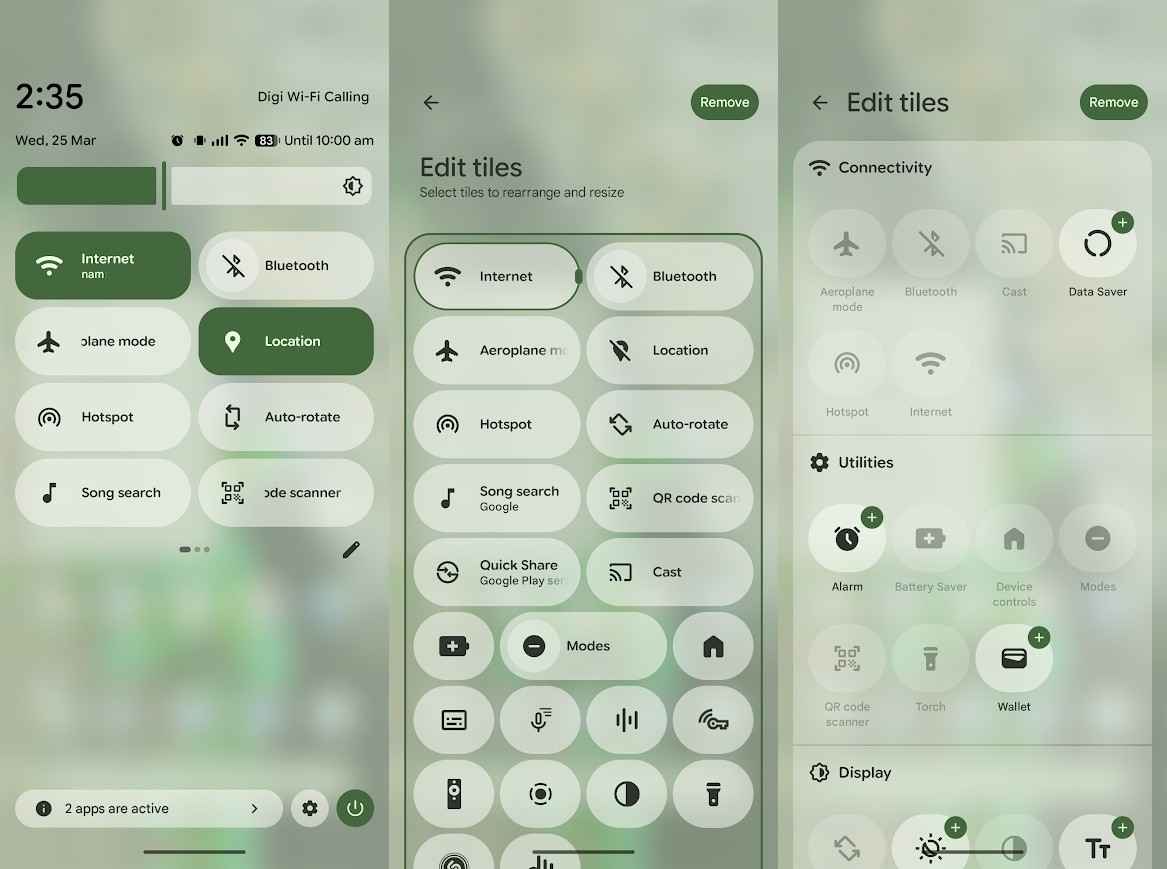
(Image credit: Namerah Saud Fatmi / Android Central)
Hotspot tile
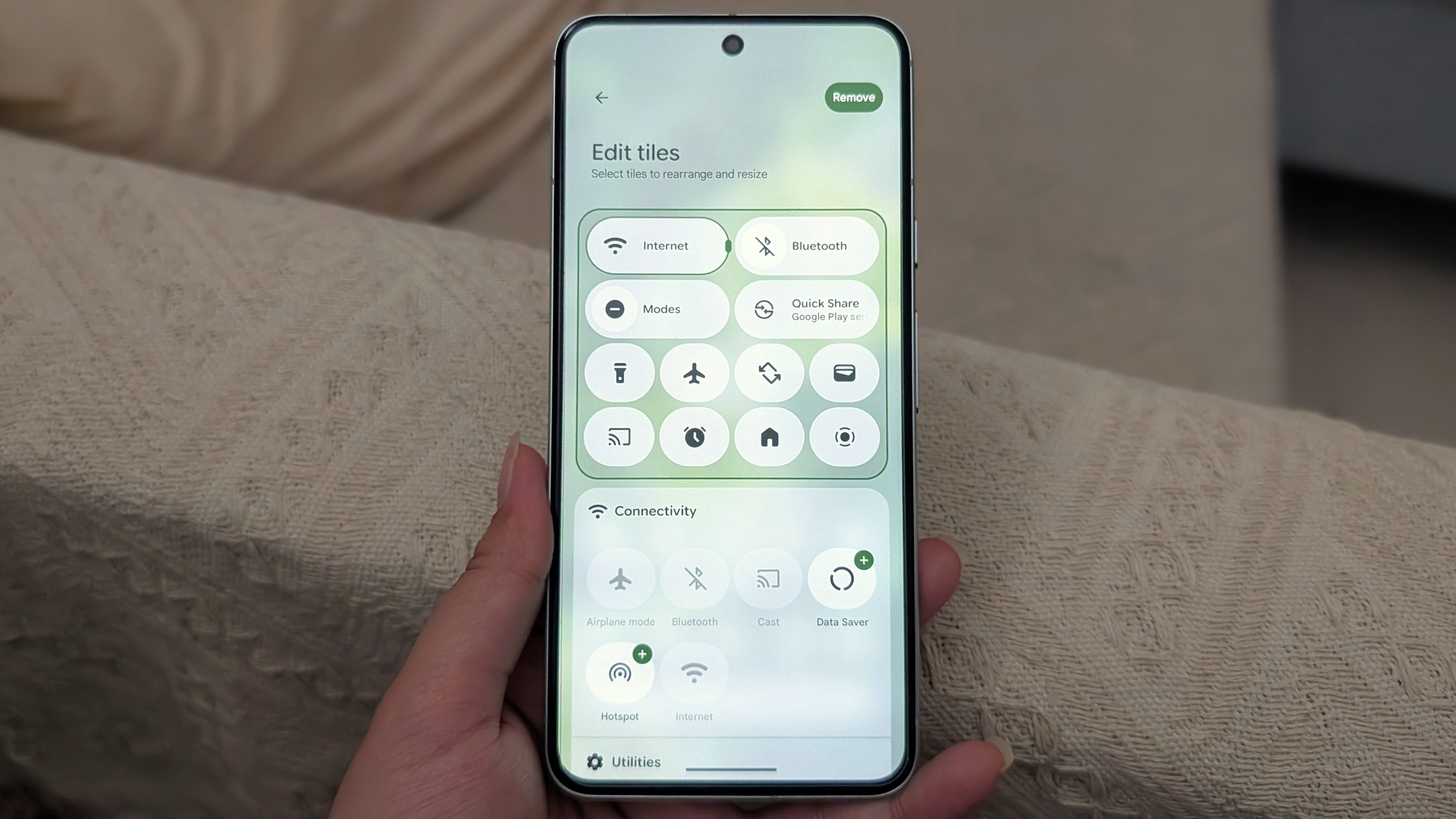
(Image credit: Namerah Saud Fatmi / Android Central)


