These 5 hidden iPhone features aren’t flashy — but they’re surprisingly useful
These 5 hidden iPhone features aren’t flashy — but they’re surprisingly useful
Publish Date: 2026-03-21 01:45:00
Source Domain: www.tomsguide.com
Hidden iPhone tips
(Image credit: Future)
Hi, I’m Kaycee. Welcome to Hidden iPhone Tips, a weekly column where I dig into the best iOS features Apple doesn’t tell you about.
One day, I stopped using my iPhone on autopilot and actually looked at settings I’d been scrolling past for years. Turns out there’s a bunch of features tucked behind menus that miss all the hype, but are genuinely useful.
Sometimes the unglamorous settings are the ones you end up using most — not the flashy AI features or the ones Apple puts on a billboard, but the quiet ones that just make your iPhone feel like it’s working for you.
Here are five hidden features worth knowing about.
Article continues below
You may like
1. Quick photo access in Messages
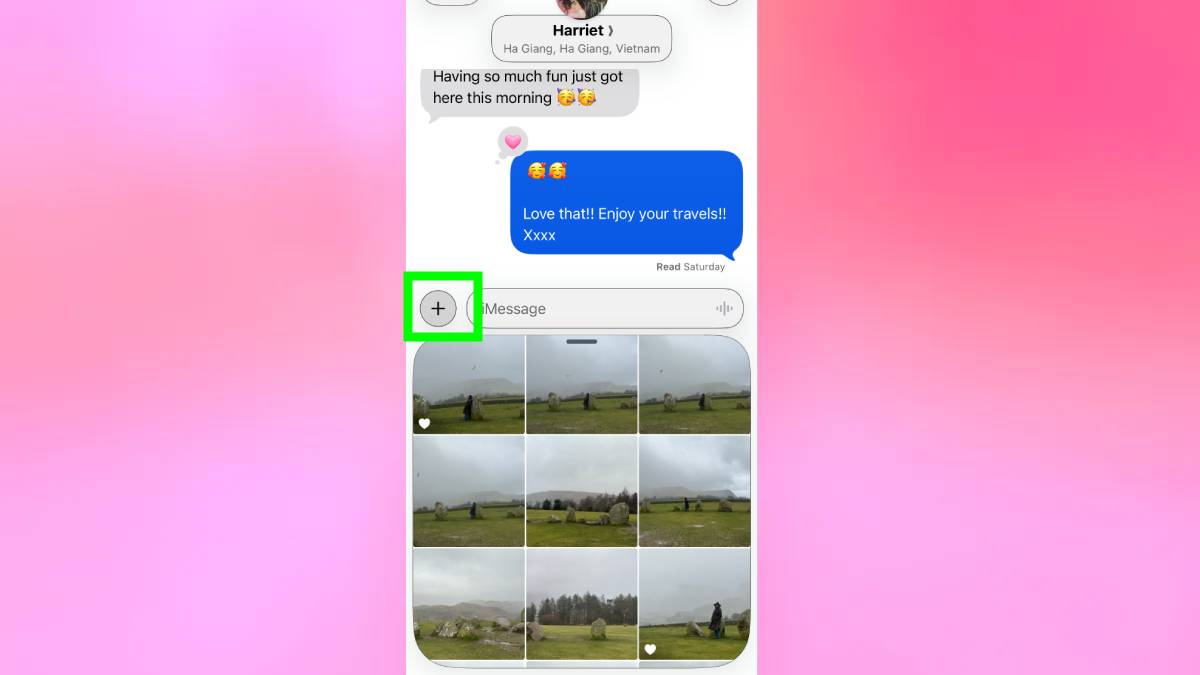
When composing a message, long-pressing the plus icon opens your recent photos immediately, skipping the extra menu step you’d normally go through. It’s such a minor thing that it sounds almost too small to mention — but that’s exactly what makes it worth knowing.
Sending a photo in Messages is something most people do dozens of times a week, and every time you do it the normal way, you’re burning a few unnecessary seconds tapping through menus to get somewhere you could have arrived instantly. Once you switch, you won’t go back.
2. Live Captions transcribe audio in real-time
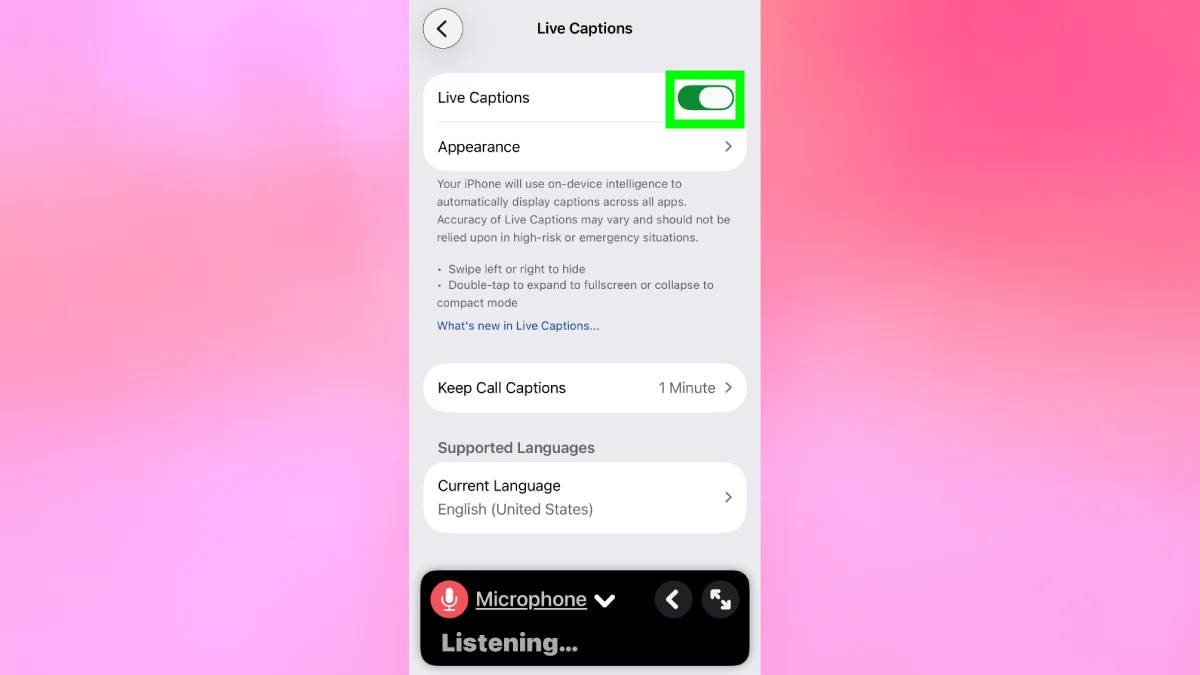
Live Captions generates real-time captions for any audio on your iPhone — videos, podcasts, phone calls, even nearby conversations. Go to Settings, Accessibility, Live Captions and turn it on.
It was designed for accessibility, but it’s useful more broadly: watching videos in public without headphones, following dialogue in a noisy room, or catching what someone said on a call without asking them to repeat themselves.
Accuracy depends on audio quality, but it’s surprisingly reliable most of the time.
3. Randomized wallpapers
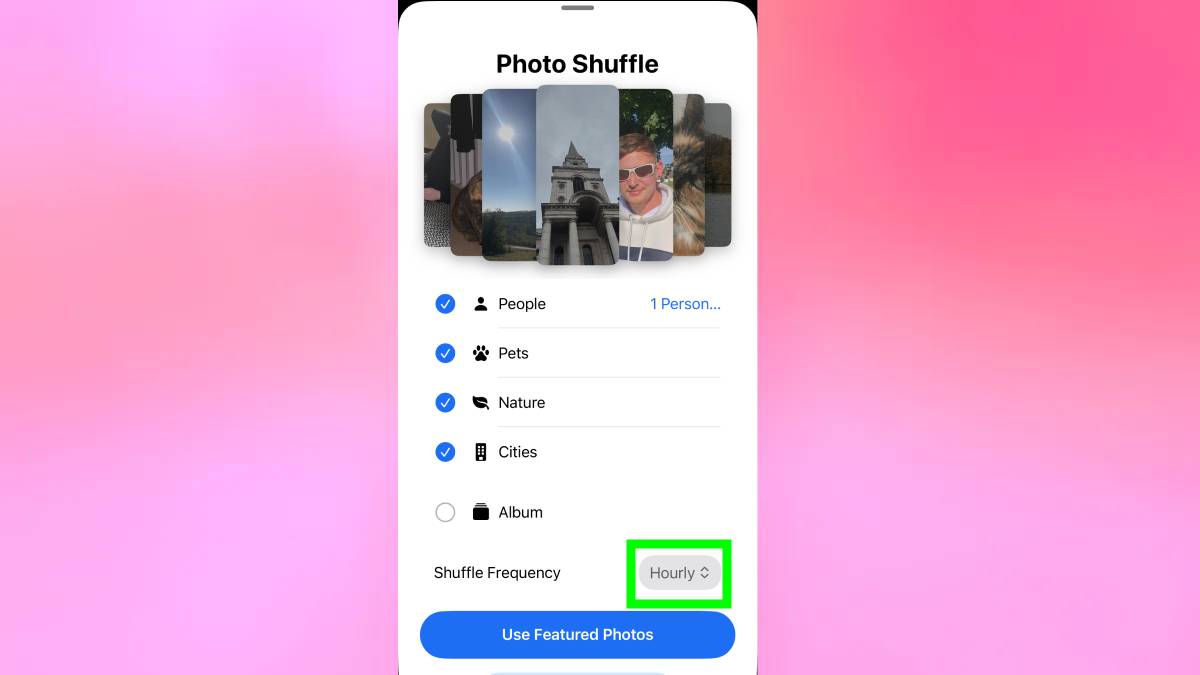
Your iPhone can automatically shuffle your lock screen wallpaper…