How to Do a Zsh Install on Any Linux Distro
How to Do a Zsh Install on Any Linux Distro
https://commandlinux.com/arch-linux/zsh-install/
Publish Date: 2026-03-13 16:31:00
Source Domain: commandlinux.com
Bash ships as the standard terminal interpreter on nearly every Linux system — but it isn’t your only option. The Z shell, better known as Zsh, brings smarter tab completion, better pattern matching, theme support, and a rich plugin ecosystem. This guide walks you through a complete Zsh install and framework setup on any major Linux distribution.
What Makes Zsh Worth Trying?
Paul Falstad created Zsh in 1990 at Princeton University. It borrows the best parts of Bash, Ksh, and Tcsh while adding its own extras. Kali Linux and macOS already ship it as their primary interpreter. Here’s what it offers:
| Capability | What It Does |
|---|---|
| Smart Tab Completion | Fills in commands, filenames, and arguments based on context |
| Extended Pattern Matching | Supports richer wildcard expressions than Bash |
| Prompt Customization | Displays Git branch info, directory paths, and more |
| Plugin Ecosystem | Adds extra features through community-built extensions |
Zsh Install on Your Distribution
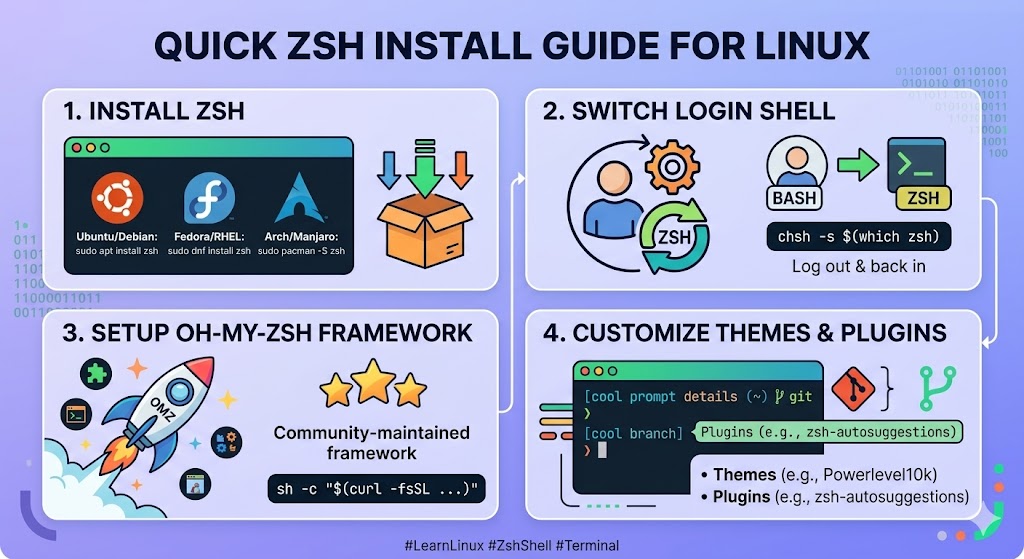
Zsh lives in the default repositories of most Linux systems. Open your terminal and run the command that matches your distro. After the install finishes, confirm the binary path with which zsh.
| Distribution | Command |
|---|---|
| Ubuntu / Debian / Mint | sudo apt update && sudo apt install zsh |
| Fedora / RHEL / AlmaLinux | sudo dnf install zsh |
| Arch / Manjaro / EndeavourOS | sudo pacman -S zsh |
On Arch-based systems, pacman handles the entire process automatically. You can verify the installed version with zsh –version once it completes. For a full reference on Zsh’s available flags and options, the man page covers them in detail.
Switching Your Login Shell
Once Zsh is installed, set it as your primary shell using the chsh command, which changes the user login shell:
chsh -s $(which zsh)
Enter your user password when prompted, then log out and back in to activate the change. On first launch, Zsh presents a configuration prompt. Press 0 to generate…


