You don’t need a flagship Android phone if you change these settings
You don’t need a flagship Android phone if you change these settings
https://www.makeuseof.com/you-dont-need-flagship-android-phone-if-change-these-settings/
Publish Date: 2026-02-21 10:00:00
Source Domain: www.makeuseof.com
I was thinking that my phone is acting up slowly only because of its aging hardware. My apps took forever to open, scrolling felt a little laggy, the battery wouldn’t last long, and the overall performance was a little sluggish. Sometimes, I would think only a new flagship Android phone could fix these issues for me. Later on, I realized the problem wasn’t the hardware, but some settings.
That’s when I decided to dig into the settings app on my phone and make some changes. Thankfully, with just a few simple tweaks, my phone felt smoother, snappier, and more enjoyable to use. If you’re stuck in the same situation, you don’t need a flagship phone. All you have to do is change some settings.
Adjust animation speed
Reduce the visual delay
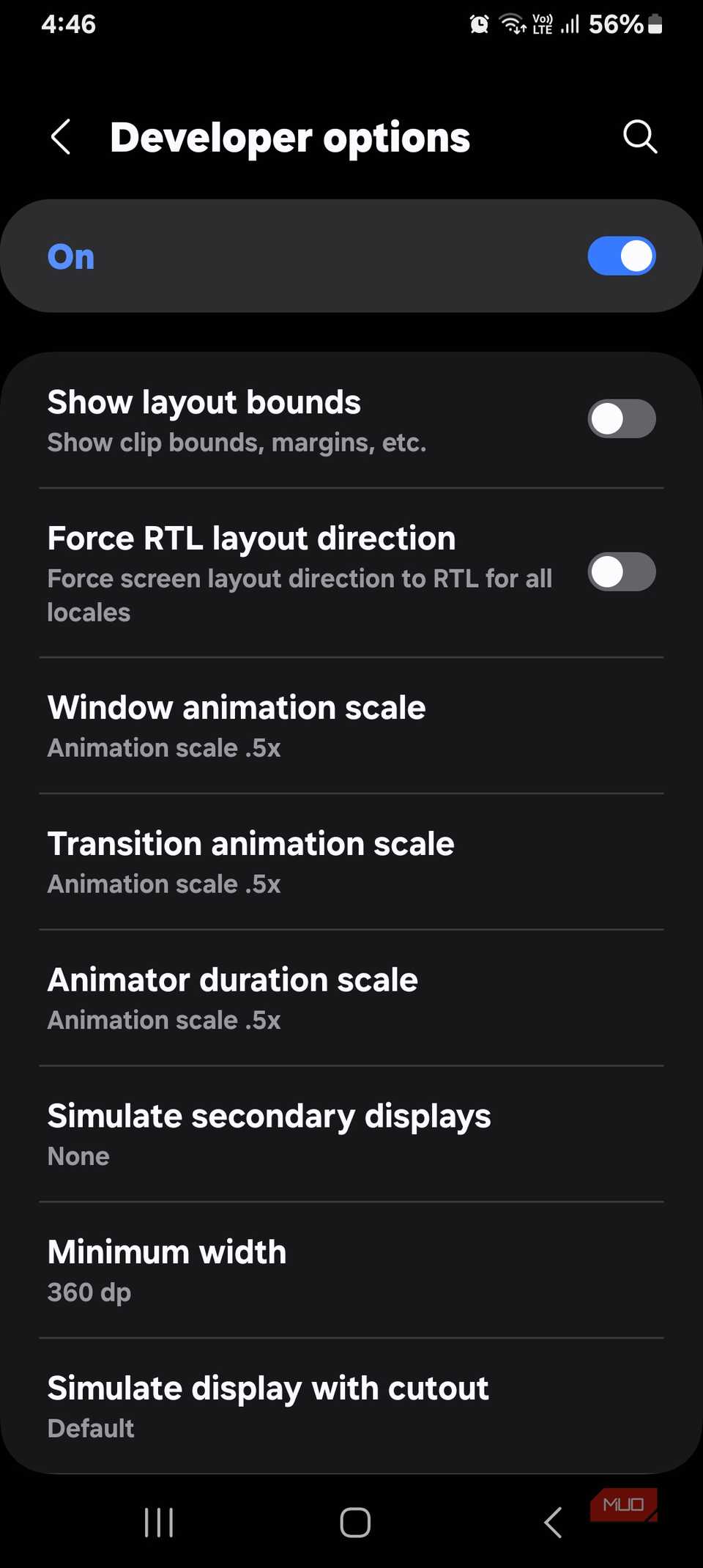 Screenshot by Digvijay Kumar – No attribution is required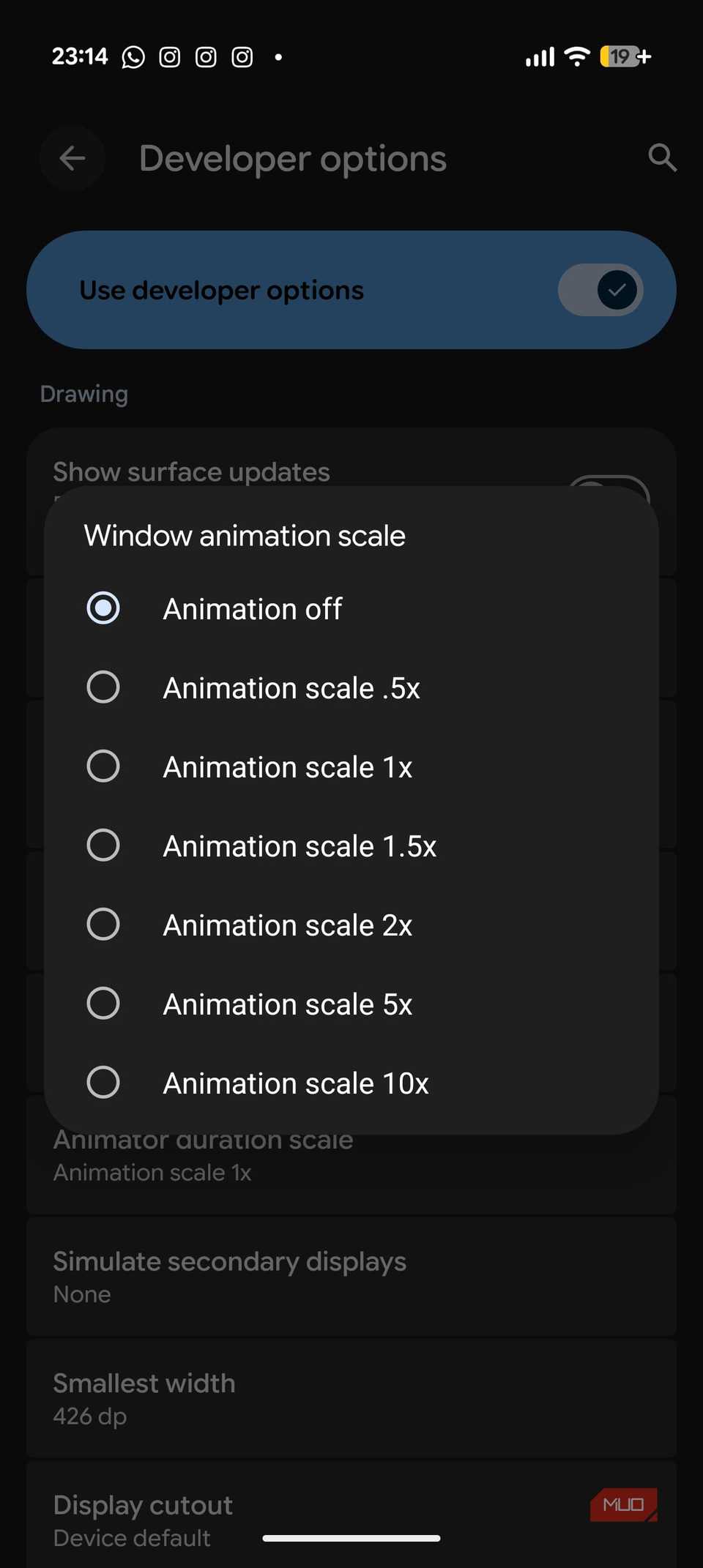
Modern Android phones have fancy animations for opening apps, transitioning between screens, moving between menus, and whatnot. Of course, these visual effects offer a polished and smoother experience, but they can also make your phone deliberately slow. As a result, you might feel a slight lag every time you swipe or tap on your phone.
I decided to turn off animations, and it immediately made my phone more responsive without breaking the functionality.
Here’s how to adjust or disable animations on Android:
- First, you have to enable Developer options on your phone. For this, go to Settings – About Phone.
- Here, tap the Build number seven times.
- You’ve now entered developer mode.
- …


