Gaming On An Arduino Uno Q In Linux
Gaming On An Arduino Uno Q In Linux
https://hackaday.com/2026/02/10/gaming-on-an-arduino-uno-q-in-linux/
Publish Date: 2026-02-10 04:00:00
Source Domain: hackaday.com
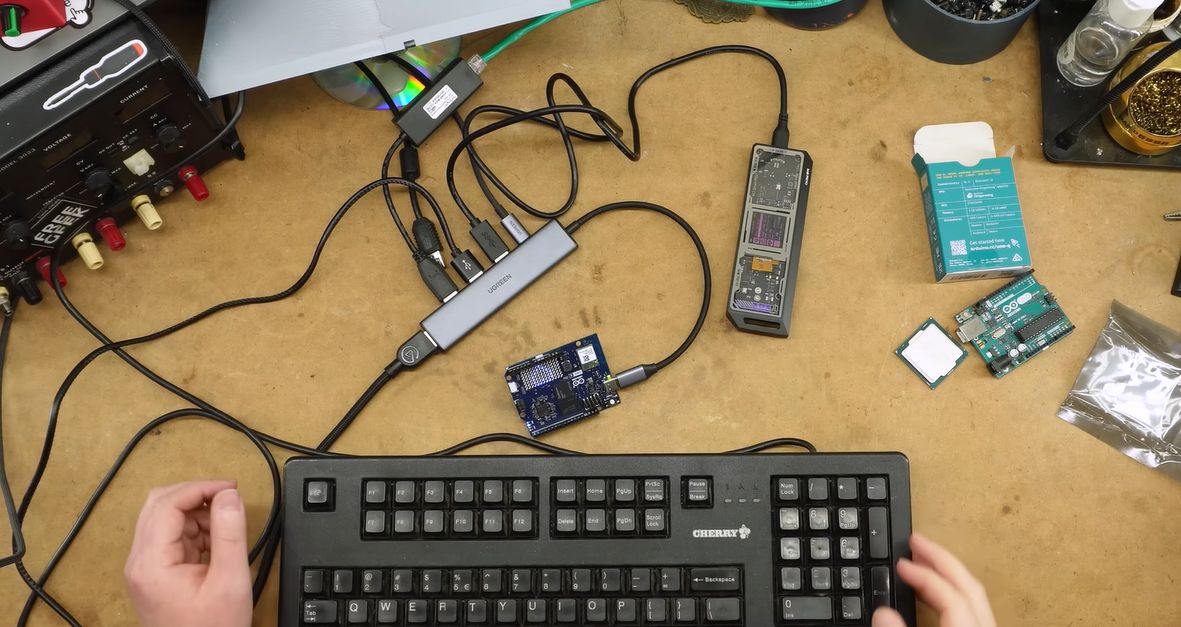
After Qualcomm’s purchase of Arduino it has left many wondering what market its new Uno Q board is trying to target. Taking the ongoing RAM-pocalypse as inspiration, [Bringus Studios] made a tongue-in-cheek video about using one of these SoC/MCU hybrid Arduino boards for running Linux and gaming on it. Naturally, with the lack of ARM-native Steam games, this meant using the FEX x86-to-ARM translator in addition to Steam’s Proton translation layer where no native Linux game exists, making for an excellent stress test of the SoC side of this board.
</p>
<p>” data-medium-file=”https://hackaday.com/wp-content/uploads/2026/02/arduino_uno_q_gaming_heatsink_bringus_studios_youTube.jpg?w=400″ data-large-file=”https://hackaday.com/wp-content/uploads/2026/02/arduino_uno_q_gaming_heatsink_bringus_studios_youTube.jpg?w=625″ class=”size-medium wp-image-915120″ src=”https://hackaday.com/wp-content/uploads/2026/02/arduino_uno_q_gaming_heatsink_bringus_studios_youTube.jpg?w=400″ alt=”Technically, this is a heatsink. (Credit: Bringus Studios, YouTube)” width=”400″ height=”400″ srcset=”https://hackaday.com/wp-content/uploads/2026/02/arduino_uno_q_gaming_heatsink_bringus_studios_youTube.jpg 672w, https://hackaday.com/wp-content/uploads/2026/02/arduino_uno_q_gaming_heatsink_bringus_studios_youTube.jpg?resize=250,250 250w, https://hackaday.com/wp-content/uploads/2026/02/arduino_uno_q_gaming_heatsink_bringus_studios_youTube.jpg?resize=400,400 400w, https://hackaday.com/wp-content/uploads/2026/02/arduino_uno_q_gaming_heatsink_bringus_studios_youTube.jpg?resize=625,625 625w” sizes=”(max-width: 400px) 100vw, 400px”/Technically, this is a heatsink. (Credit: Bringus Studios, YouTube)</p>
<p>We covered this new ‘Arduino’ board previously, which features both a quad-core Cortex-A53 SoC and a Cortex-M33 MCU. Since it uses the Uno form factor, all SoC I/O goes via the single USB-C connector, meaning that a USB-C docking…</p>
<p><a href=)