A privacy-focused alternative to Google Translate
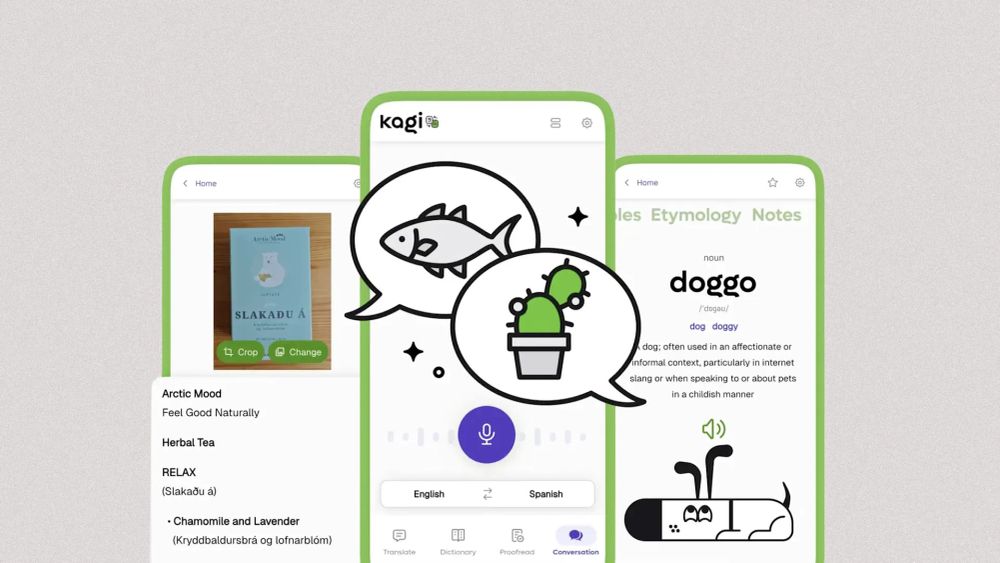
A privacy-focused alternative to Google Translate
Publish Date: 2026-02-09 00:00:00
Source Domain: fastcompany.co.za
The notion of instant on-the-go translation is nothing new for most of us, thanks to the now-ubiquitous Google Translate service.
But a scrappy Google competitor thinks it can do better.
➜ This week, a company called Kagi is officially launching its Kagi Translate app for both Android and iOS.
💡 The app mirrors most of the same features Google Translate offers, with a few interesting new touches and one key point of distinction: It is all about protecting your privacy—with no ads, no trackers, and no data being monetized or repurposed in any way.
Oh—and it’s free, too.
⌚ You’ll need all of two minutes to take it out for a test-drive.
Psst: If you love these types of tools as much as I do, check out my free Cool Tools newsletter from The Intelligence. You’ll be the first to find all sorts of simple tech treasures!
Instant translations—plus privacy
Once you’ve got the Kagi Translate app on your device, it’s really quite intuitive to use. At its core:
- You can type or paste any text into its main translation box to have the text translated from and to any language you like.
- You can tap the camera icon in that same box to take a photo of text in the real world—on a document, a menu, a whiteboard, you name it—and then have the language auto-detected and translated into your native tongue from there.
- A document icon in that same area lets you upload a file from your phone (or any connected cloud storage) for speedy on-the-fly translation.
- And a microphone icon lets you speak aloud—or have someone else speak aloud—for real-time translations of the words as they’re uttered.
Kagi Translate’s main screen is one simple prompt—with plenty of power around it.
Beyond that, Kagi Translate offers some interesting extras—for instance:
- If you tap the three-line settings icon within the main translation box, you can change between a “natural” and “literal” translation style, a formal or informal voice (for languages where…