Here’s how Android 17 OS verification is going to work
Here’s how Android 17 OS verification is going to work
https://www.androidauthority.com/android-os-verification-3669298/
Publish Date: 2026-05-20 14:52:00
Source Domain: www.androidauthority.com
Joe Maring / Android Authority
TL;DR
- Google has announced a new OS verification tool for Android 17.
- In addition to looking for on-device red flags, the tool incorporates a verification mode that requires a second device.
- While not yet functional, we’re starting to get a look at how this two-device workflow will operate.
Knowing that the software running on your phone is coming from a trusted source is probably the single most important thing you can do to keep your device safe. Google already gives us plenty of tools for keeping on top of that, from Android Verified Boot to Pixel Binary Transparency. Earlier this month, the company shared that it was cooking up a new way for users to verify the integrity of their OS, set to arrive with Android 17. And thanks to yesterday’s release of QPR1 Beta 3, we’re now getting an early look at how that’s taking shape.
Even though tools to verify firmware already exist, actually taking advantage of them has been… complicated, to put it mildly. Unless you were a developer, or a user with particularly acute security concerns, the very manual authentication process probably wasn’t worth your time. But with Android 17’s OS verification screen, Google’s beginning to streamline that process.
Don’t want to miss the best from Android Authority?


Here’s the new OS verification screen Google’s adding to Android 17:
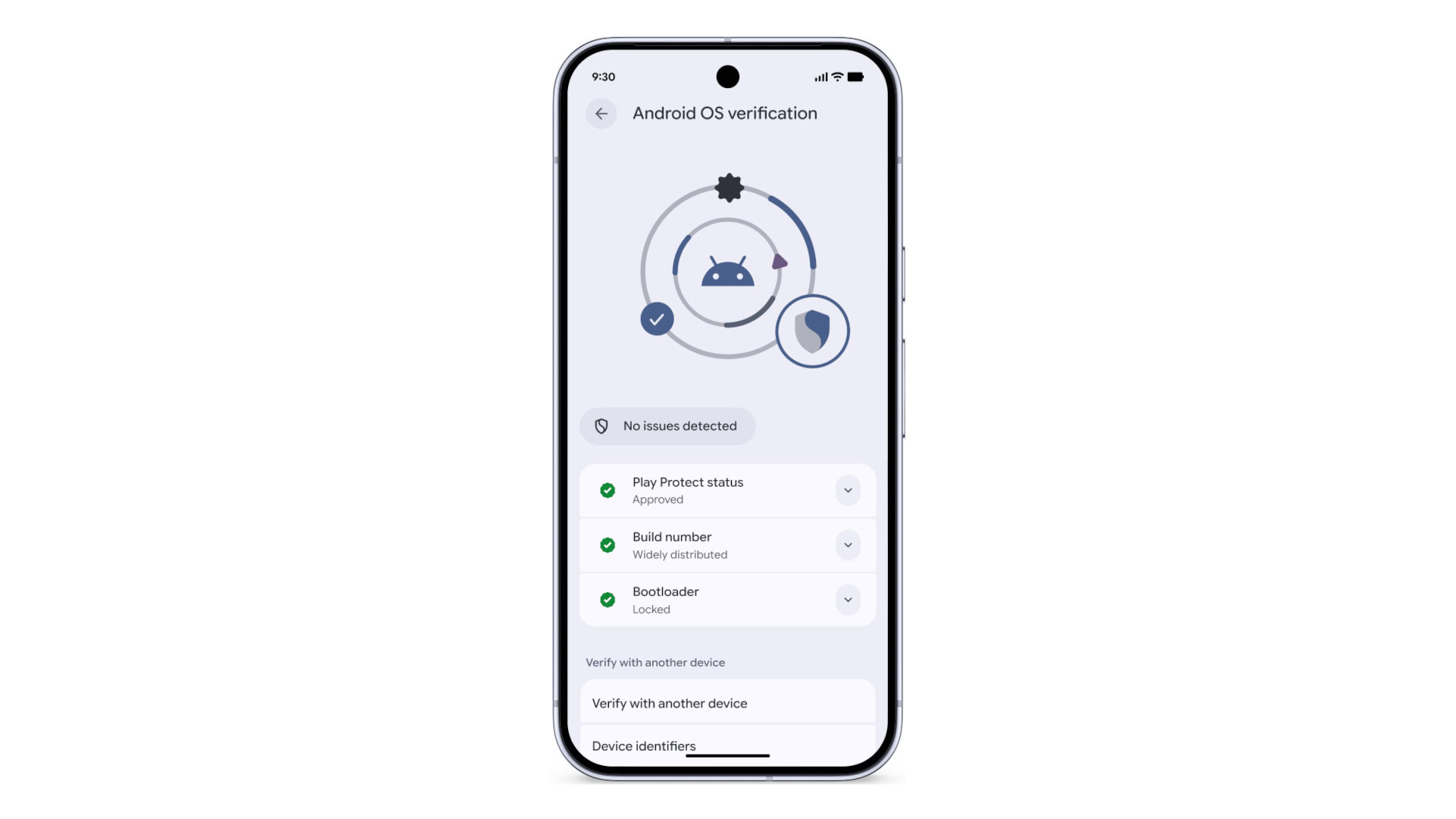 In addition to that self-assessment, at the bottom you’ll see the option to verify with another device. In QPR1 Beta 3 we’ve found an embedded URL that looks like it may be part of this system. Accessing it bring us to a page with a QR code to scan: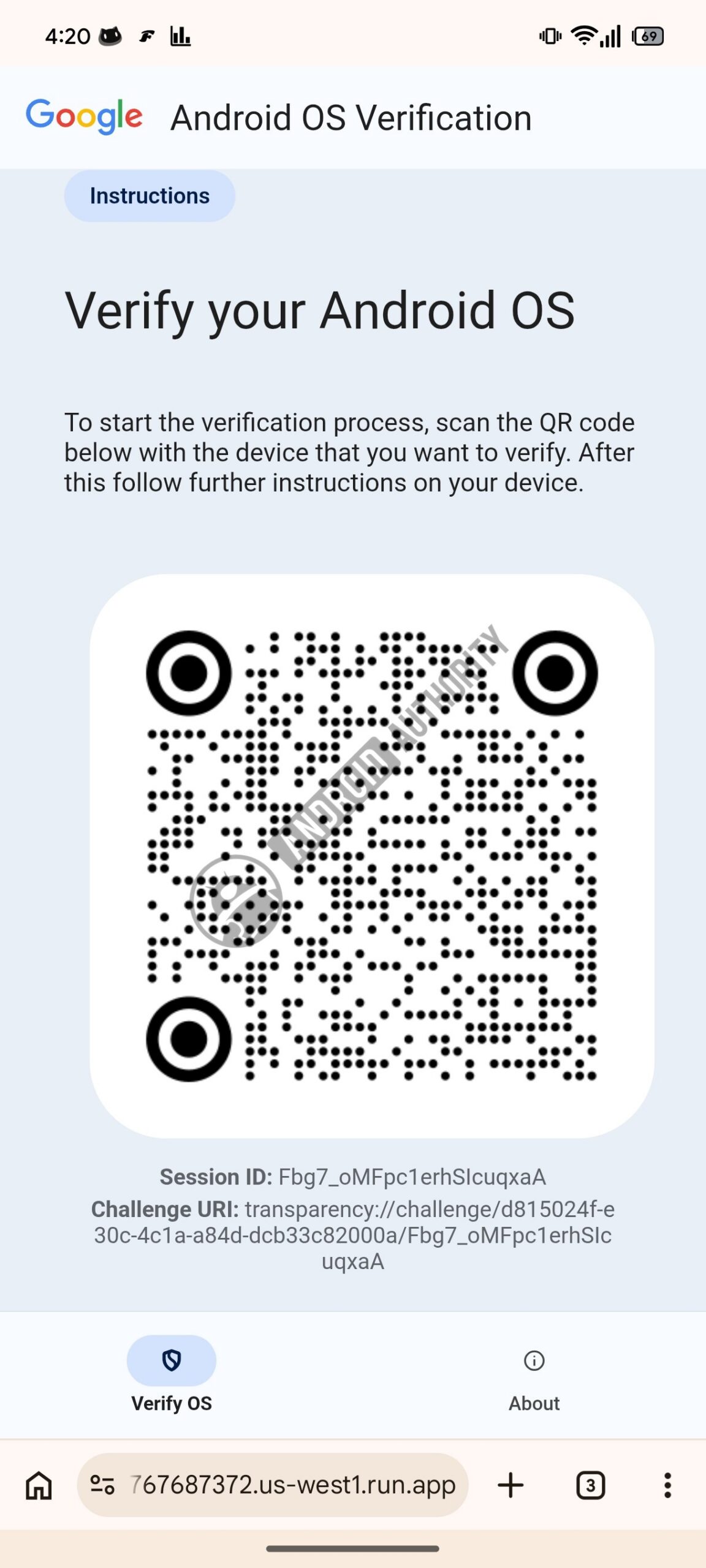
AssembleDebug / Android Authority
Hitting that “About” button at the bottom, we’re able to see Google’s documentation for the tool:
We also see a large number of text strings that appear to describe the workflow for using the verification system:
Code
Copy TextUse a computer, tablet, or phone you trust.
Another device with a browser
You can…
Source