Android 16 QPR3 is a massive upgrade. Here are 7 features you need to try ASAP
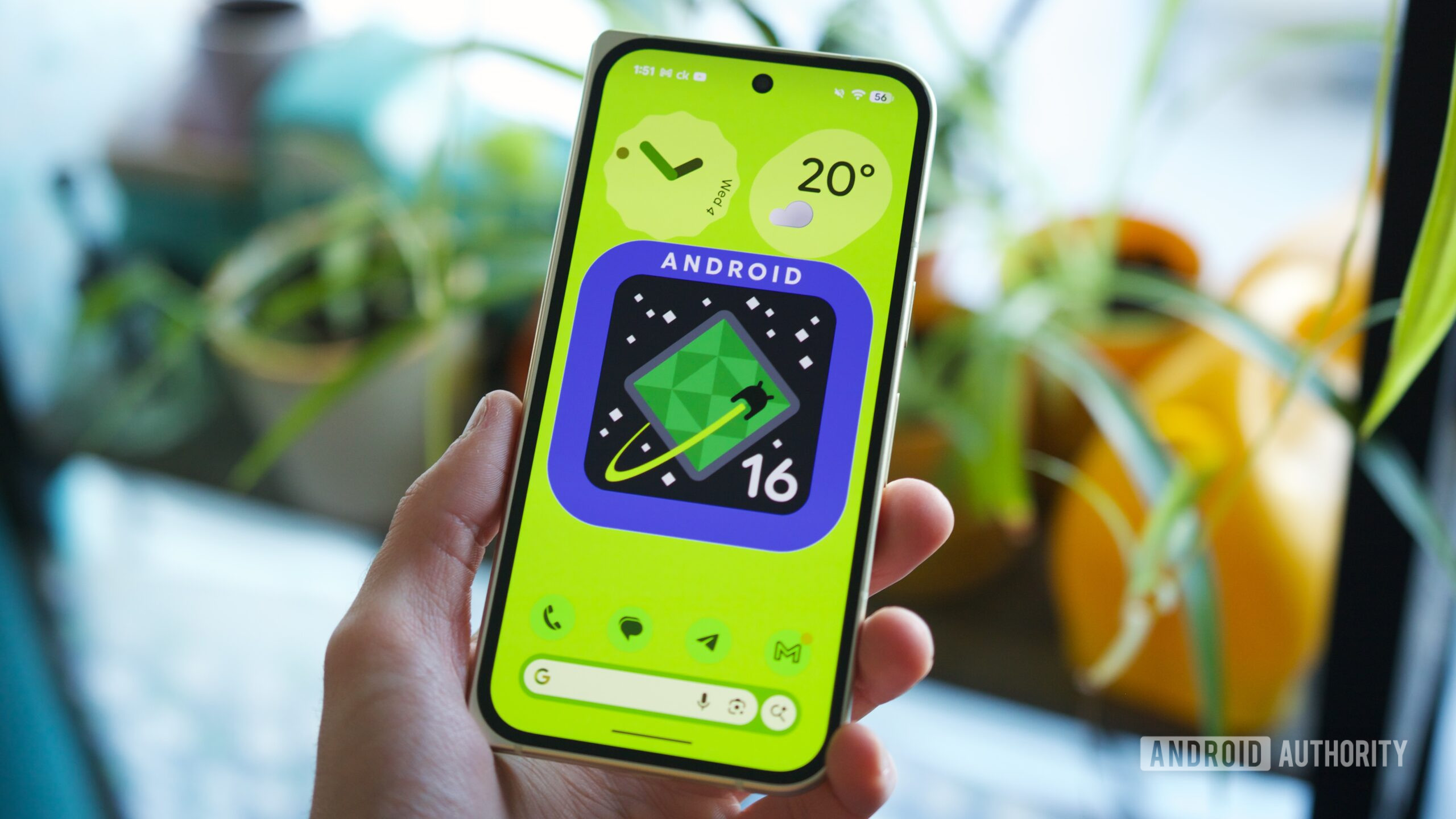
Android 16 QPR3 is a massive upgrade. Here are 7 features you need to try ASAP
https://www.androidauthority.com/android-16-qpr3-massive-upgrade-7-must-try-features-3646158/
Publish Date: 2026-03-04 07:18:00
Source Domain: www.androidauthority.com
Joe Maring / Android Authority
How would you grade Google’s Android 16 QPR3 update?
132 votes
Give At a Glance more power, or remove it completely
There is a slew of changes coming to the Pixel Launcher and its widgets with this update, most of them center around my beloved At a Glance widget.
For you heretics out there, you can finally completely remove At a Glance from your home screen. I don’t know why you would do that to the most useful widget on Android, but the option is there. Tap and hold on the At a Glance widget, choose Settings, then toggle off Show on home screen. Poof, gone. If you want to get it back, tap and hold anywhere on your home screen, choose Home settings, then tap the gear icon next to At a Glance and turn it back on.
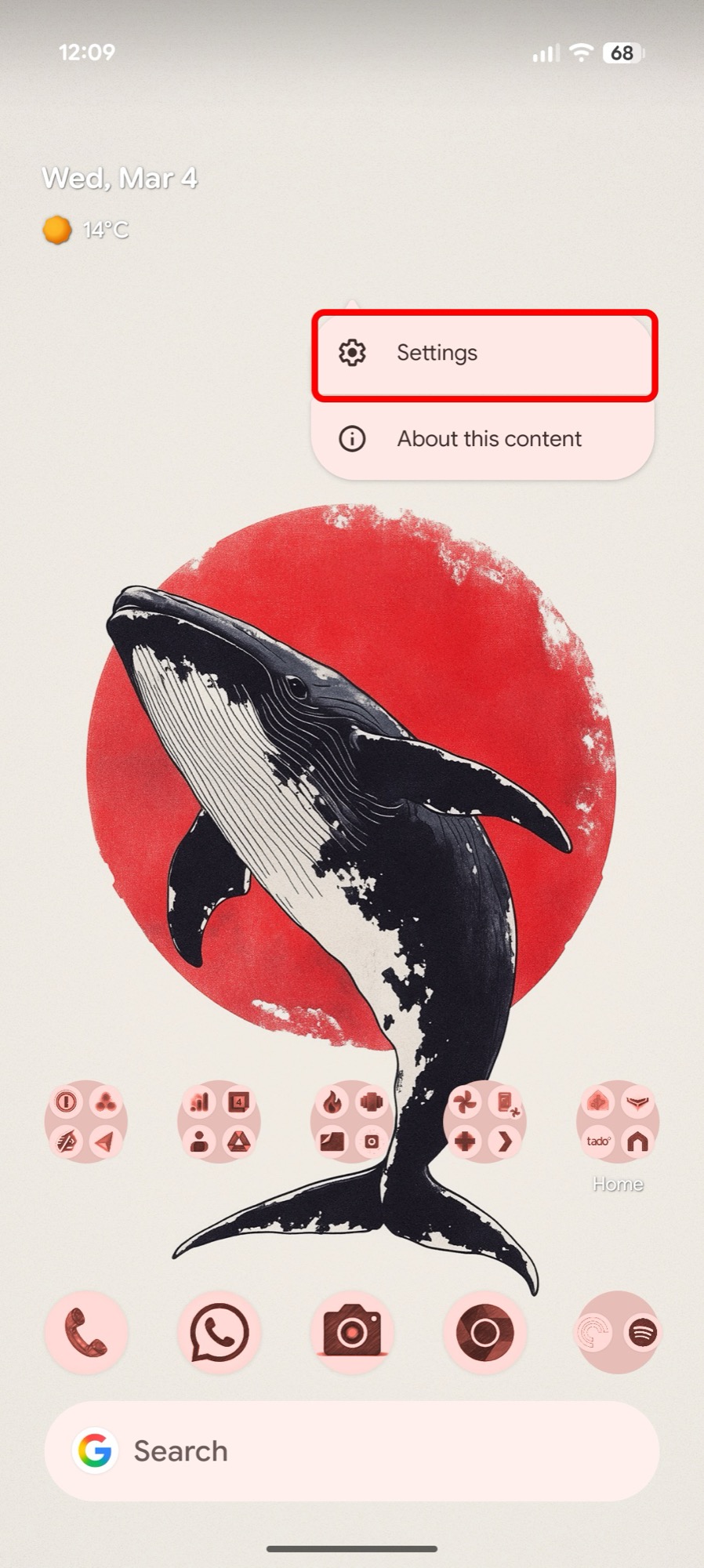 Tap Settings
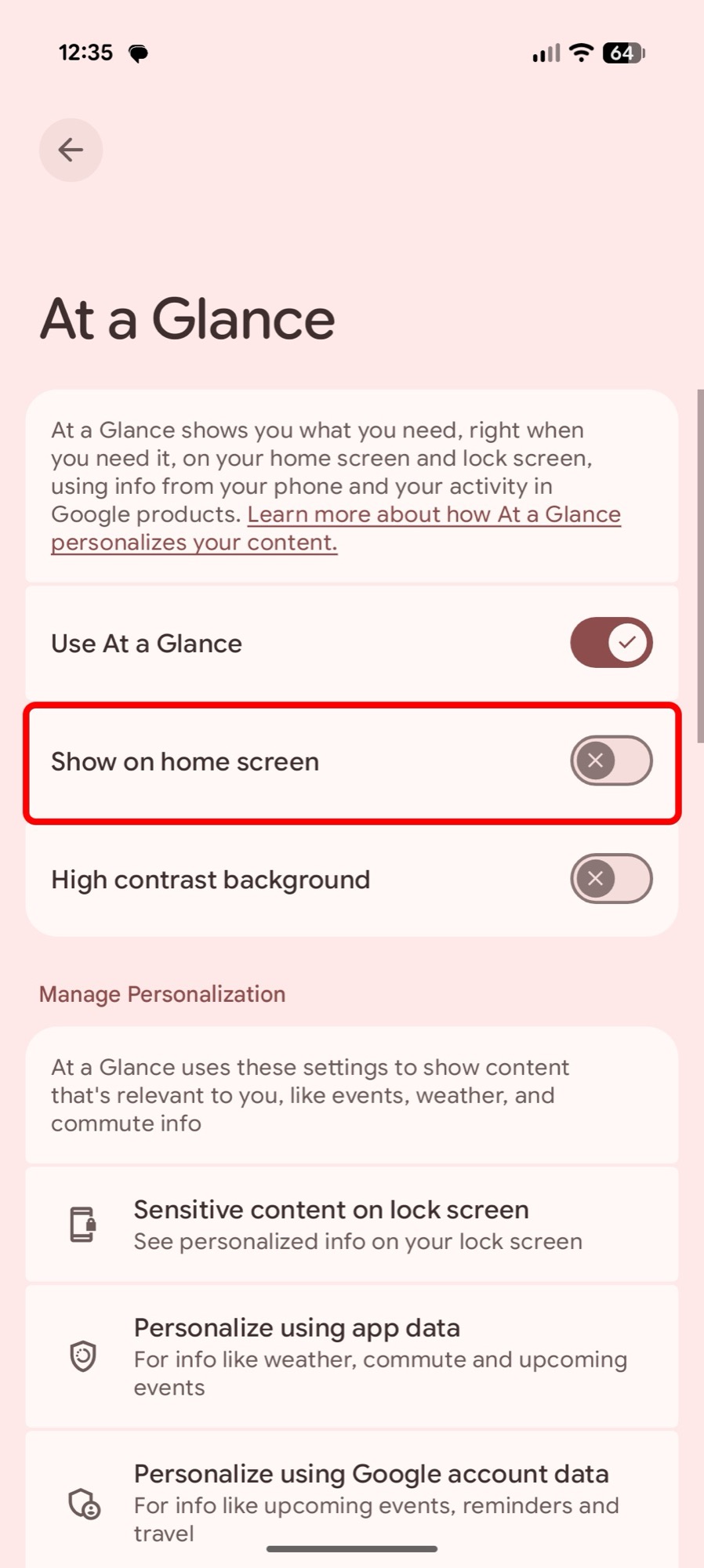 Turn off “Show on home screen”
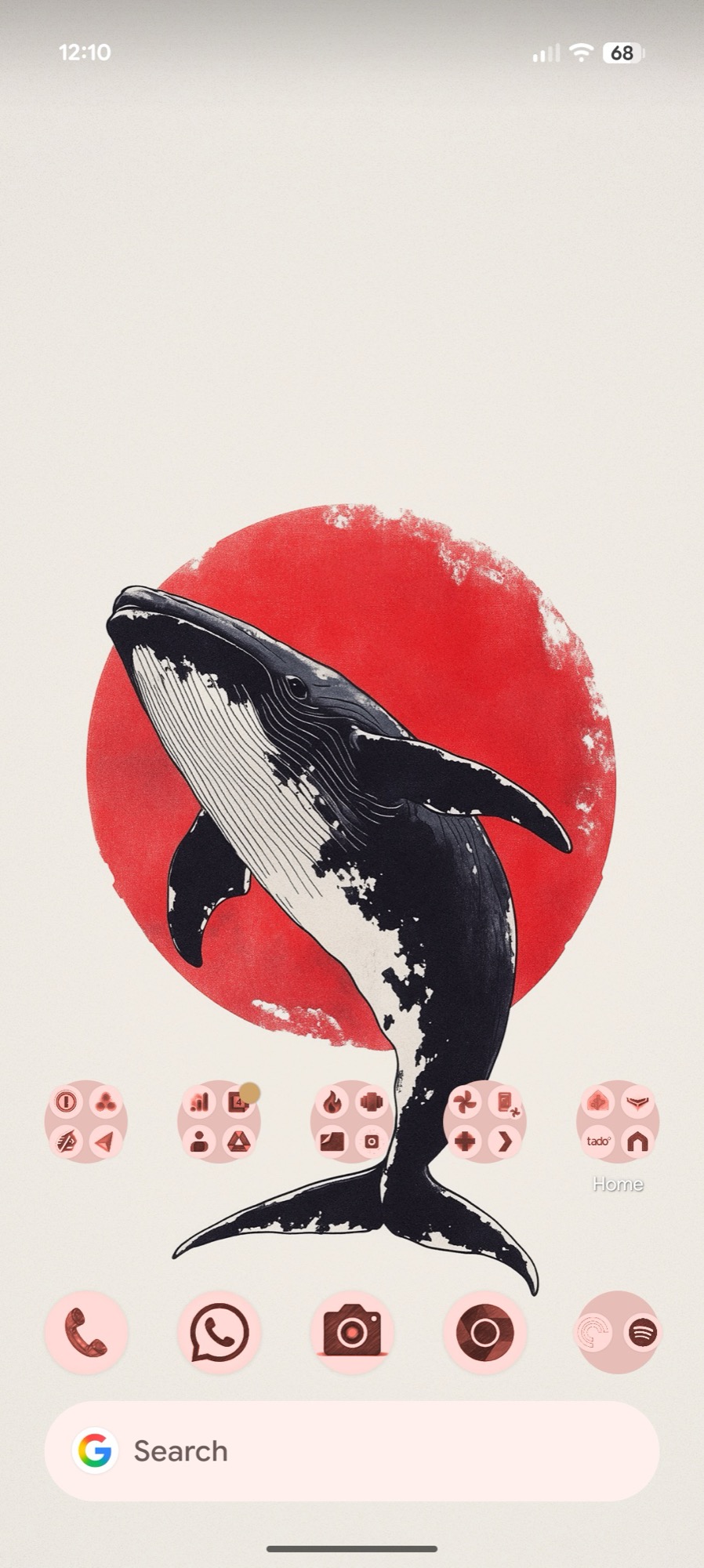 At a Glance is gone
Another change lets you add a grey background to the widget. The option is in the same menu, under High contrast background. This can be very useful on lighter wallpapers where the widget’s white font is practically illegible.
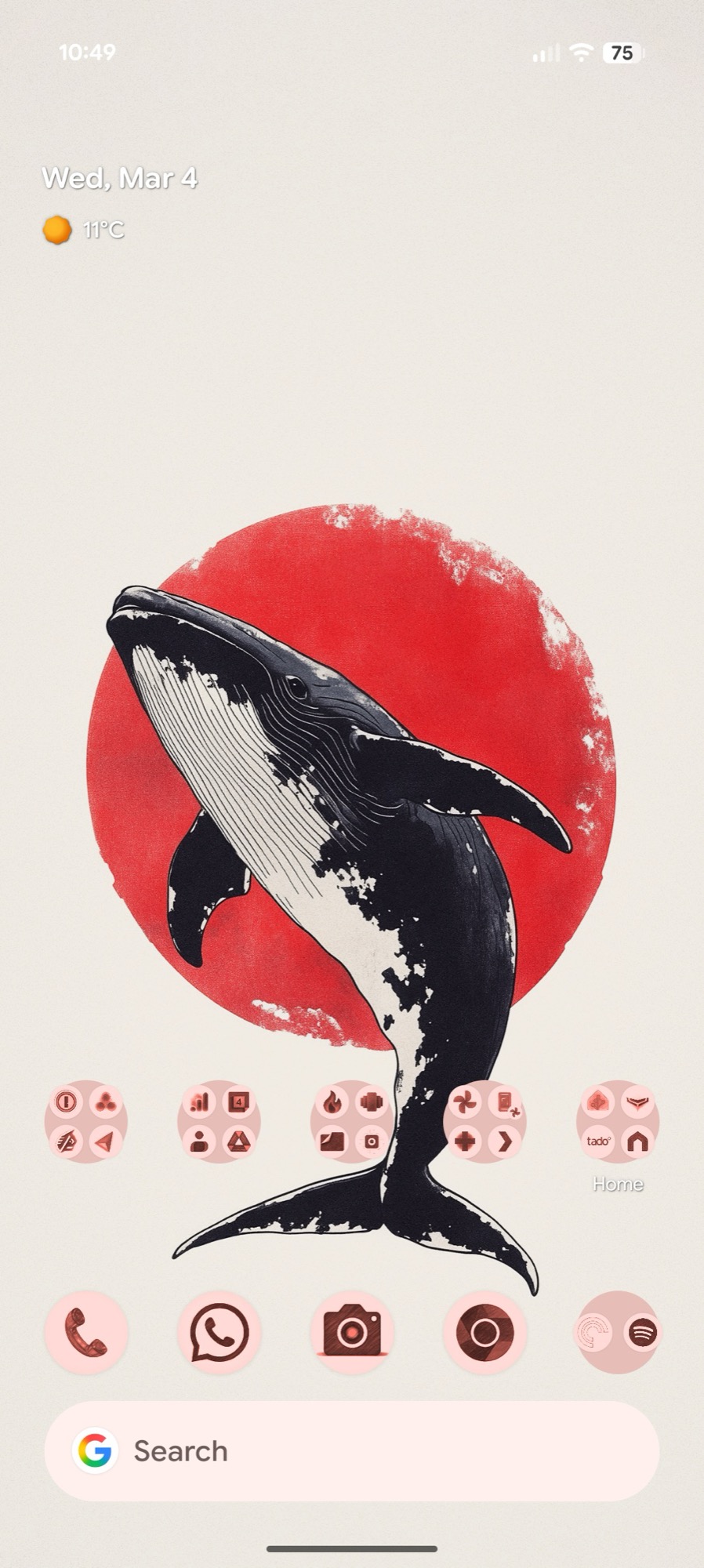 At a Glance, low contrast
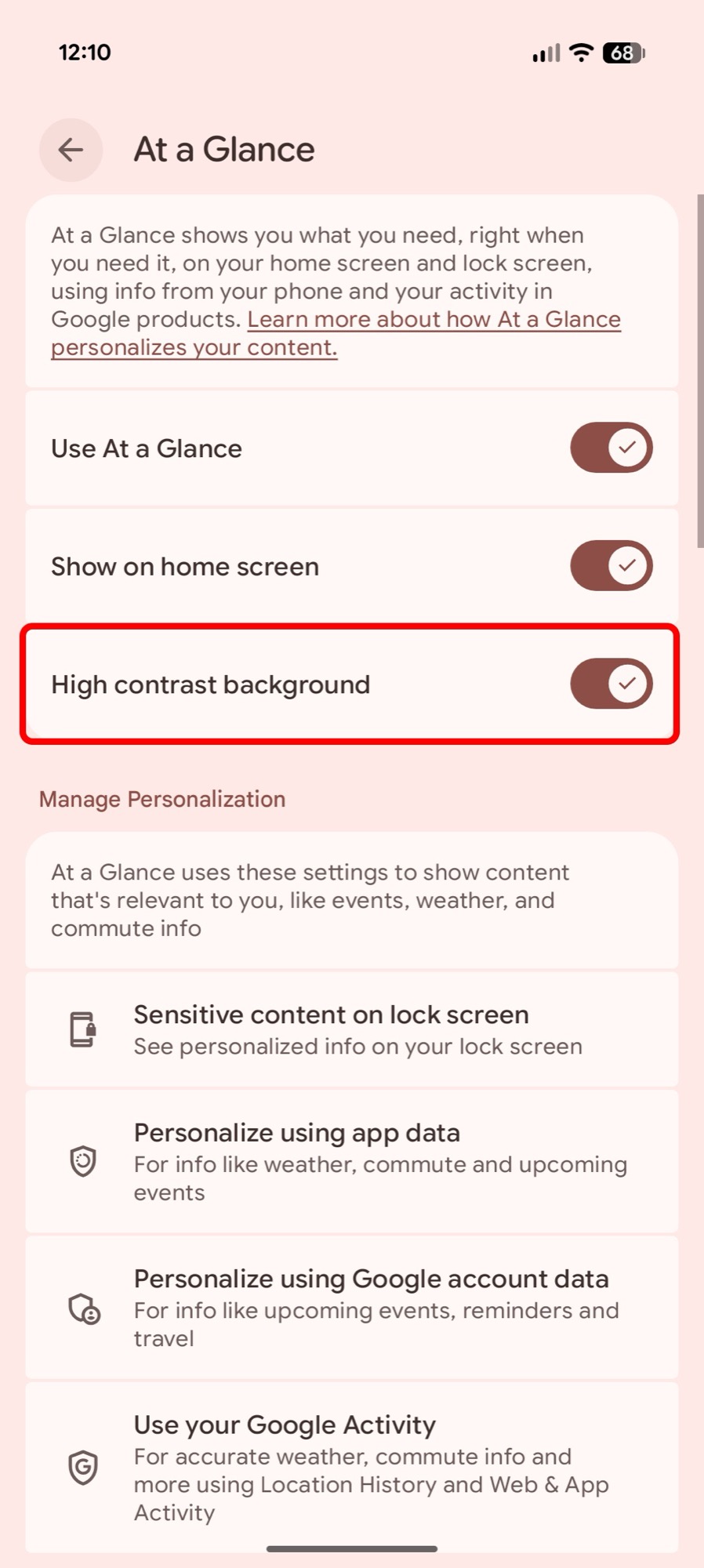 Turn on “High contrast background”
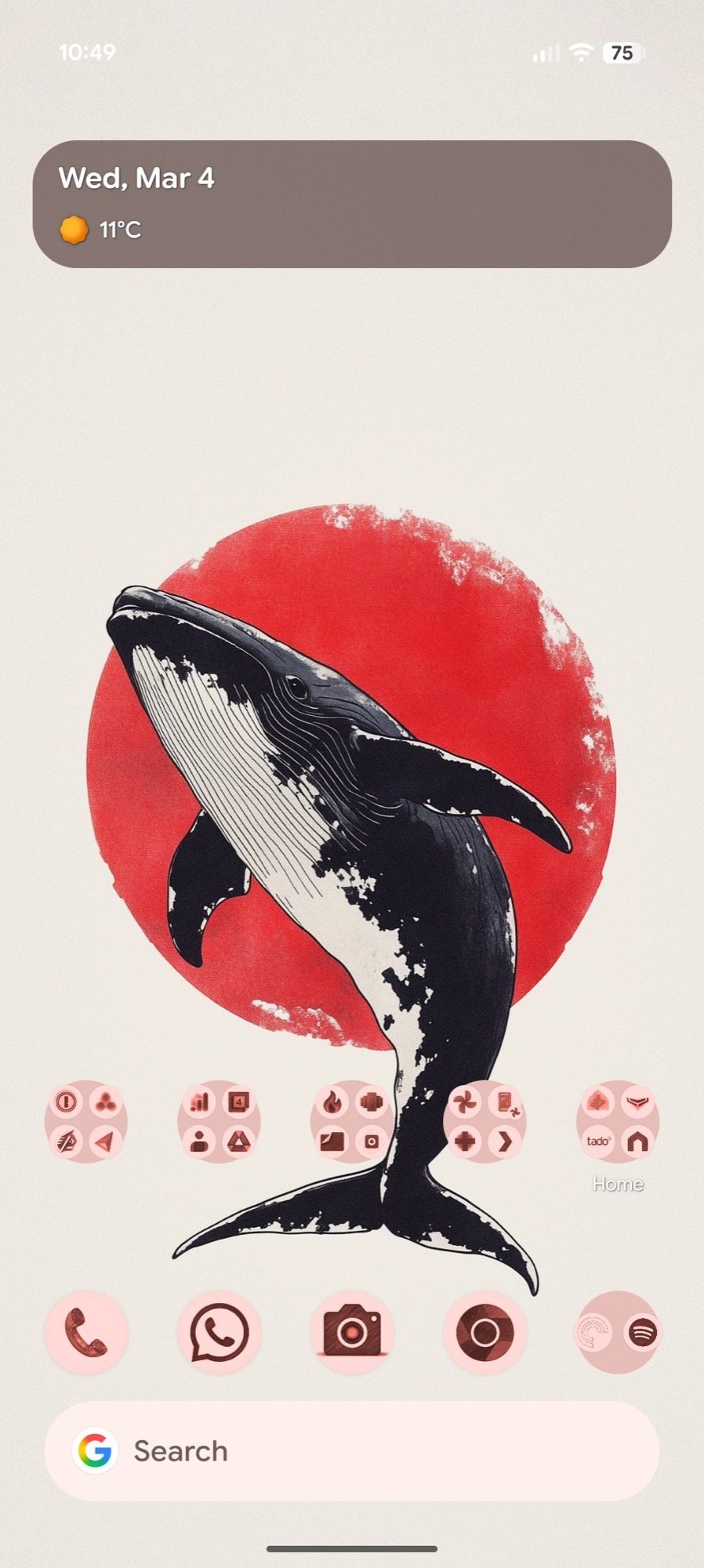 At a Glance, high contrast
And finally, At a Glance is finally adding some extra data points with sports scores, end-of-day stock details, and commute updates. All categories should be enabled by default, but if you want to make sure, tap and hold once again on At a Glance, choose Settings, and toggle on Sports, Finance, and Commute.
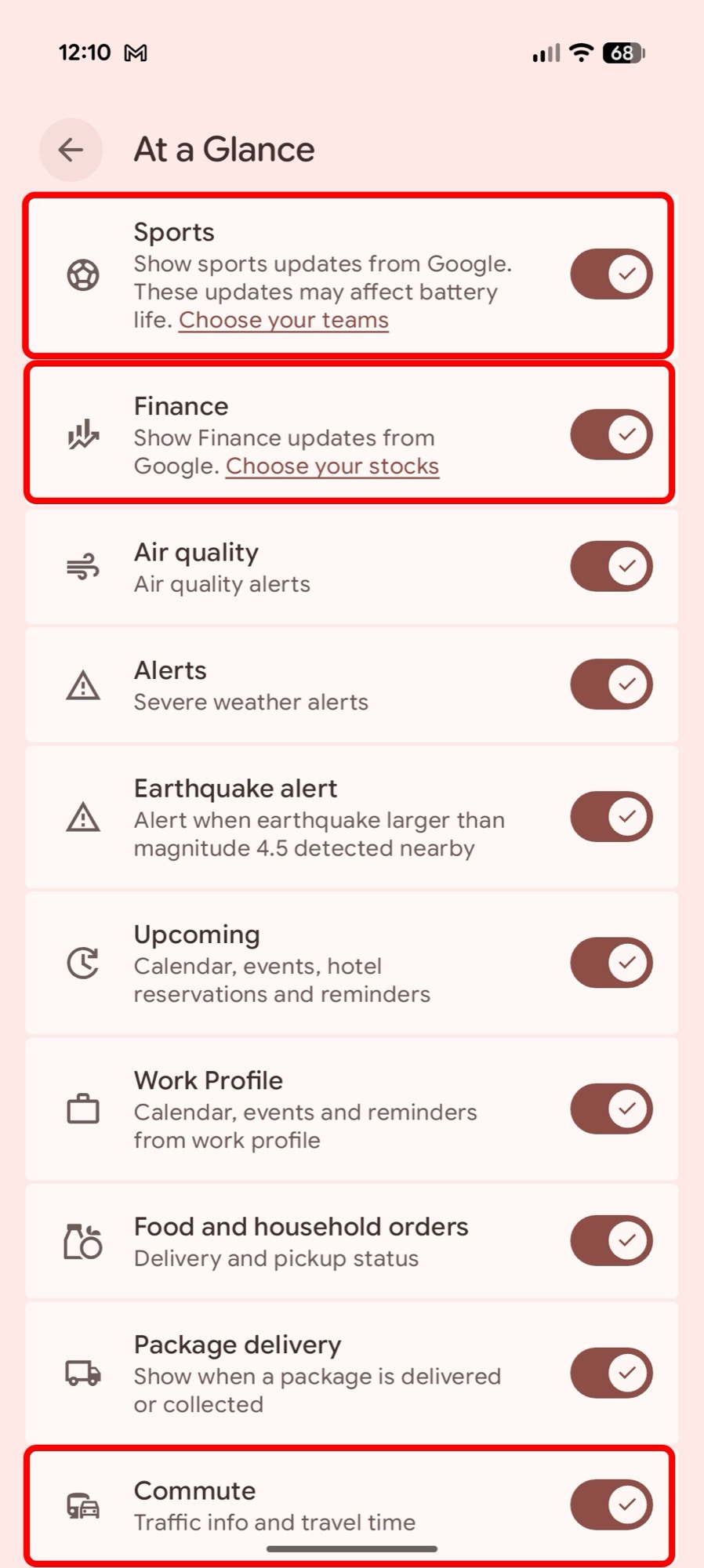 At a Glance Sports, Finance, and Commute
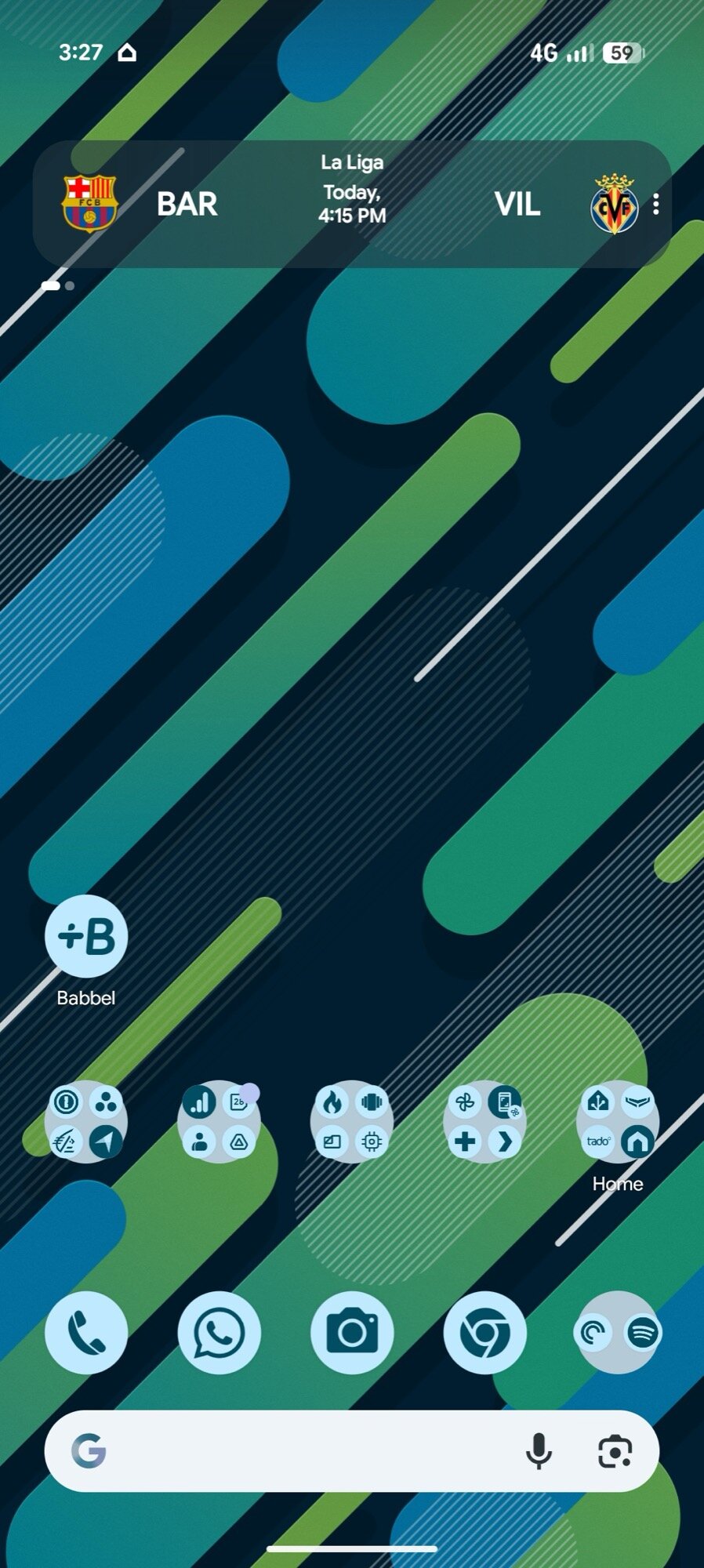 At a Glance on home screen
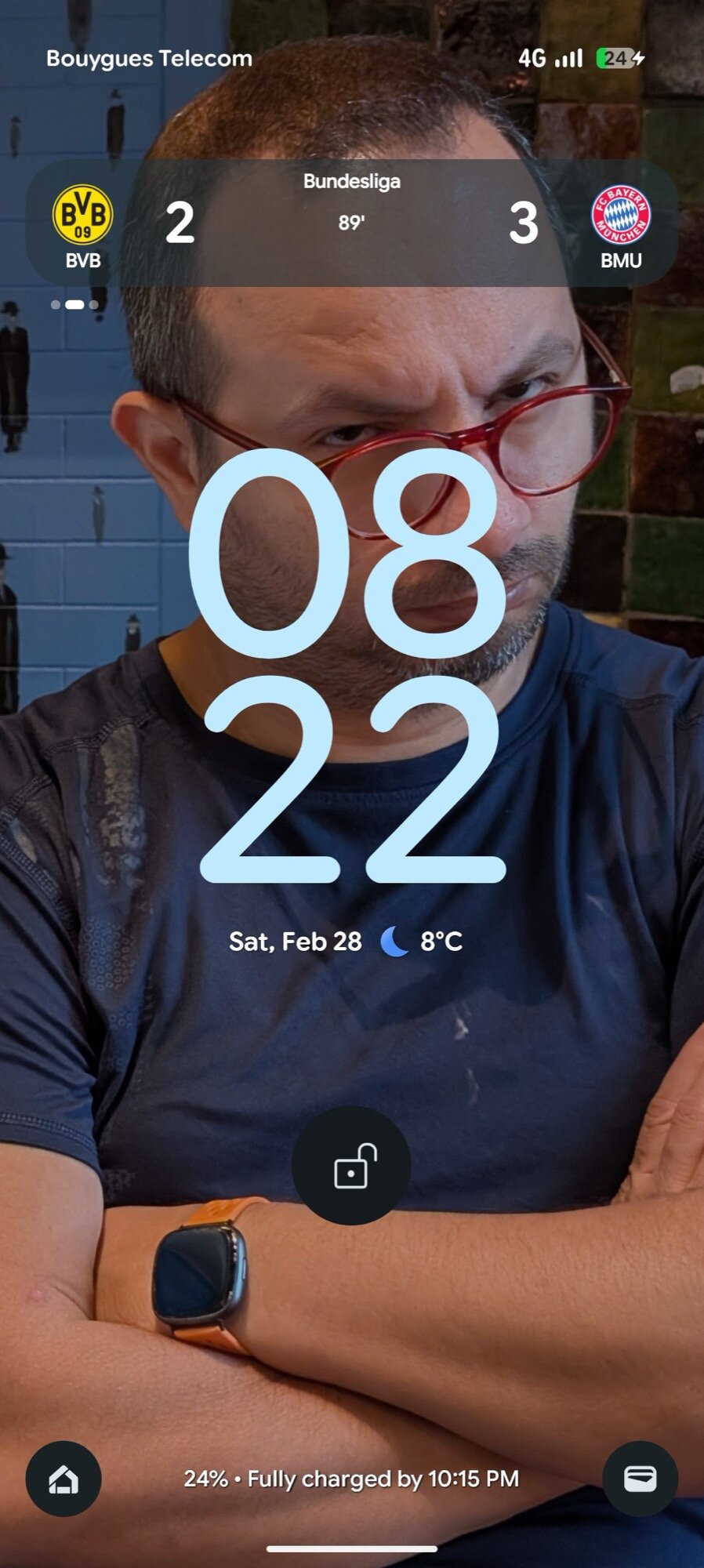 At A Glance sports scores on the lock screen
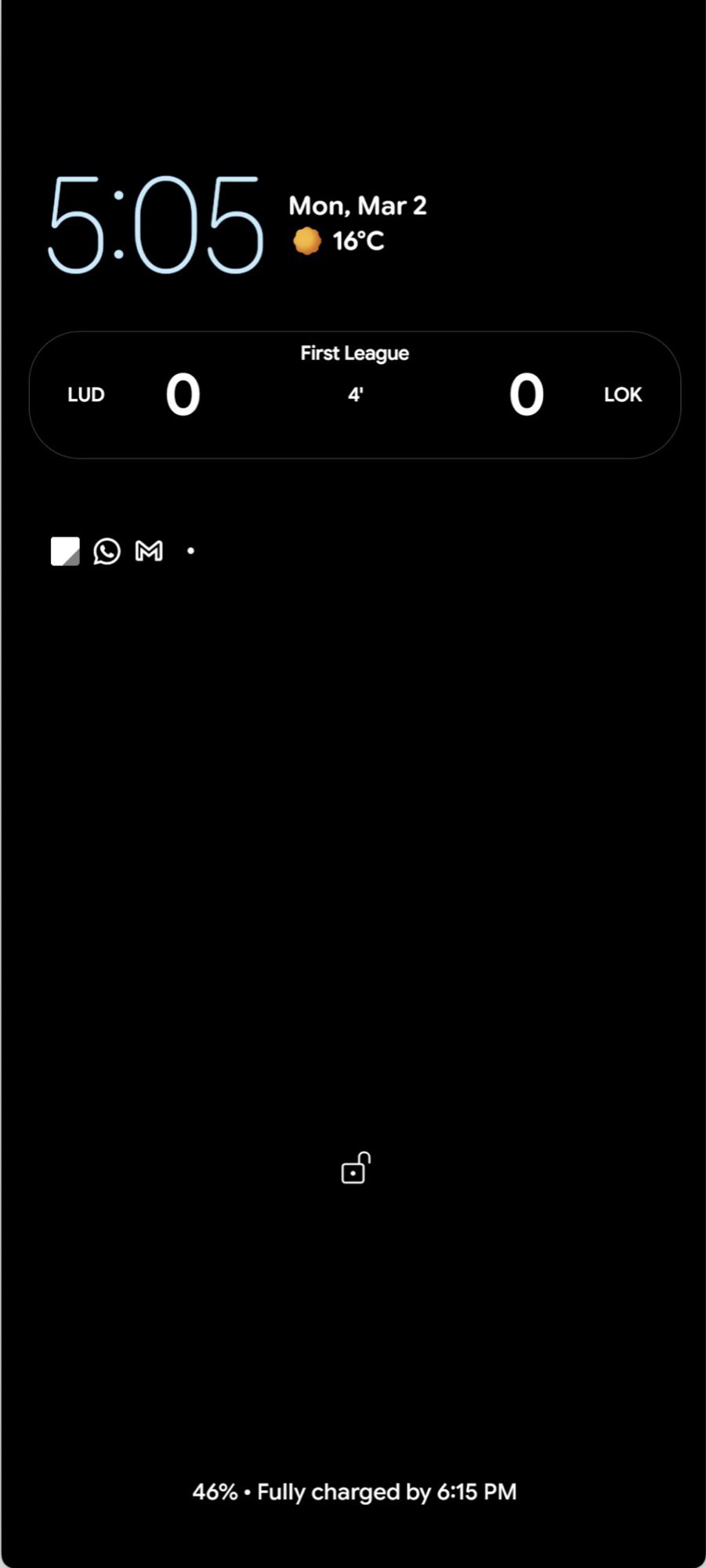 At A Glance sports scores on the always-on display
These might take a few days before they start showing up, but once they do, they’ll be extremely helpful. I’ve been getting sports scores for FC Barcelona and Real Madrid’s games for the past few days, and I don’t imagine I’ll ever go back to using any other widget, floating score, or notification. I love how contextual these scores are — they pop up one hour before the game…


