Asus ProArt GoPro Edition (PX13) review: will the real Windows MacBook Pro please stand up?
Asus ProArt GoPro Edition (PX13) review: will the real Windows MacBook Pro please stand up?
https://www.tomsguide.com/computing/laptops/asus-proart-gopro-edition-px13-review
Publish Date: 2026-02-25 12:25:00
Source Domain: www.tomsguide.com
When it comes to Windows creator laptops, it’s been my mission to hunt down the ultimate MacBook Pro alternative. As someone who creates regularly on Apple systems, this is always a good frame of reference to have, because if you want to aim for the King, you’d best not miss.
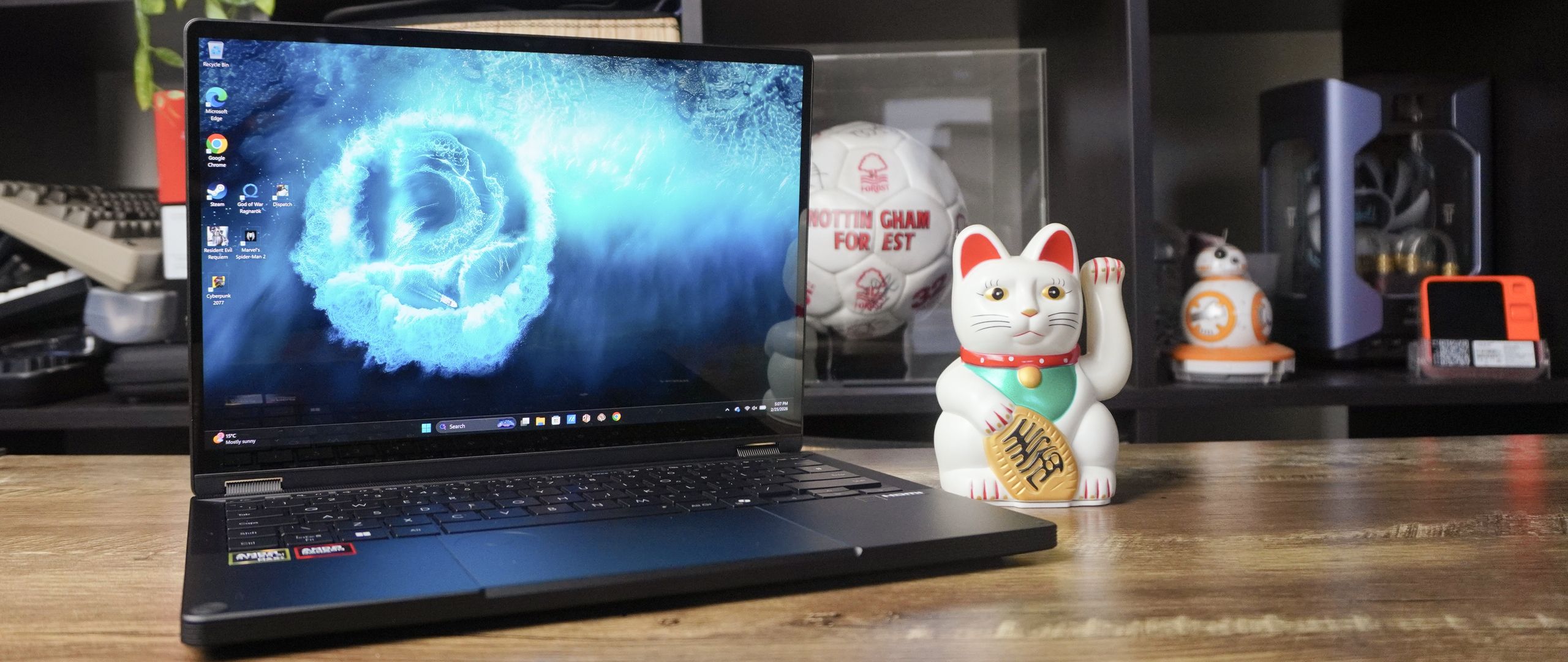
Well, that’s where I introduce you to the Asus ProArt GoPro Edition (PX13), a GoProified edition of the 13-inch 2-in-1 monster the company started making a year ago. And with a jump to Strix Halo, a fresh, durable design and ergonomics that feel like a match made in heaven for any creative, this is one helluva fighter for the throne.
With AMD’s Ryzen AI Max 395+ chipset, this chews through any complex Photoshop or Premiere Pro workload with the greatest of ease, while being a beast with AAA games too. A creator laptop that just so happens to be a serious gamer too? Who knew that was possible!? (Not Apple).
(Image credit: Future)
The svelte construction means this whole heap of power is easy to stash in your backpack, suitably durable for outdoor work, and with a wink to GoPro in the aesthetics, it brings the utilitarian personality on big.
And in terms of getting stuff done, you have that gorgeous OLED panel with impressive color accuracy (but still just 60Hz), the built-in DialPad is as good as ever for precision control in creative apps, and moving away from using a dedicated Nvidia GPU to the integrated all-in-one AMD chip has given battery life a serious boost.
Now, yes, let’s address that $2,999 price tag. It’s a lot — limiting it only for the pro creatives out there. But to come close to a spec set like this in the likes of a MacBook Pro (especially that high 128GB of shared system memory for running AI locally), you can spend close to $5,000.
So while this won’t be for the regular folks (if you are getting into content creation for the first time, I’ve had no trouble daily-driving the MacBook Pro M5), if you are looking to take things to the next level in video, photo…