Fed up with complex note taking apps? Try Whisp for Linux
Fed up with complex note taking apps? Try Whisp for Linux
https://www.omgubuntu.co.uk/2026/06/whisp-linux-scratchpad
Publish Date: 2026-06-25 23:56:00
Source Domain: www.omgubuntu.co.uk
New GTK4/libadwaita app Whisp is positioning itself as the note-taking app for people fed up with note-taking apps (the best one is always the next one, right?).
Scratch that; Whisp pitches itself as “the anti-note for GNOME”, a riff on Antinote, a macOS app with a similar look and feature set. Developer Tanay Bhomia describes it as “a fluid, gesture-driven scratchpad designed for absolute speed”.
The website takes shots at the complexity of Obsidian and Notion, but Whisp isn’t out to compete with either. It’s a foil to notes relying on databases, hierarchies and corkboard-and-red-string organisational complexity.
Me? I am a disorganised savage. Pen and Post-Its until the novelty wears off, then plain text files, phone notes and the occasional screed I hunt-and-peck into a draft post here, on the blog.
Simplicity is the feature here.
You don’t need to give your notes a title – a notion that makes me twitch – and you don’t need save notes as separate files. There aren’t any folders and no tags system either. “Just open the app and start typing instantly”, says the website.
Navigating your notes is gesture-driven:
Whisp’s gesture flow in action
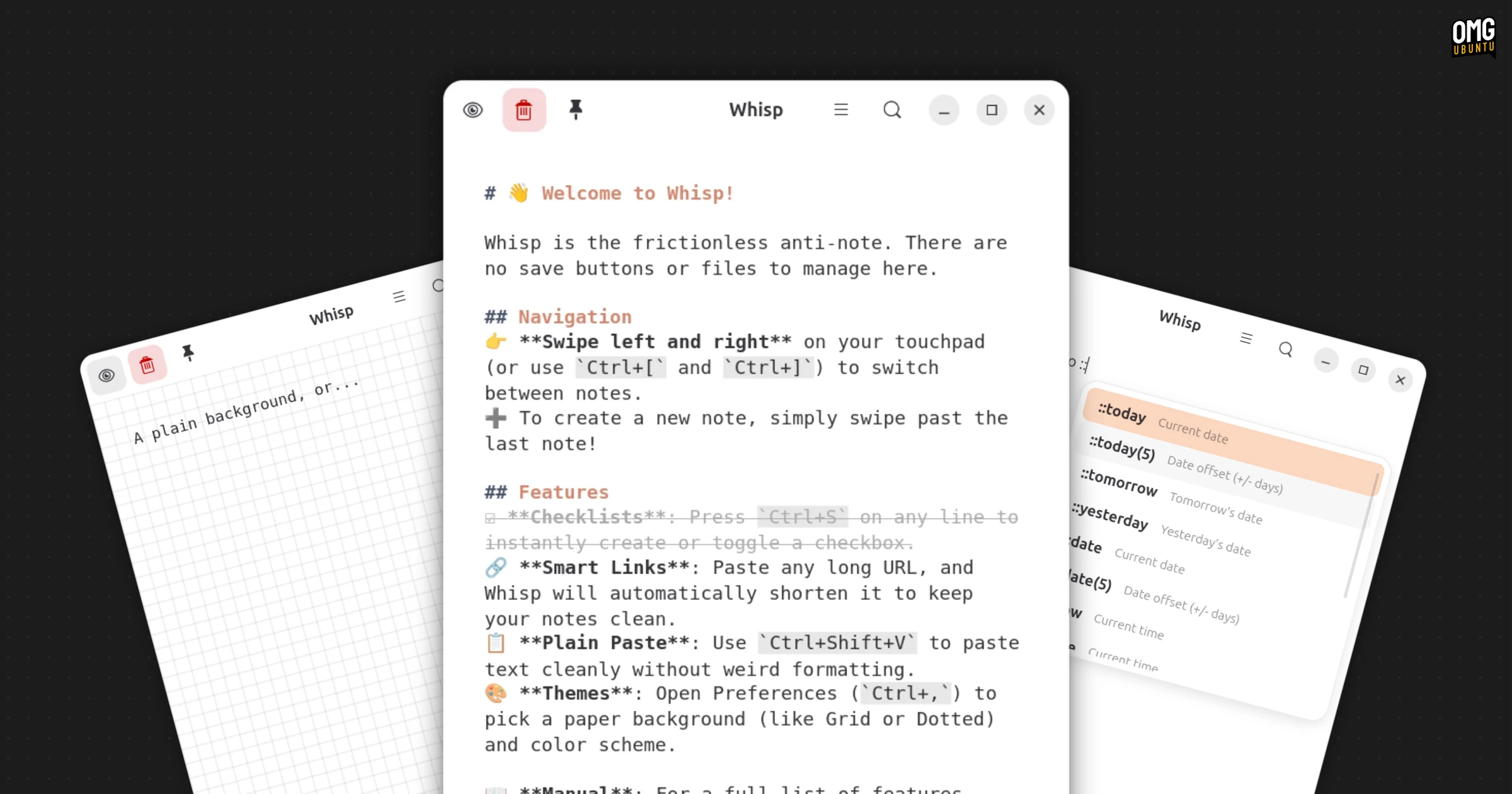
Yup, there’s no sidebar; instead, your notes exist in a swipeable carousel. Swipe left or right, click on the edges of the window or use ctrl + [ / ] keyboard shortcuts to move between them. When you swipe past the last note, a blank one appears.
 Neat smart expander for data entry
Markdown supports lets you format notes using the common syntax, and there’s a WYSIWYG toggle for real-time previewing.
Throwing together a checklist is as simple as typing List:, though I couldn’t find a way to check items off.
Smart text expansion for dates and times (added in a recent update) lets you type :: to trigger an autocomplete dropdown: ::today, ::tomorrow, ::now.
A global search matches across all your notes. Activate…