Google expands Gemini overlay with more AI tools on Android
Google expands Gemini overlay with more AI tools on Android
https://www.androidauthority.com/google-gemini-overlay-new-features-3680259/
Publish Date: 2026-06-23 04:23:00
Source Domain: www.androidauthority.com
Ryan Haines / Android Authority
TL;DR
- Google is expanding the Gemini overlay’s Plus (+) menu with tools like video generation, music creation, Canvas, and Guided Learning, making more of Gemini accessible without opening the full app.
- The update brings more of Gemini’s capabilities directly into the overlay, reducing the need to open the full app for common tasks.
- While the redesigned layout slightly impacts one-handed usability on larger phones, it makes a much larger portion of the Gemini experience accessible from virtually anywhere on Android.
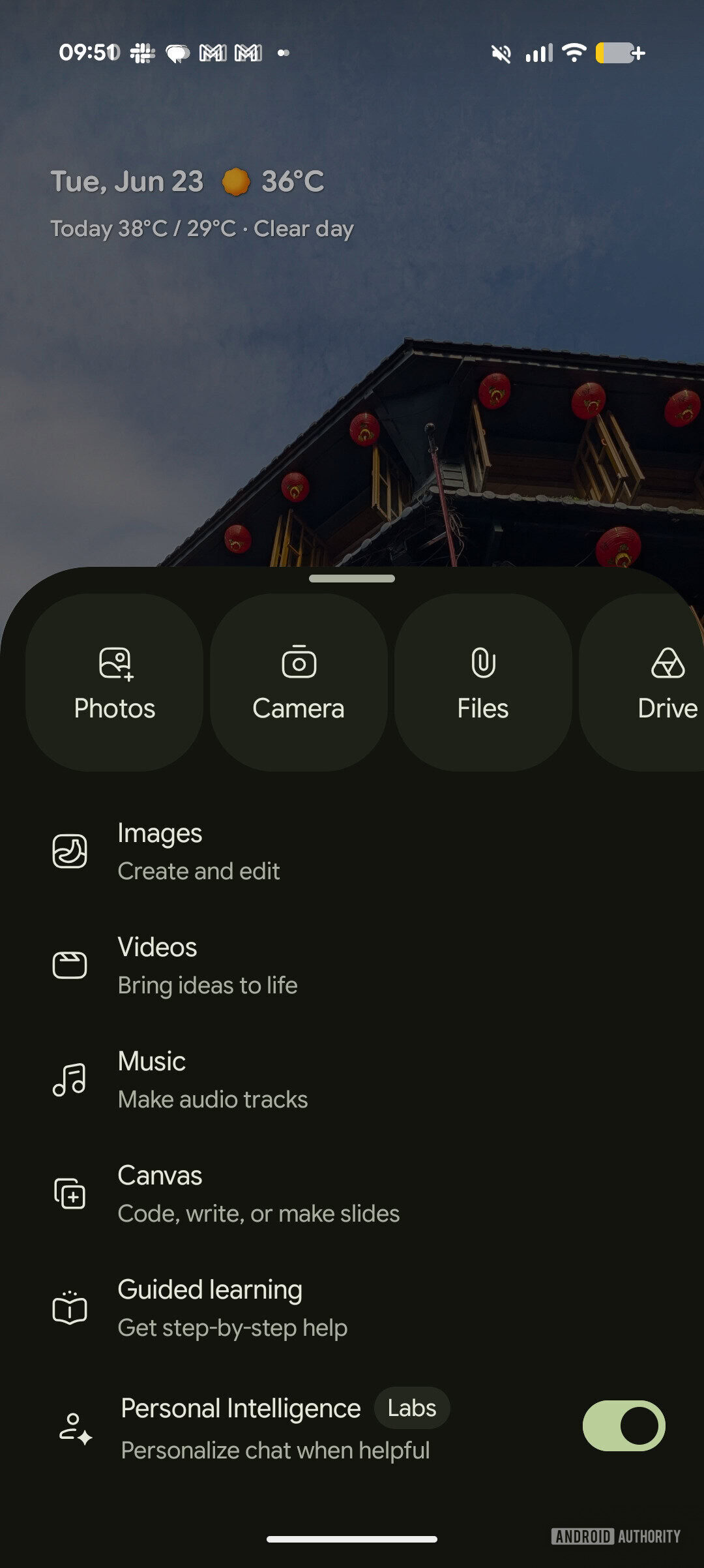
The biggest change here is that the Gemini overlay is no longer just a gateway to the app. What once provided access to images and Personal Intelligence is now expanding to include tools like video generation, music creation, canvas, and guided learning, bringing a much broader slice of Gemini’s capabilities to the surface.
Adamya Sharma / Android Authority
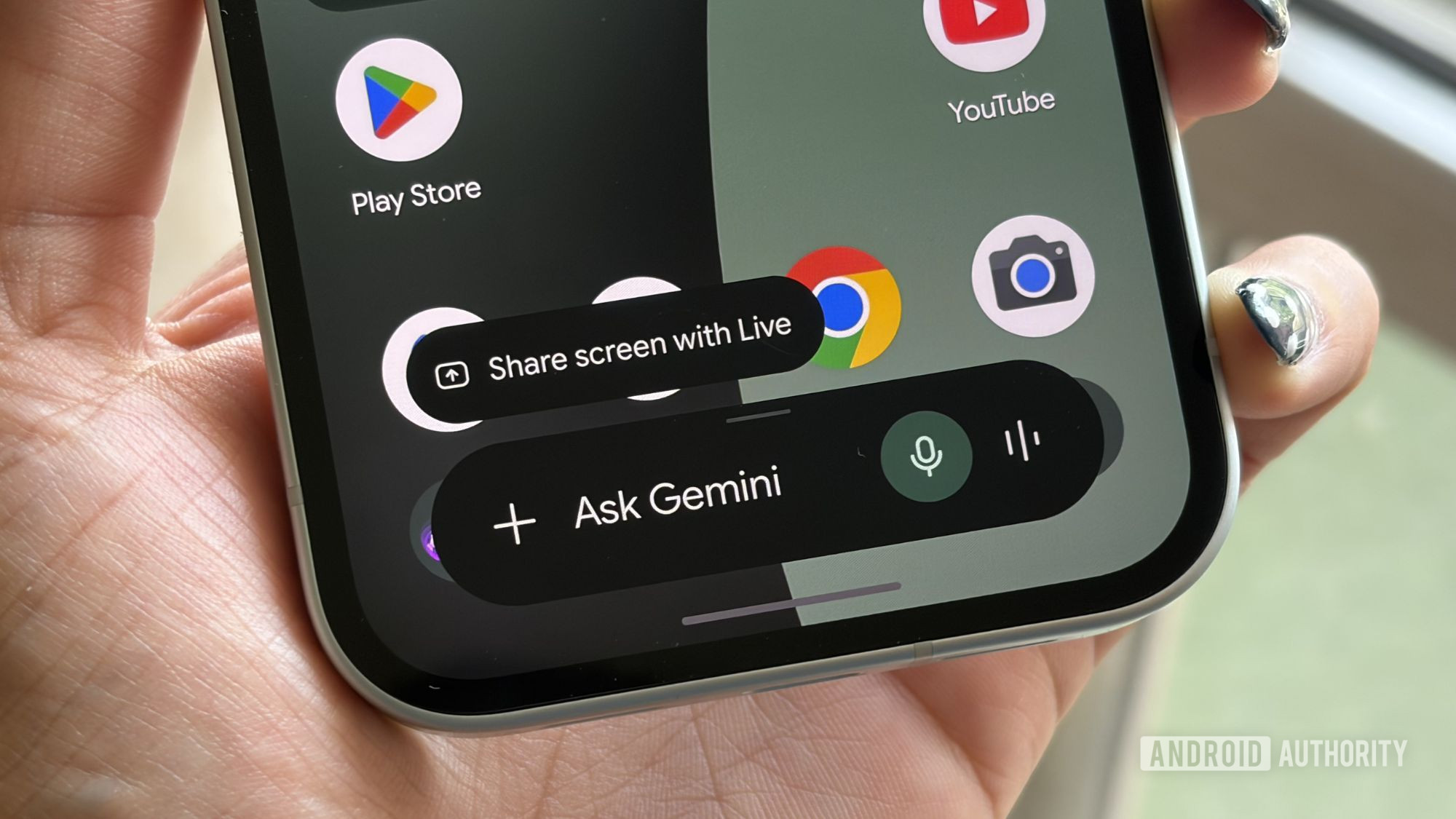
The changes center on the Plus (+) button in the Gemini overlay — Google is now transforming it into a much more capable entry point for Gemini’s growing toolkit.
Shimul Sood / Android Authority
The company hasn’t overhauled everything, though. Familiar shortcuts like Photos, Camera, Files, and Drive remain exactly where you’d expect them, making it easy to pull content directly into Gemini. Whether you want the AI to analyze a photo, summarize a document, or answer questions about a file you’ve saved, those entry points are still front and center.
These additions definitely make the overlay feel far more capable than before. Earlier versions felt like a doorway into Gemini; this one feels closer to a condensed version of the full experience. For many users, there may be little reason to launch the main app at all unless they’re swooping into a longer conversation.
The redesign isn’t perfect, however. To make room for all these new tools, Google has pushed the feature carousel higher up the screen. On larger phones, some options are now a little…