How the Samsung Galaxy S26 Ultra enhances privacy features
How the Samsung Galaxy S26 Ultra enhances privacy features
https://www.sammobile.com/news/how-samsung-galaxy-s26-ultra-enhances-privacy-features/
Publish Date: 2026-06-12 13:39:00
Source Domain: www.sammobile.com
The Samsung Galaxy S26 Ultra approaches privacy as a layered system rather than a single feature. It covers three distinct areas: what’s visible on your screen, how your data is stored and isolated on the device, and how your personal content is kept separate from the rest of the phone.
Each layer addresses a different kind of privacy concern. Together they make the Galaxy S26 Ultra one of the most comprehensively protected smartphones Samsung has made.
Here is a quick overview of the Galaxy S26 Ultra’s privacy features:
- Privacy Display[1]: The world’s first built-in Privacy Display on mobile, which makes your screen’s content visible only to you
- Knox and Knox Vault: Hardware-level security that protects your passwords, biometric data, and encryption keys at the chip level.
- KEEP[2]: Encrypted storage containers for individual apps, keeping data from leaking between them.
- Secure Folder and Private Album: Separate, encrypted spaces for apps, files, and photos you want to keep private.
- Auto Blocker: Protection against unauthorized app installations and other common entry points for malware.
How does Privacy Display protect what’s on your screen?
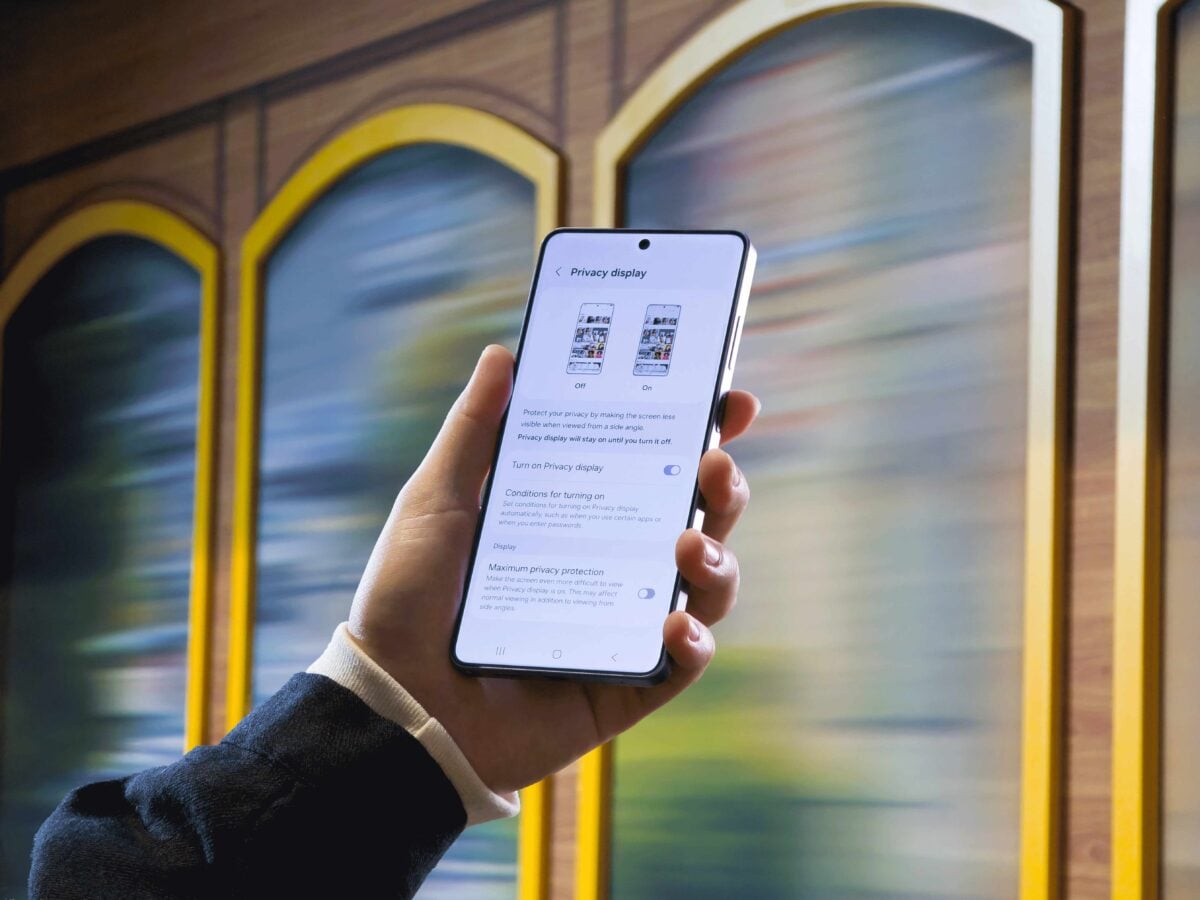
Privacy Display is one of the most visible privacy additions on the Galaxy S26 Ultra. When enabled, the screen narrows its visible angle and makes its content visible only to you so that people sitting beside you — on a train, in a cafe, or in a meeting — cannot read what is on your display.
Unlike a physical privacy film stuck over the screen, Privacy Display is built directly into the display hardware. It does not degrade image quality or add any physical thickness. You can turn it on manually, or set it to activate automatically — for example, when you open your banking app, enter a PIN, or receive a notification pop-up. A Maximum Privacy Protection mode is also available for situations that call for an even narrower viewing angle.
Privacy Display also…