iOS 27 Beta Has Arrived: Here’s How To Get It On Your iPhone
iOS 27 Beta Has Arrived: Here’s How To Get It On Your iPhone
https://www.engadget.com/2190122/ios-27-beta-has-arrived-here-s-how-to-get-it-on-your-iphone/
Publish Date: 2026-06-09 09:30:00
Source Domain: www.engadget.com
Beta versions of iOS, iPadOS and watchOS are available to download if you have a developer account.
Apple
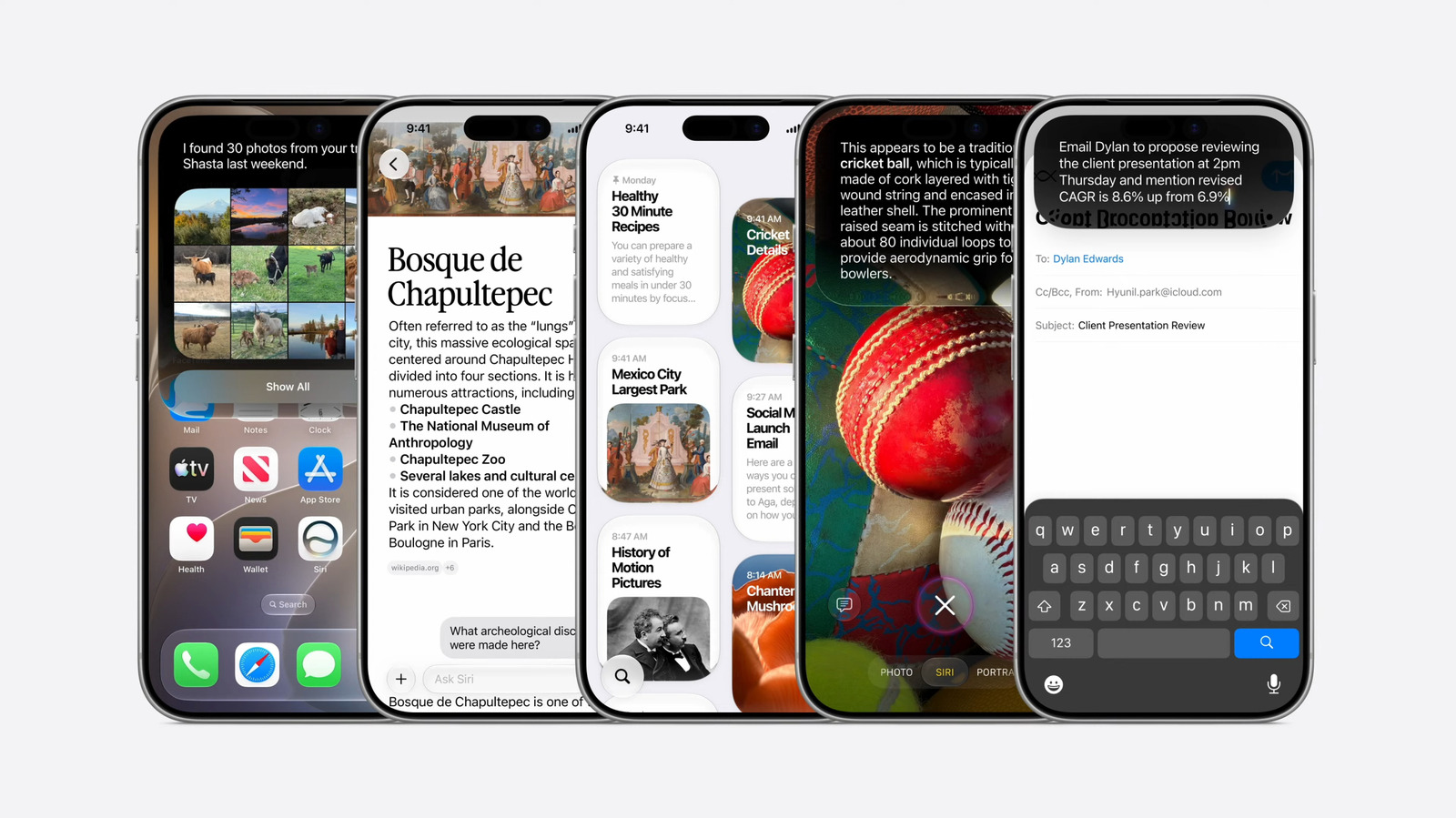
Apple’s recently announced iOS 27 update won’t officially ship until the fall, but you can get a taste of the performance improvements and new Siri features the company showed off at WWDC 2026 by downloading a developer beta today. Apple has made betas available for iPhones, iPads, Apple Watches and more, but you should be aware of what you’re getting yourself into before you move forward.
Running beta software is not without risks. Always back up your device before running a dev beta on it. Ideally you should also install the beta on a secondary device rather than your personal iPhone. This year, since Apple is rolling out Siri AI in beta, you’ll also need to sign up for a waitlist before you can access the new Siri app.
Messing around with buggy software isn’t for everyone. Early developer betas are typically missing some of the shinier new features, and can impact battery life and general stability. Luckily, if you don’t want to take such a big gamble with your hardware, Apple typically offers a more-polished version of its software via a free public beta program in July or August.
How to sign up for an Apple Developer account
You can sign up for an Apple Developer account online or through the Apple Developer app on your iPhone or iPad if you have a passcode or Face ID enabled. To sign up using the app: