Craving Hyprland But Don’t Want to Configure It? Try Dank Linux

Craving Hyprland But Don’t Want to Configure It? Try Dank Linux
https://itsfoss.com/dank-linux/
Publish Date: 2026-06-06 00:06:00
Source Domain: itsfoss.com
During your journey around the world of Linux, you might’ve come across riced-up builds that look and feel like something out of a sci-fi novel. And if you wondered, why can’t I have this on my system?, then you wouldn’t be alone.
Many of those builds have something like Niri or Hyprland sitting on top of a Linux distribution that plays nice with such heavy customization. But setting those up is a bit of work, and not everyone might be up for it.
That is where pre-configured distros and scripts like Garuda Linux, Omarchy, ArchRiot, etc. come into the picture. With this article, we will be taking a look at Dank Linux, a desktop shell suite that can transform your system into a slick Hyprland one.
Dank Linux: Hyprland Premium?
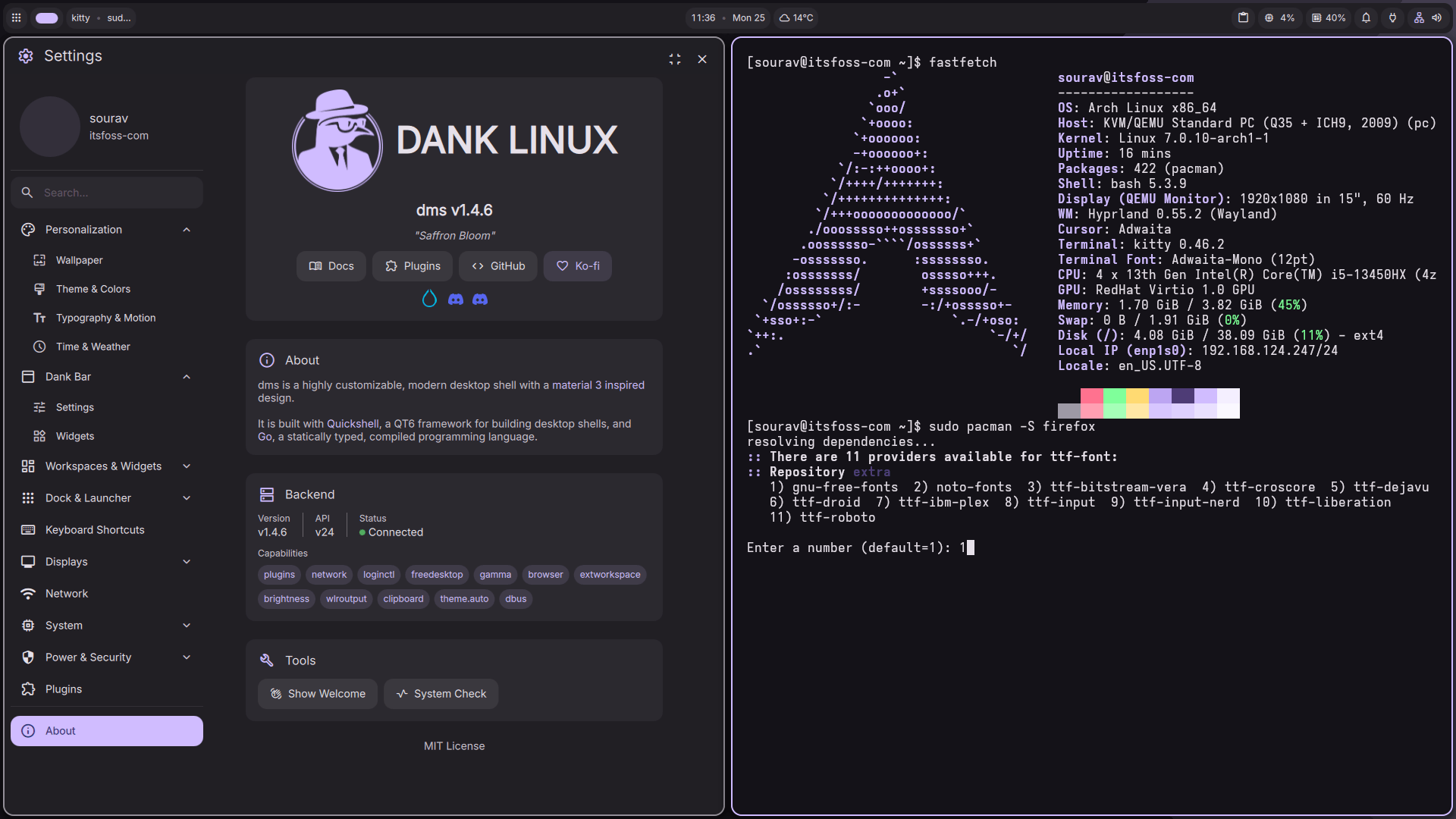
Okay, that might be a bit overstated, but using Dank Linux will make you feel that.
Here, you don’t need to pay extra for Hyprperks, and instead, you get a tailored Hyprland desktop experience powered by DankMaterialShell (dms), which is a desktop shell built with Quickshell and Go.
It brings panels, a notification center, a lock screen, an app launcher, media controls, and automatic wallpaper-based color theming into one package.
Currently at v1.4.6 “Saffron Bloom”, the MIT-licensed project is actively developed, with the installer supporting Arch Linux (incl. derivatives), Fedora (incl. derivatives), Ubuntu, Debian, openSUSE, and Gentoo (requires systemd), with both x86_64 and ARM64 hardware covered.
Installation was okay
There were a few steps in-between that are not shown here.
After setting up a minimal Arch Linux virtual machine, I ran the cURL script to get Dank Linux installed. The installer asked me to configure a few preferences, like the privilege escalation tool (I went with sudo), the compositor, and the terminal emulator.
I initially picked Niri as the compositor, but after installation, the session would hang on startup due to some bug. I tried a few fixes, but none worked, so I reran the installer…

