What’s The Line Below The Battery Icon On Your iPhone Lock Screen For?
What’s The Line Below The Battery Icon On Your iPhone Lock Screen For?
https://www.slashgear.com/2182979/line-below-battery-icon-on-iphone-lock-screen-what-for/
Publish Date: 2026-05-30 18:15:00
Source Domain: www.slashgear.com
Adnan Ahmed/SlashGear
It was only a few years ago that the iPhone was ridiculed for offering next to zero customization features, barring the ability to change the wallpaper. Soon came widgets, the ability to move app icons around on the home screen freely, and recently, more lock screen customization. You can use a different font for the clock, add widgets to the lock screen, or even use wallpapers that cleverly overlap a portion of the clock for a neat depth effect. Apple’s Liquid Glass design system also added a layer of transparency effects across the whole user interface.
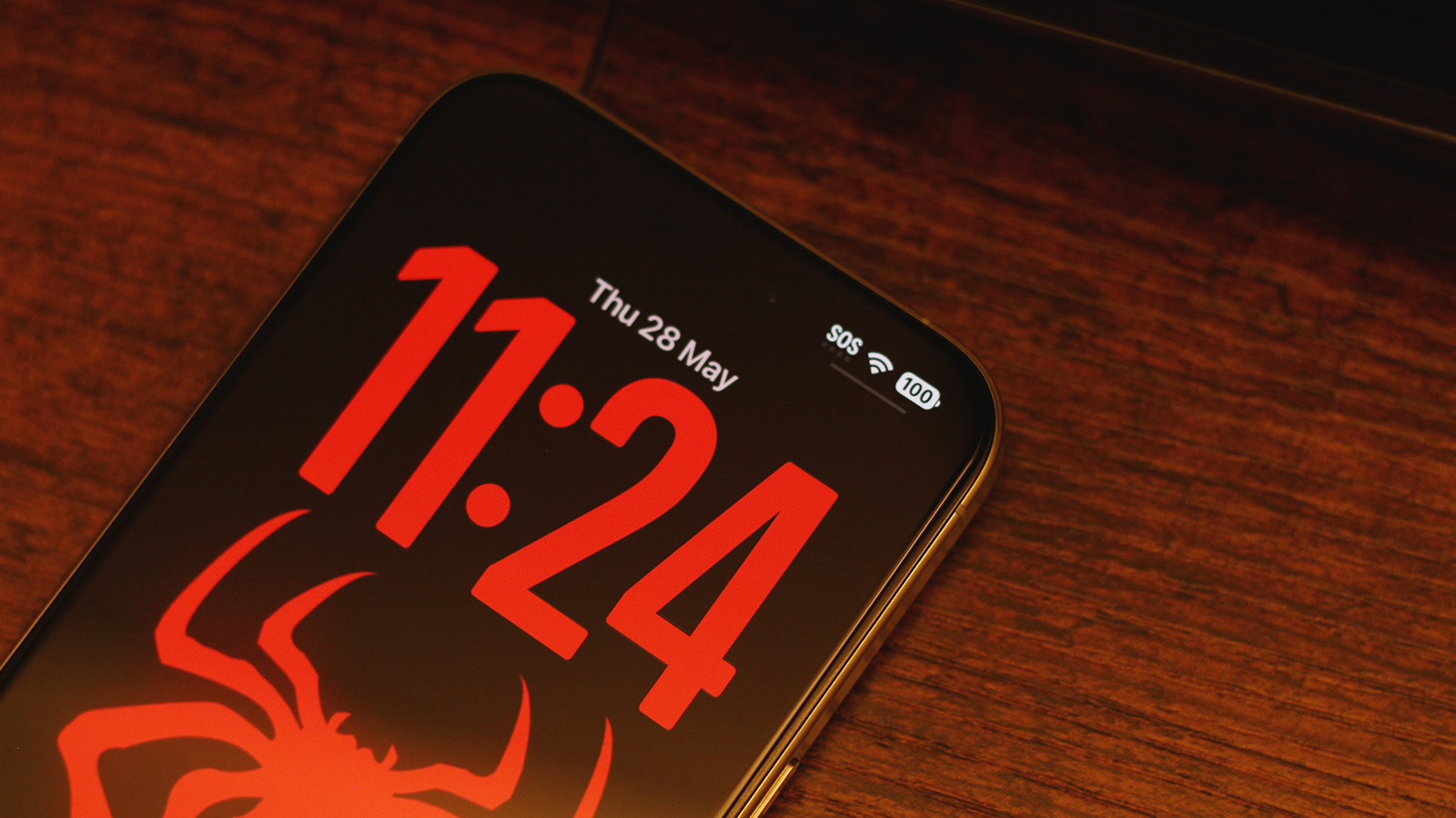
Even with widgets and a busy wallpaper, it’s pretty difficult to conjure a lock screen on the iPhone that looks bad. Those going for a minimalist look will likely stick to solid colors or subtle gradients with a widget-free layout and a bold, spacious font for the clock. Even then, you might have noticed a small UI element that manages to stand out on an otherwise clean lock screen — the tiny horizontal line below the battery icon. If you’ve interacted with it before, you’ll realize that it is actually an indicator for the Control Center.
Just like you can swipe down from the top-right corner of your iPhone’s screen inside any app, doing so on the lock screen will also bring up the Control Center. This is where you can access device controls like Wi-Fi or Bluetooth. The line simply lets you know that the gesture is available from the lock screen too.
…
Source