What Does Google Chrome’s New Bookmark Encryption Mean for Privacy

What Does Google Chrome’s New Bookmark Encryption Mean for Privacy
https://www.techjunkie.com/what-does-google-chromes-new-bookmark-encryption-mean-for-privacy/
Publish Date: 2026-05-29 09:47:00
Source Domain: www.techjunkie.com

By default, Chrome has stored bookmarks as a readable plain text file in your local storage folder or cache. As such, any program, piece of malware, or person with access to your file system could open that file and see every URL you’ve ever saved. But in April 2026, there was a new Google Chrome bookmark encryption test that made that file inaccessible. Here’s what that actually means.
Why Bookmarks Have Always Been a Privacy Weak Spot
Chrome saves your bookmarks to a file simply called “Bookmarks” in your local profile folder. On Windows, that sits at “%LOCALAPPDATA%GoogleChromeUser DataDefault.” It has no extension lock, no password, and no encryption, so you could open it in Notepad and see every URL, folder name, and date added sitting there in plain text. This is unlike saved passwords, which require operating system access (and PIN or password).
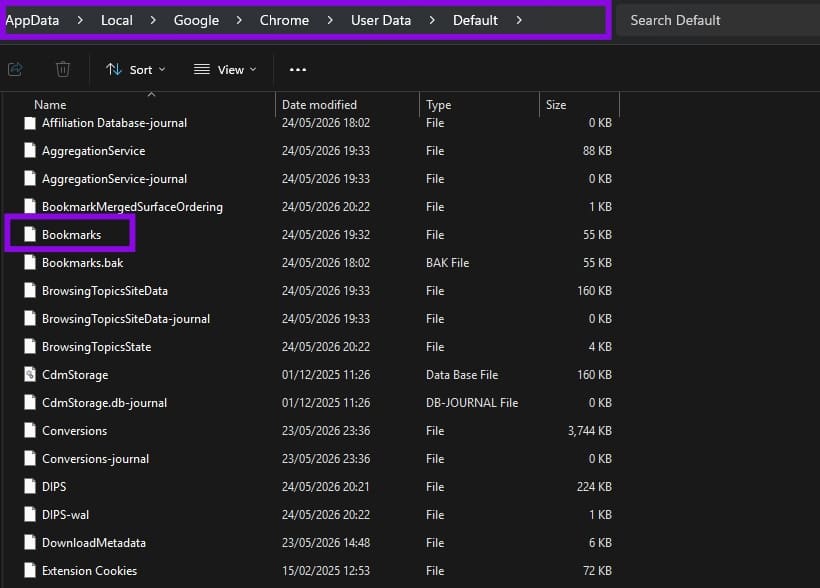
This could become a danger in a few scenarios:
- Malware that targets browser profile folders, which is a standard tactic in info-stealer attacks designed to harvest browsing data without triggering obvious alarms
- Anyone with physical access to your machine while it is left unlocked – or on a shared workspace computer where users share a single, generic Windows guest login – can easily access your local profile folder
- Any other application or script that reads your file system, since the file is not restricted to Chrome’s own process
What the New Google Chrome Bookmark Encryption Feature Does
The “Bookmarks Encryption” flag that appears in Chrome Canary uses os_crypt, the same system-level encryption Chrome already applies to saved passwords and other sensitive local data. The feature rolls out in three stages:
- Stage 1 and Stage 2: The existing plain-text Bookmarks file stays in place, but Chrome begins writing encrypted data alongside it….