I started using Gemini with WhatsApp and it’s been a game-changer
I started using Gemini with WhatsApp and it’s been a game-changer
https://www.androidpolice.com/started-using-gemini-with-whatsapp-and-its-game-changer/
Publish Date: 2026-05-22 20:51:00
Source Domain: www.androidpolice.com
Suddenly, Gemini stopped being just a passive chatbot and became an active bridge to my phone.
By simply using text or quick voice prompts, I can now ask Gemini to instantly fire off messages or initiate calls directly through WhatsApp.
Related
5 reasons you should use Gemini on Android instead of a third-party assistant
Gemini is the ideal virtual assistant for Android
Enable WhatsApp integration in Gemini
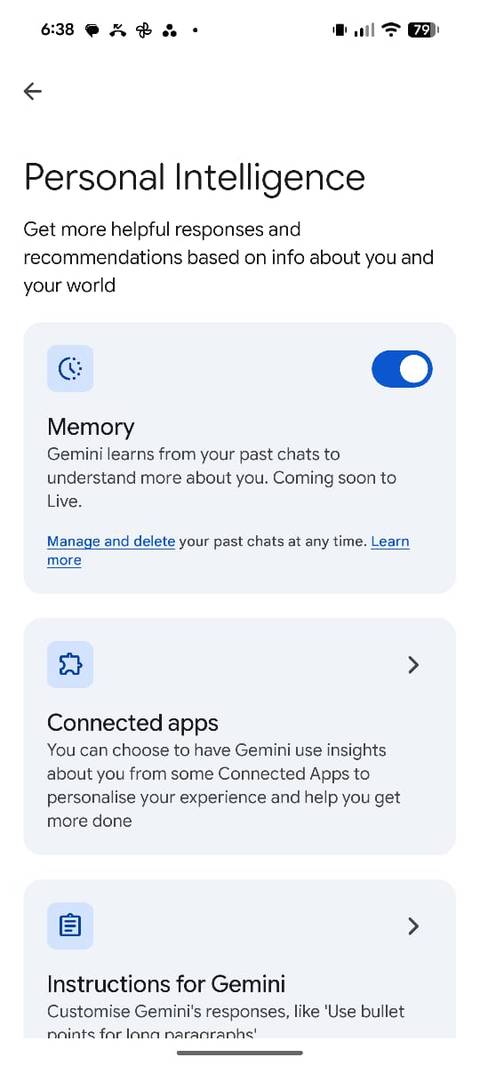
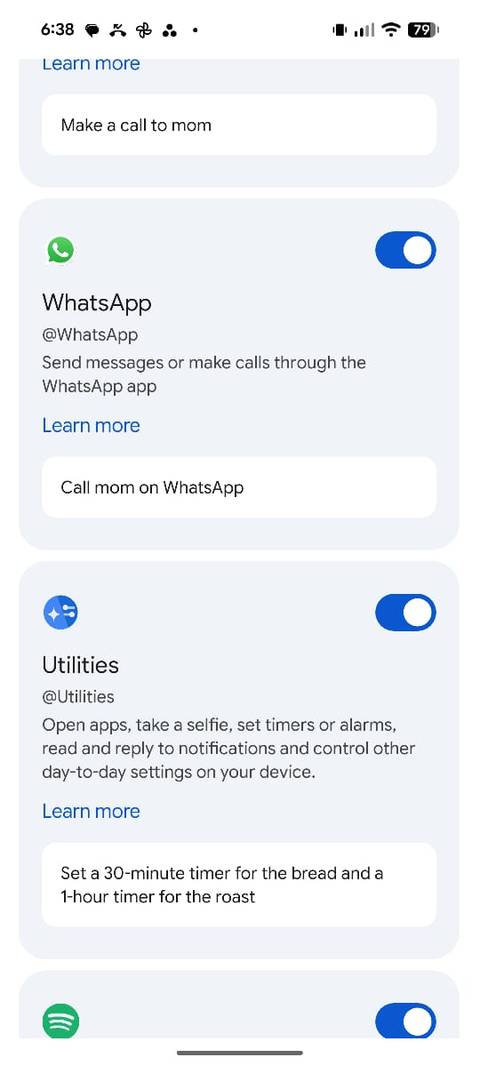
Before you can start firing off messages completely hands-free, there is a bit of tweaking you need to do, and it has to be done from your phone.
You won’t find this option if you are looking at the Gemini web interface on your laptop; it is strictly a mobile app setting.
To set it up, I just opened the Gemini app on my phone, tapped my profile icon, and headed to Settings Personal Intelligence Connection Apps menu.
From there, I scrolled down and…


