Google shows off first intelligent specs running Android XR
Google shows off first intelligent specs running Android XR
https://siliconangle.com/2026/05/19/google-shows-off-first-intelligent-specs-running-android-xr/
Publish Date: 2026-05-19 19:28:00
Source Domain: siliconangle.com
Meta Platforms Inc. and Ray-Ban will finally have some competition on their hands. At Google I/O 2026 today, Google LLC gave us a quick look at its first upcoming “intelligent eyewear” products, which are set to launch in the fall.
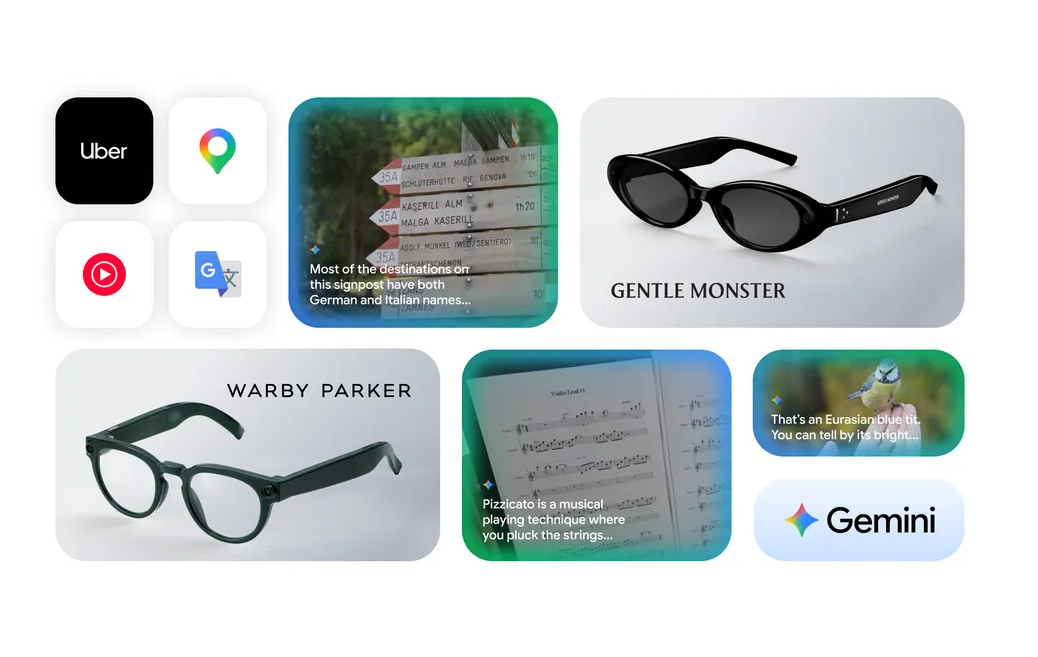
The new smart glasses were jointly developed between Google and Samsung Electronics Co. Ltd., with the smartphone giant building the actual intelligent hardware that goes into them and Google providing the software expertise. When the first intelligent specs launch, they’ll work with both Android and iOS smartphones, Google said. No prices were announced, but the company did reveal a couple of designs for the first time, showing off two new frames designed by Warby Parker and Gentle Monster.
According to Google, both of those companies plan to launch “full collections” later this year, so there should be a pretty extensive range of suave and sophisticated intelligent eyewear products to choose from.
At the event, Google showed a quick video that demonstrated some of the display-style glasses’ capabilities, which mostly focused on the audio, camera and artificial intelligence elements within them. One seemingly useful application is the ability to ask Gemini for turn-by-turn directions, and this function will apparently work while driving or walking. Users will also be able to launch and use third-party software applications such as Doordash using voice commands, and take and edit photos. They’ll then be able to view the photos they’ve taken on a Google Watch, if they’re going full wearable, or else send them to their connected smartphone.
Naturally, Gemini is fully integrated into every aspect of Google’s intelligent eyewear. To wake it up, users can simply say “Hey Google,” or else just tap the side of the frame and then start issuing commands. It can do quite a bit. For instance, users can ask Gemini for information about whatever it is that’s in their field of view, such as the name of a cloud…