This forgotten Pixel 10 feature just made my life a little bit easier — Here’s how to use it
This forgotten Pixel 10 feature just made my life a little bit easier — Here’s how to use it
Publish Date: 2026-03-15 13:05:00
Source Domain: www.androidcentral.com
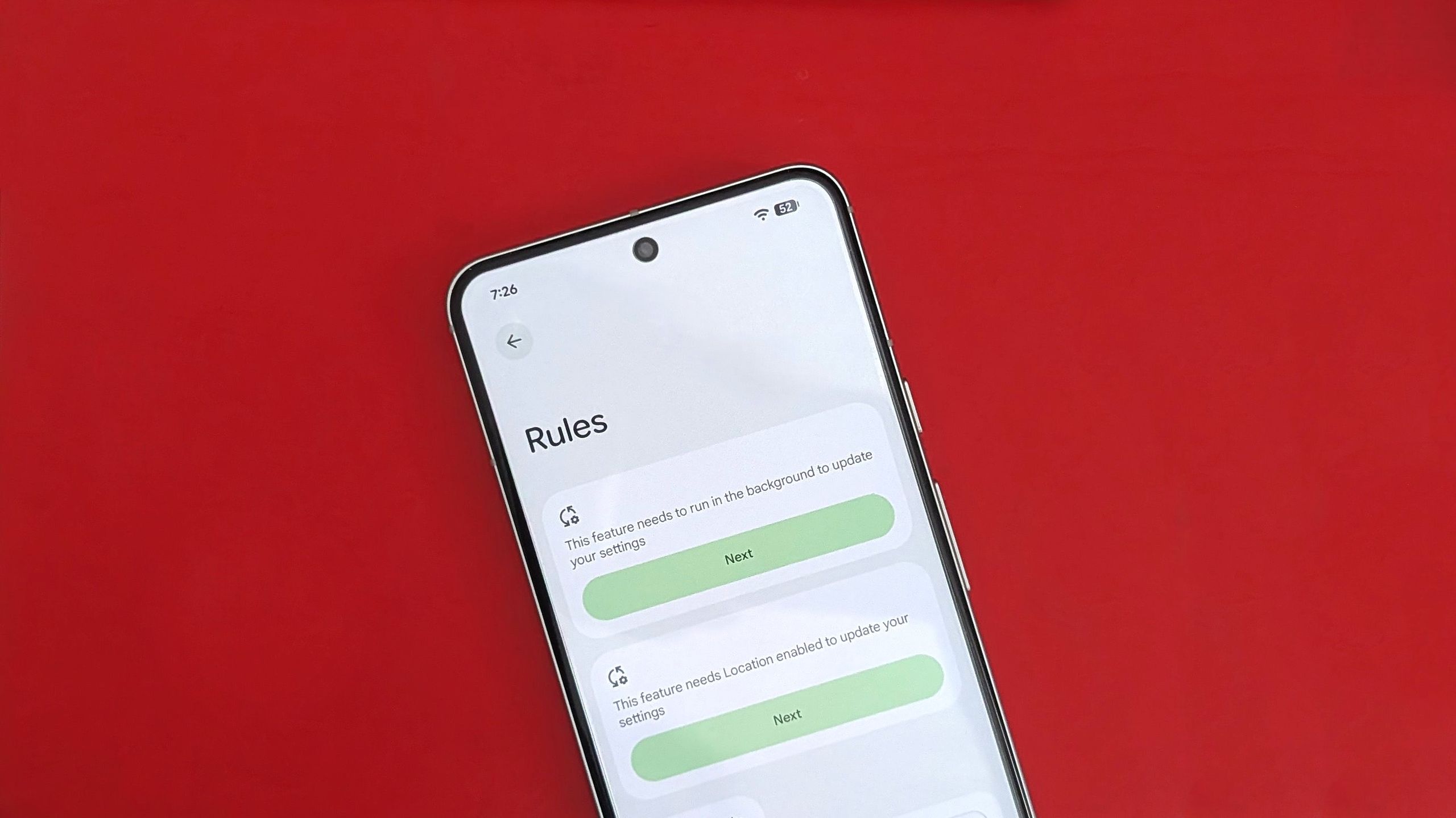
Remember when Rules was a big thing on Android? Yeah, me neither. This long-forgotten feature from 2019 still exists, as I recently discovered, and it is actually quite useful.
The Rules feature is still available on Android 16, and it’s really straightforward. You can use it to create automations by setting conditions that trigger an event based on your Wi-Fi or location. While the automations aren’t as open-ended, they’re still a nifty way to change settings you alter regularly.
Article continues below
You may like
How to configure Rules on your Pixel to create automations
Rules work much like routines on Google Home. Except, of course, you’re not creating automations for smart devices. Rather, Rules create automations that change certain phone settings on your Google Pixel device based on your location or the Wi-Fi network you’re connected to.
Let me walk you through the steps of setting a Rule. I used a Pixel 10 Pro for this guide, but any Google Pixel device running Android 10 or above should have this feature.
1. Open Settings on your Google Pixel.
2. Enter System settings.
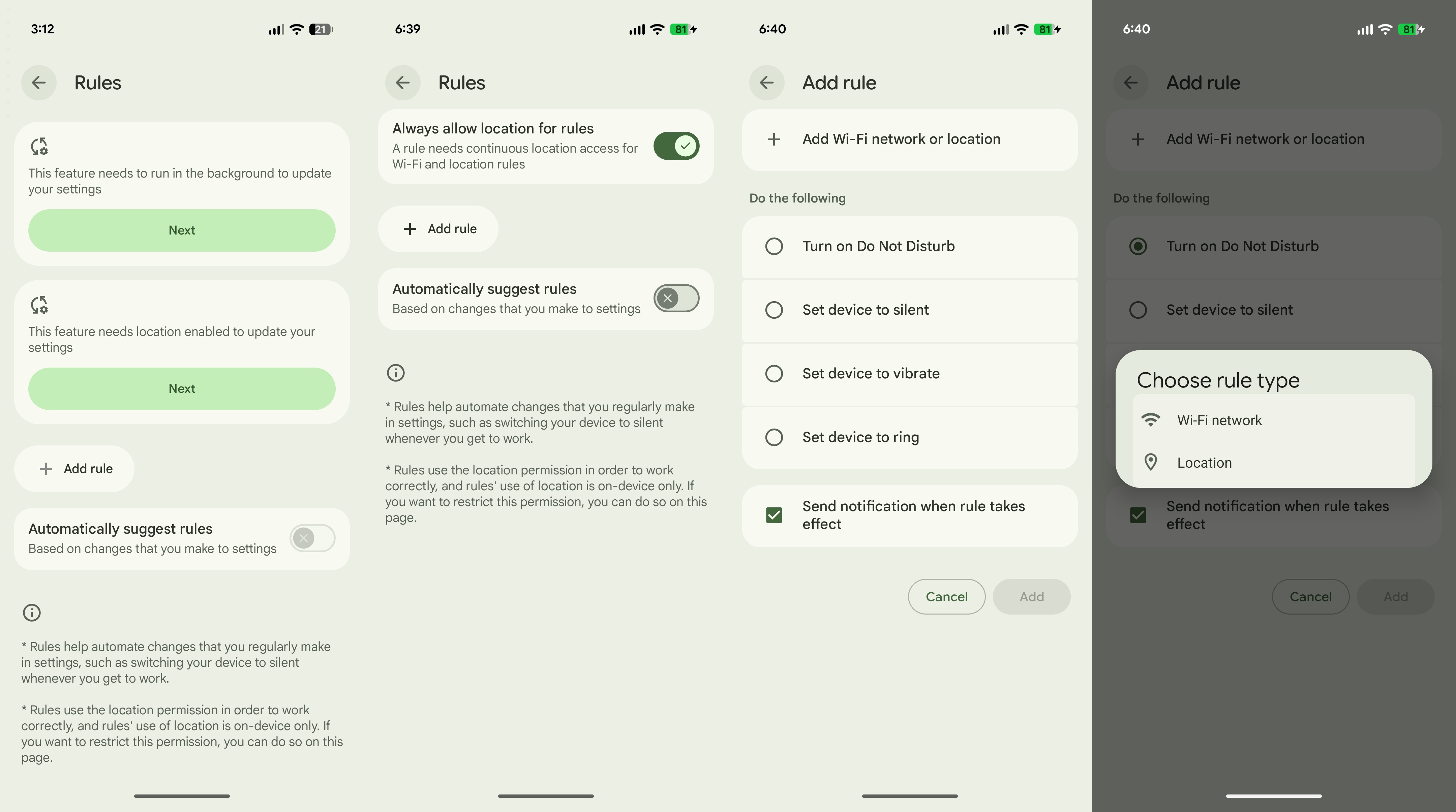
3. Tap Rules under System settings.
(Image credit: Namerah Saud Fatmi / Android Central)
4. Tap Next and give the necessary permissions to access Wi-Fi and location data.
5. Tap the Add rule button.
What to read next
6. Choose your rule type: Wi-Fi or Location.
(Image credit: Namerah Saud Fatmi / Android Central)
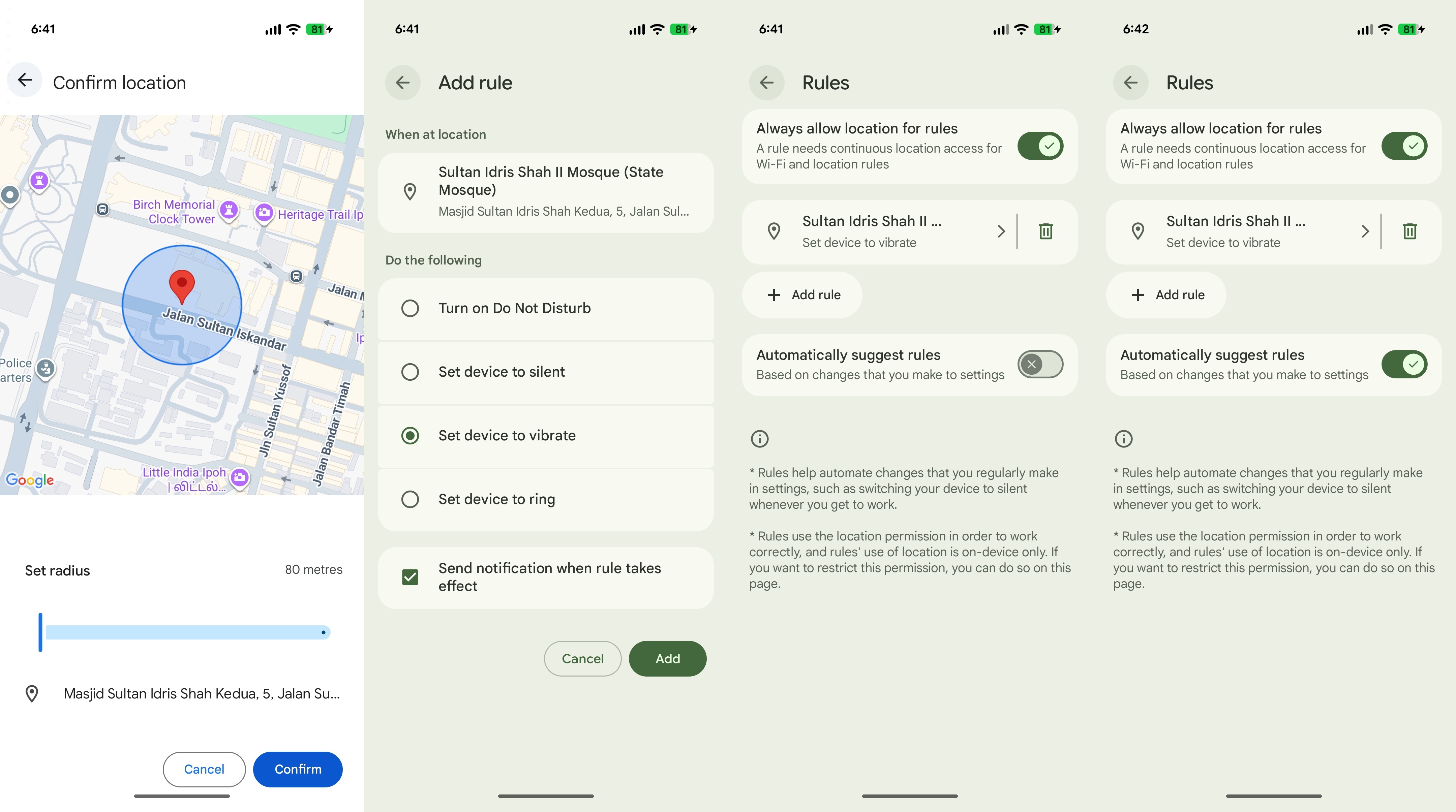
7. Set the location or Wi-Fi network.
8. Next, set the action that you want your Pixel to do.
9. Tap the final Add button at the bottom-right corner.

![Gemini overlay rolls out Dynamic Color, integrates ‘Screen content’ [U]](https://i0.wp.com/9to5google.com/wp-content/uploads/sites/4/2026/05/gemini-overlay-3.jpg?resize=1200%2C628&quality=82&strip=all&ssl=1 "Gemini overlay rolls out Dynamic Color, integrates ‘Screen content’ [U]")