Start using these 3 iPhone camera features — you’ll wonder how you lived without them
Start using these 3 iPhone camera features — you’ll wonder how you lived without them
Publish Date: 2026-03-15 06:15:00
Source Domain: www.tomsguide.com
Hidden iPhone tips
(Image credit: Future)
Hi, I’m Kaycee. Welcome to Hidden iPhone Tips, a weekly column where I dig into the best iOS features Apple doesn’t tell you about.
I was scrolling through Photos recently deleting blurry shots from a family gathering when I noticed something. One photo I’d marked for deletion (a group shot where half the people had their eyes closed) had a little “Live” indicator. I tapped it out of curiosity and suddenly saw a filmstrip of alternate frames, including one where everyone looked perfect.
Here are three features that are actually game-changers.
Article continues below
You may like
3 hidden iPhone camera features
1. Record videos directly from Photo mode
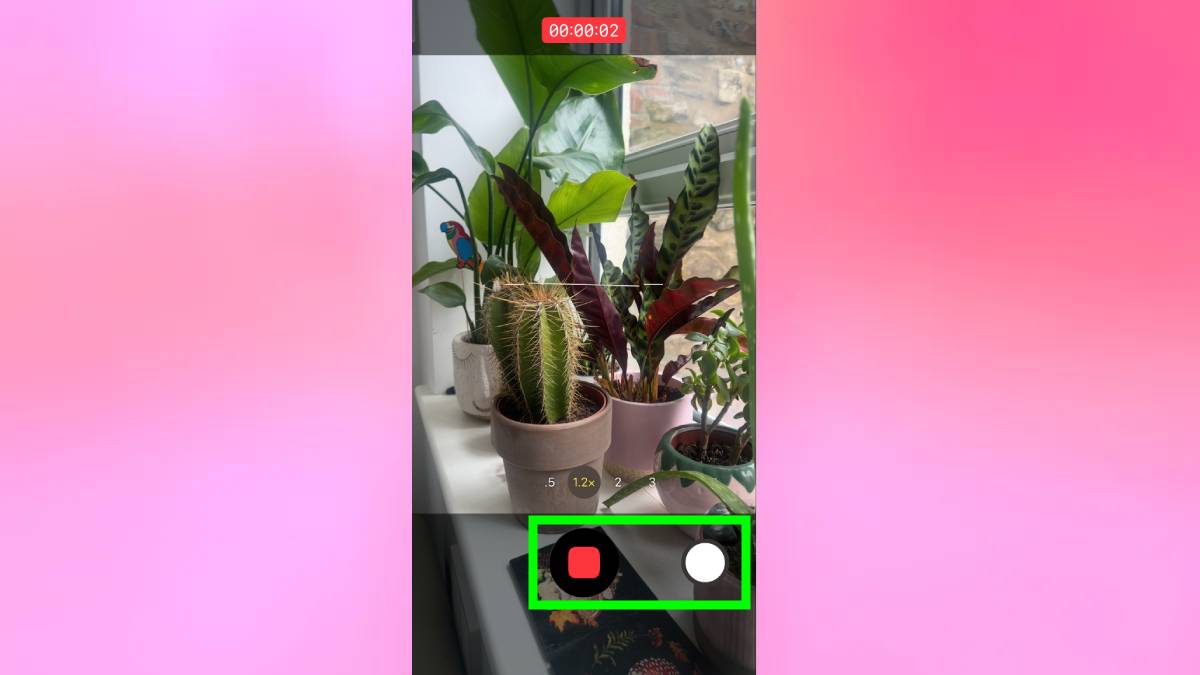
I used to fumble switching between Photo and Video modes constantly. I’d frame a shot for a photo, realize I wanted video instead, lift my finger off the shutter button, swipe to Video mode, then start recording. By then, the moment I wanted to capture was often gone.
You can record video directly from Photo mode without switching. Long-press the shutter button to start recording, then release to stop. For longer videos, long-press and swipe right to lock the recording so you don’t have to keep your finger on the button.
While recording this way, you can still snap photos by tapping the smaller white button that appears on the right side of the screen. This lets you capture both video and still images of the same moment without stopping the recording or switching modes.
2. Scan and use text directly from the camera
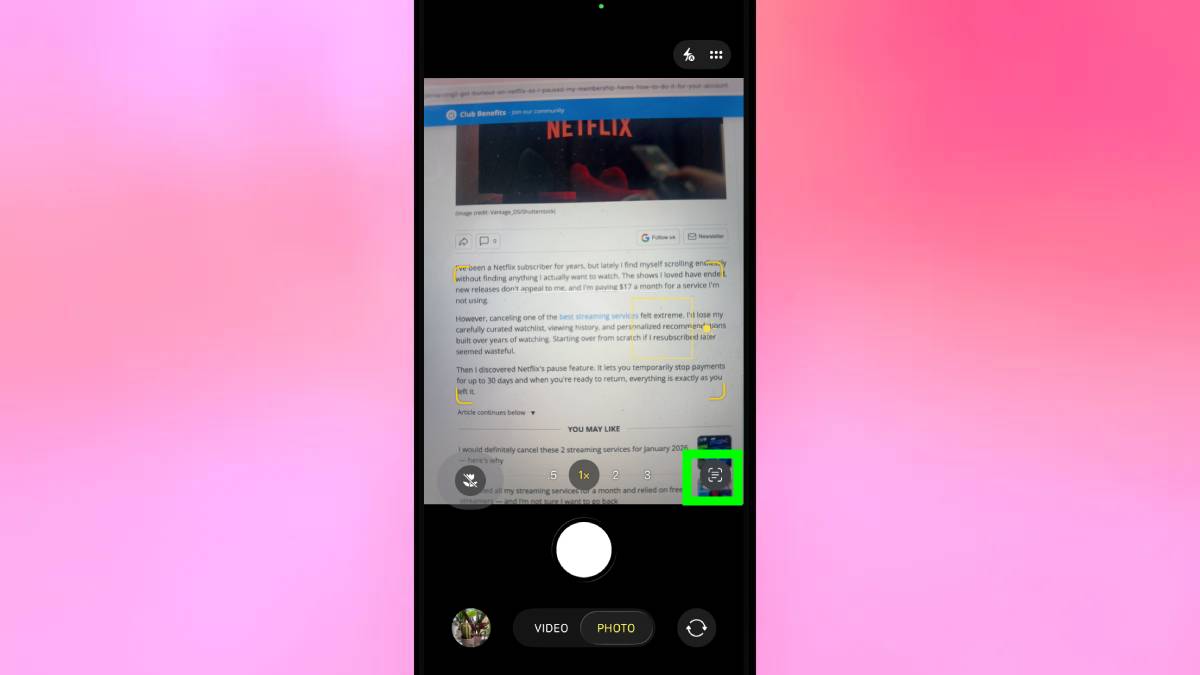
Open the Camera app in Photo mode and point your phone at any text. Make sure the entire text you want to scan fits in the…