7 essential keyboard shortcuts every Linux Mint user should know

7 essential keyboard shortcuts every Linux Mint user should know
https://www.howtogeek.com/essential-keyboard-shortcuts-linux-mint-users-should-know/
Publish Date: 2026-03-12 09:30:00
Source Domain: www.howtogeek.com
Linux Mint is one of the most user-friendly Linux distros available, and by memorizing a few simple shortcuts, you can make it even better.
These are 7 shortcuts I use whenever I’m using Linux Mint.
Press the Super key
A button to open everything else
The single most useful shortcut in Linux Mint involves only one key: The Super Key. If you’re using most keyboards, that’ll correspond to the Windows Key.
Credit: Patrick Campanale / How-To Geek
Once you have the Menu open, you can start typing to search for applications, files, system settings and tools, and more.
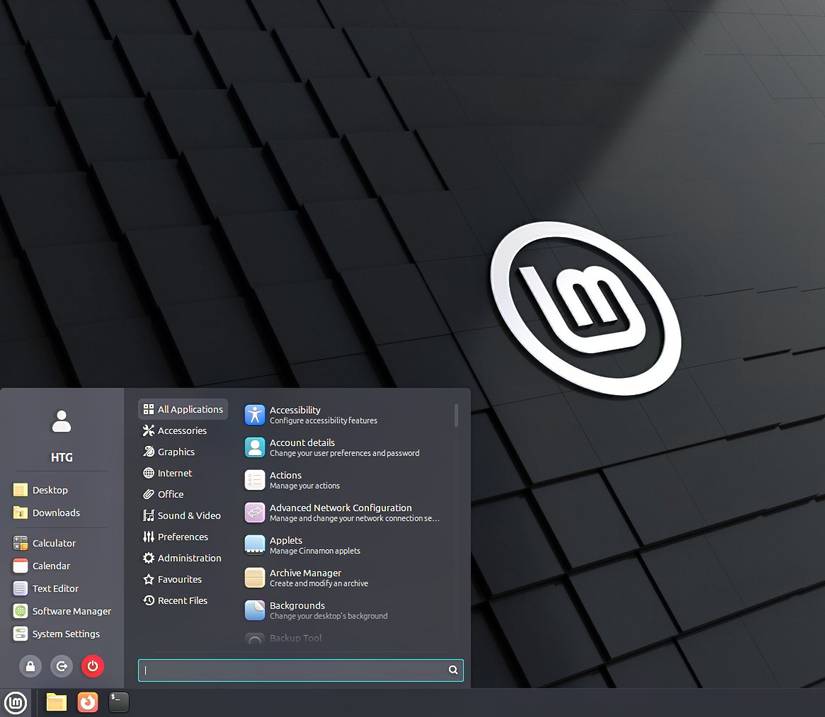
It is one of the most convenient menus in Mint, and it is the primary way I interact with the OS. I don’t even keep icons on my desktop because pressing the Super key and typing Firefox is just as fast as minimizing my current window and looking around the desktop for an icon.
It is also one of the features that…


