How to Add Android Apps to Your Car’s Factory Screen
How to Add Android Apps to Your Car’s Factory Screen
https://www.techlicious.com/blog/how-to-add-android-apps-to-your-cars-factory-screen/
Publish Date: 2026-02-25 23:18:00
Source Domain: www.techlicious.com
Modern cars have large, high-resolution touchscreens. But once you start using them, the limitations become obvious. Even with Apple CarPlay or Android Auto, you’re restricted to a curated list of approved apps. You can’t install arbitrary Android apps. You can’t customize much. And everything depends on your phone being connected.
Meanwhile, your phone can run millions of apps. But phone mirroring options in cars significantly restrict which of those apps can be used in your car display. And with traditional mirroring, your phone does the computing, and the car screen simply projects a simplified interface
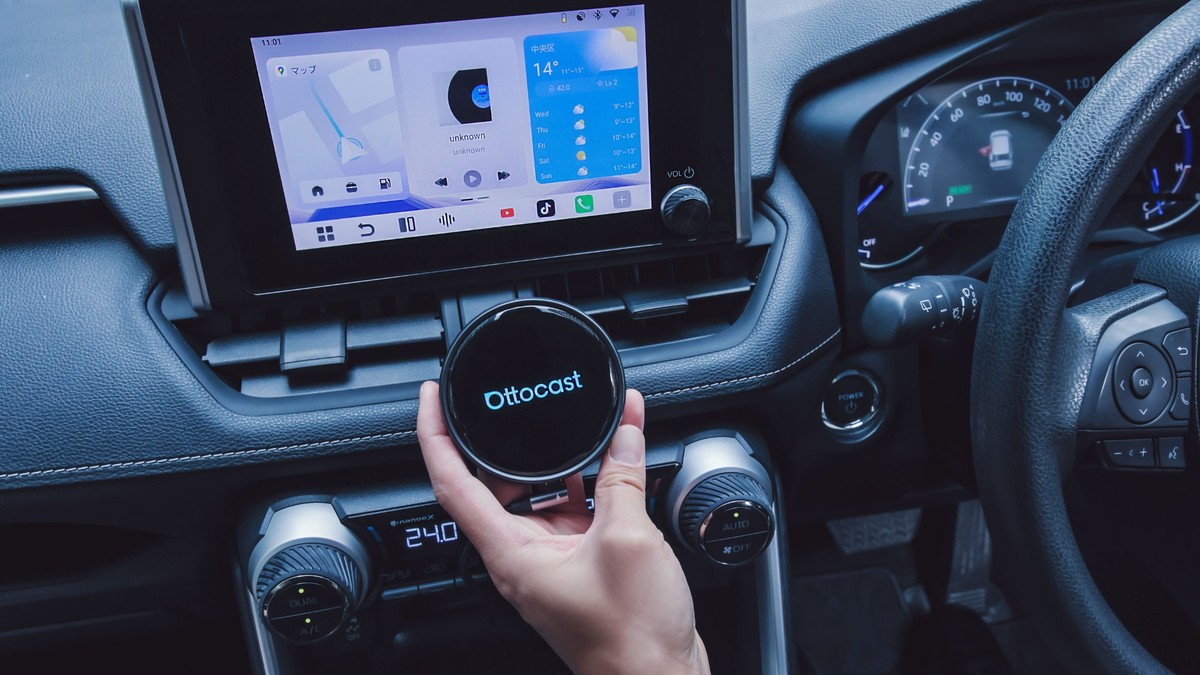
The Ottocast OttoAI Box P3 Pro takes a different approach. Instead of mirroring your phone, it runs its own Android 13 operating system through your car’s factory display. Apps install directly onto it, not onto your phone, turning your dashboard into a standalone Android environment.
Under the hood, the P3 Pro uses a Snapdragon 6225 processor with 8GB of RAM and 128GB of storage, allowing it to boot quickly and handle multitasking. And you’re not draining your phone’s battery or tying it up every time someone uses the car.
Because it runs full Android rather than a restricted projection layer, the P3 Pro opens up categories of apps that factory systems typically don’t support. For example:
- Alternative navigation tools. Many integrated systems limit you to Apple Maps, Google Maps, or Waze. With Android running natively, you can install specialized navigation apps, off-road mapping tools, or region-specific navigation services that aren’t available through CarPlay and Android Auto.
- Streaming apps while parked. Apps like Netflix or YouTube (or even your favorite game) can run on the display – something CarPlay and Android Auto don’t allow. A great way to entertain yourself or the whole family during charging stops or long waits. And there’s an HDMI output to stream content to a rear display when you’re…