KDE Plasma 6.6 Officially Released

KDE Plasma 6.6 Officially Released
https://www.techpowerup.com/346467/kde-plasma-6-6-officially-released
Publish Date: 2026-02-17 08:47:00
Source Domain: www.techpowerup.com
KDE released Plasma 6.6 today, the latest version of the popular Linux desktop environment, also used in Steam Deck desktop mode. The biggest addition is the new Plasma Login Manager, a potential replacement for Simple Desktop Display Manager (SDDM) in distributions like Fedora Linux 44, CachyOS, and EndeavourOS. Note that it requires systemd, so it won’t work on systemd-free distros. The Spectacle screenshot tool gains OCR capabilities, and a new USB portal lets sandboxed apps request access to USB devices. Users running Linux kernel 6.19 can now adjust the visual sharpness of all on-screen content. You can also turn your current Plasma setup into a global theme. KDE Plasma 6.6 adds XRandr emulation in KWin for better XWayland app compatibility, per-DRM-plane color pipeline support, and custom screen mode support in Wayland sessions. Screen mirroring is improved, and a new “Slow Keys” accessibility feature has been added.
Windows games with HDR running through Wine or Proton also get a color accuracy workaround. Wi-Fi passwords can now be stored in a root-owned location for better security, and a QR code in the Networks widget makes connecting easier. Battery handling on laptops is improved, ambient light sensor support enables automatic brightness adjustment, and colorblind user support has been enhanced. Windows can now be selectively excluded from screen recordings.
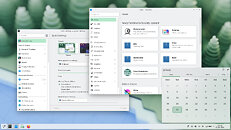 Other notable changes and improvements:
- The ability to have virtual desktops only on the primary screen
- An optional new login manager for Plasma
- Optional automatic screen brightness on devices with ambient light sensors
- Optional support for using game controllers as regular input devices
- Font installation in the Discover software center, on supported operating systems
- Choose process priority in System Monitor
- Standalone Web Browser and Audio Volume widgets can be pinned open
- Support for USB access prompts and a visual refresh of other permission prompts
- Smoother animations on high-refresh-rate screens
KDE…
Source


