Which is the better Linux distro for Windows users?

Which is the better Linux distro for Windows users?
https://www.howtogeek.com/zorin-os-vs-linux-mint-which-is-the-better-linux-distro-for-windows-users/
Publish Date: 2026-02-04 11:15:00
Source Domain: www.howtogeek.com
Ready to ditch Windows and move to Linux? Has your research led you to Linux Mint and Zorin OS, leaving you unsure which one to choose? Well, here’s a quick overview of their core differences so you can pick the one that best suits your needs and workflow.
Both distros look like a modern version of Windows 7
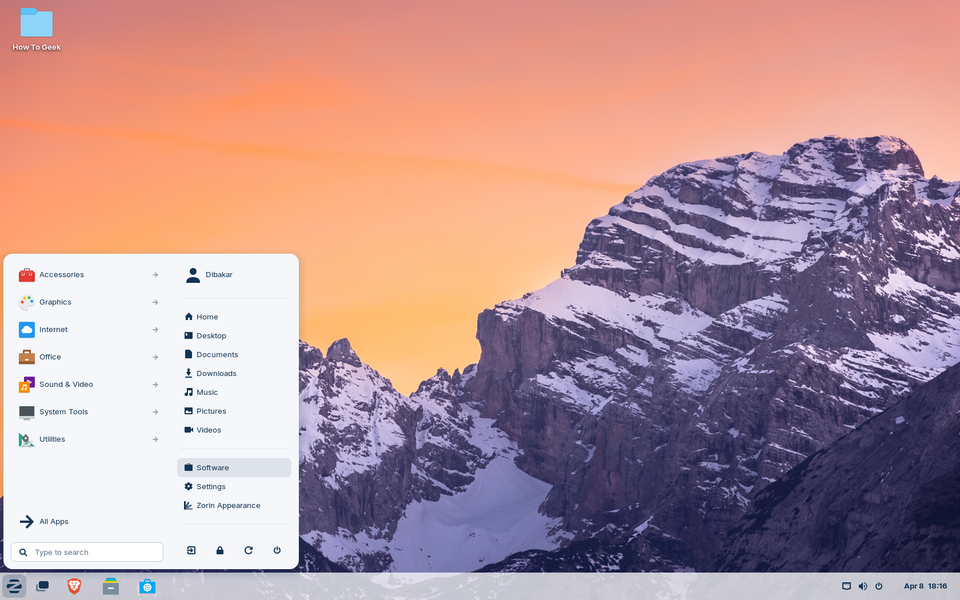
Ever wondered what Windows 7 might have evolved into if Microsoft hadn’t gone down the Metro UI path? Both Zorin OS and Linux Mint offer a glimpse into that alternate reality. They share the familiar Windows 7 layout—a clean, simple desktop for widgets and app shortcuts. This is paired with a taskbar-like panel at the bottom that houses the application launcher, pinned apps, a system tray with quick settings, and a clock.
The main difference lies in visual polish. Zorin OS offers a cleaner, more modern aesthetic compared to Linux Mint’s more utilitarian and minimal design. You also get the Zorin Appearance app, which lets you switch layout styles with a single click.
In comparison, Linux Mint ships with three different desktop environments (DEs) to choose from: Cinnamon, MATE, and Xfce. Cinnamon looks the most polished of the three—though still not as sleek as Zorin—while Xfce embraces a more retro look, and MATE falls somewhere in the middle. All three desktop environments are highly customizable, and you can change their layouts and themes as well. However, the process is more hands-on and not as streamlined—there’s no graphical app where you can just click a single button to switch layouts.
Other than this, the overall workflow is also slightly different. Since Zorin OS uses the GNOME desktop environment, pressing the Windows Key triggers the GNOME Activities Overview instead of the app launcher—which is the default GNOME…